Accessing the Instrument Pages
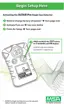
A single, quick button press turns ON the backlight for 10 seconds.
The Information page can be accessed by pushing the TEST button for
about one second.
• The instrument beeps twice.
For All Versions (Excluding the Steel Mill Version):
1) Test gas mode
2) Minimum Oxygen concentration ("LO") - for oxygen only
3) Peak Reading
• Toxic ("HI")
• Oxygen ("HI")
• The Peak/Hi and Min/Low values can be cleared.
• When this page is displayed, press the TEST button to clear.
• "CLR" displays.
4) Short Term Exposure Limit, STL.
• The STL reading displays that the instrument calculated since
power-ON.
• When this page displays, press the TEST button to clear.
• "CLR" displays.
• STEL is automatically reset to zero when the instrument is
turned ON.
• STEL value is calculated over a 15-minute exposure.
• The following formula is used to calculate the STEL value:
(Minute #1 PPM value) + (Minute #2 PPM value) +....
(minute #15 PPM value) / (15 minutes) = PPM STEL value
• If the instrument is ON for less than 15 minutes:
• the balance of the minute PPM values is set to zero and
• the total is divided by 15 minutes.
2-13



 To Next Page