ENGLISH
8 Pro-Source Man. cod. B411107FG MSC
USING THE MACHINE WITH THE CONSOLE
4Using the machine with the console
4.1.0 Notice for machine use
In order for the machine to function under optimum conditions
and in complete safety at all times:
• Keep the power cable away from sources of heat, humidity,
oil, water and sharp objects.
• Keep cutting tools sharpened and clean at all times to ensure
better and safer performance.
• Do not expose the machine to inclement weather.
• Disconnect the machines power cable before any mainte-
nance, repairs and whenever the machine is not used for a
lengthy period of time.
• Use only original spare parts.
4.1.1 Preliminary controls and setup
Before proceeding with the start up of the machine:
• Perform a general visual inspection of the machine to ensure
that no components have been removed or modified.
4.2.0 Starting the machine
To start working with Pro-Source, proceed as follows:
1. Before starting the machine, connect the console to the ma-
chine with the RJ25 cable.
2. Check that the stop button has not been activated.
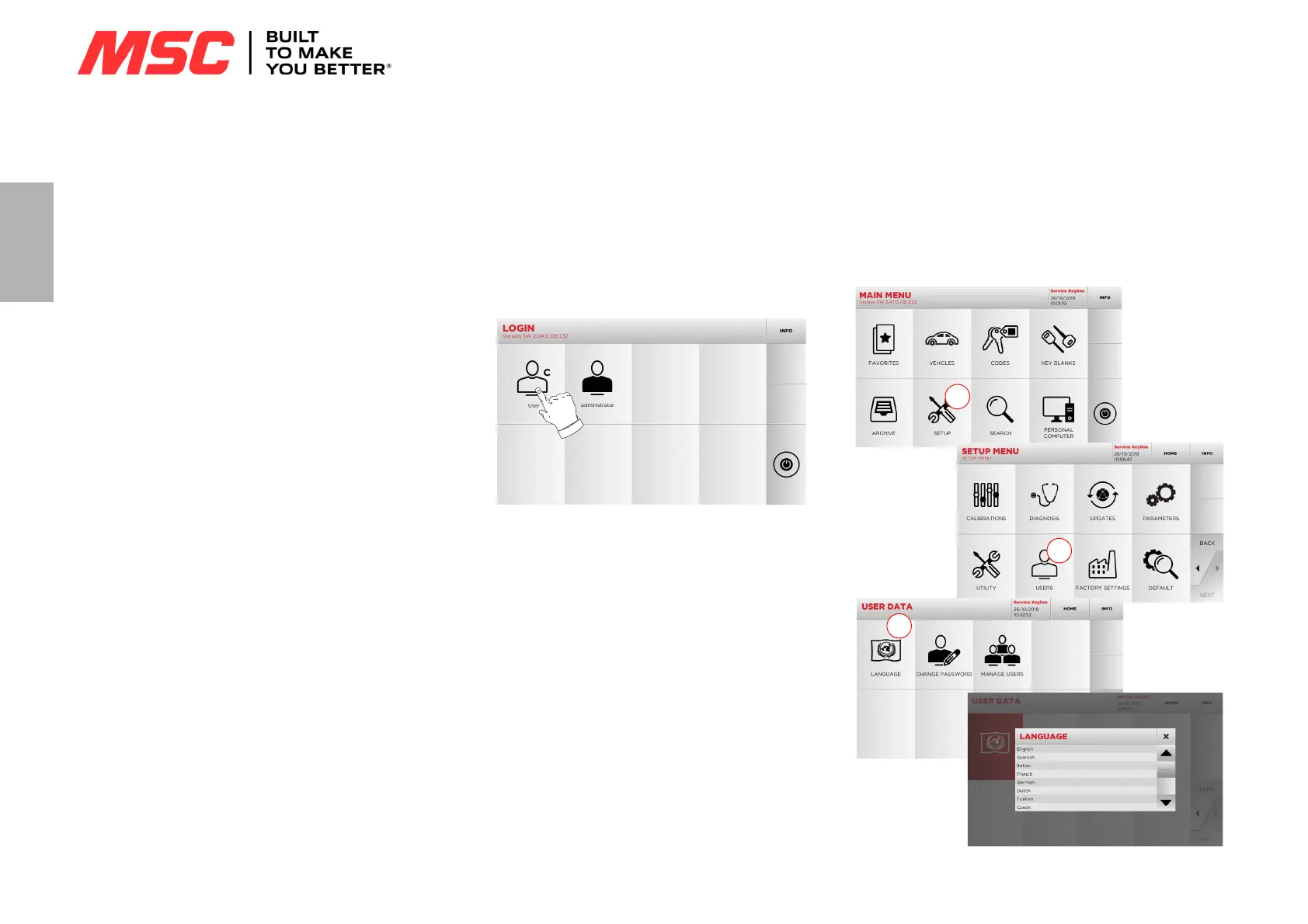
3. Wait for a few minutes for the Touch Screen to display the
“LOGIN” page.
4. Select the user for operating with the machine (e.g. USER).
• With the admin user is possible to enter the Setup Menu for
managing calibrations and settings.
• In the following page enter the password to access the MAIN
menu.
Note: No password is required for the first use of the machine.
4.3.0 Language setting
How to proceed:
• From the MAIN menu, select: “A”.
• From the SETUP menu, select: “B”.
• Select “C” and chose the interested language.



 To Next Page