2-6
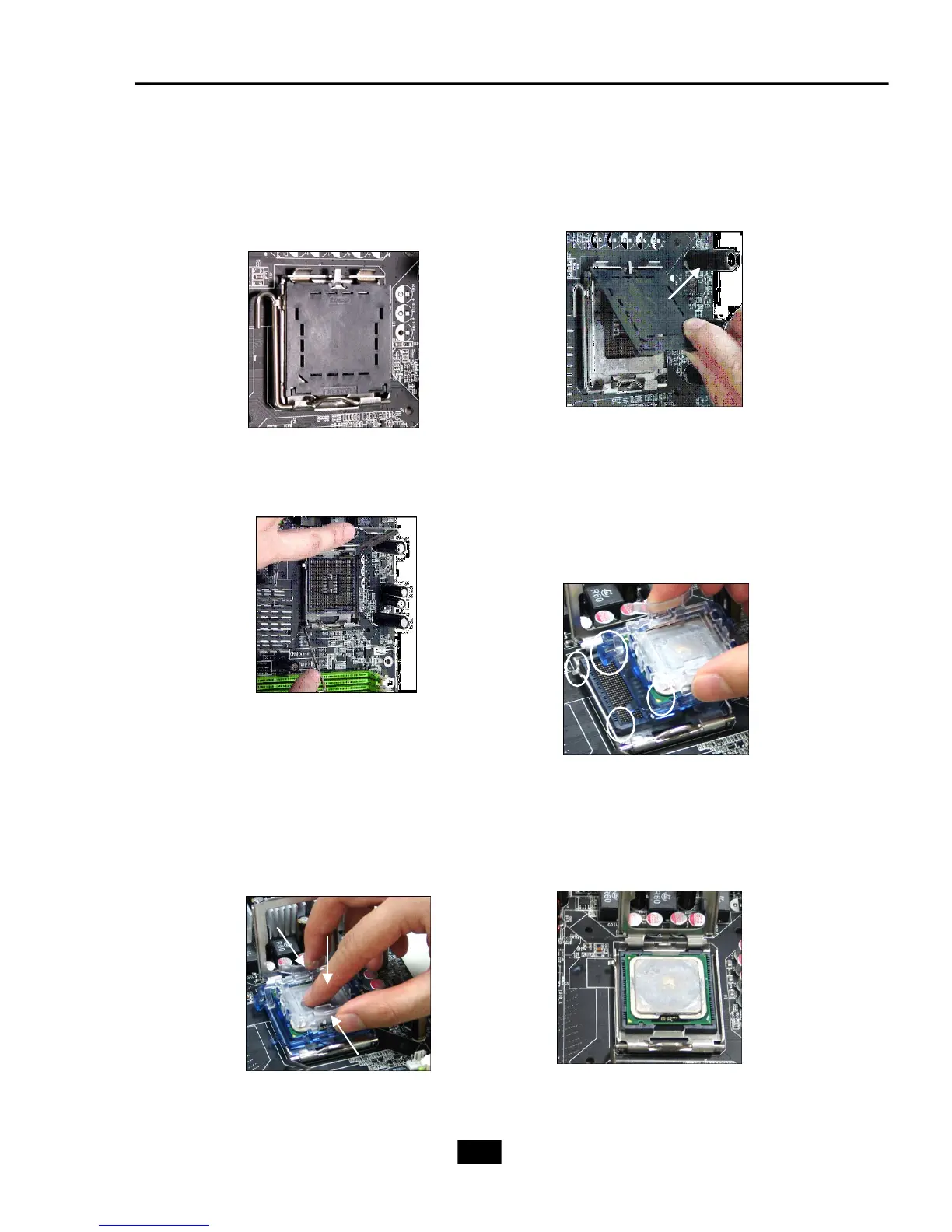
5.The CPU socket has a plastic cap on
it to protect the contact from damage.
Before you have installed the CPU,
always cover it to protect the socket
pin.
6.Remove the cap from lever
hinge side (as the arrow
shows). The pins of socket
reveal.
7.Lift the load lever up and open the
load plate.
8.Correctly align the triangle of
CPU Clip with the CPU chamfer,
and the square on the CPU Clip
to the hook of the socket.
9.Use your thumb and the middle fin-
gers to push the clips to release the
CPU, then press down the CPU with
your index finger to allow the whole
module to be installed onto the CPU
socket.
10.The CPU is installed well on
the CPU socket.











 To Next Page