Appendix C
C-8
- Now you need to navigate between “IP Address”, “Gateway”,
and “DNS Configuration” tags to specify “IP Address”, “Subnet
Mask”, “Gateway” and “DNS Server”. If you don’t know their
values, pleases consult your Network Administrator.
- Press “OK” button to go back to “Network” pop-up menu.
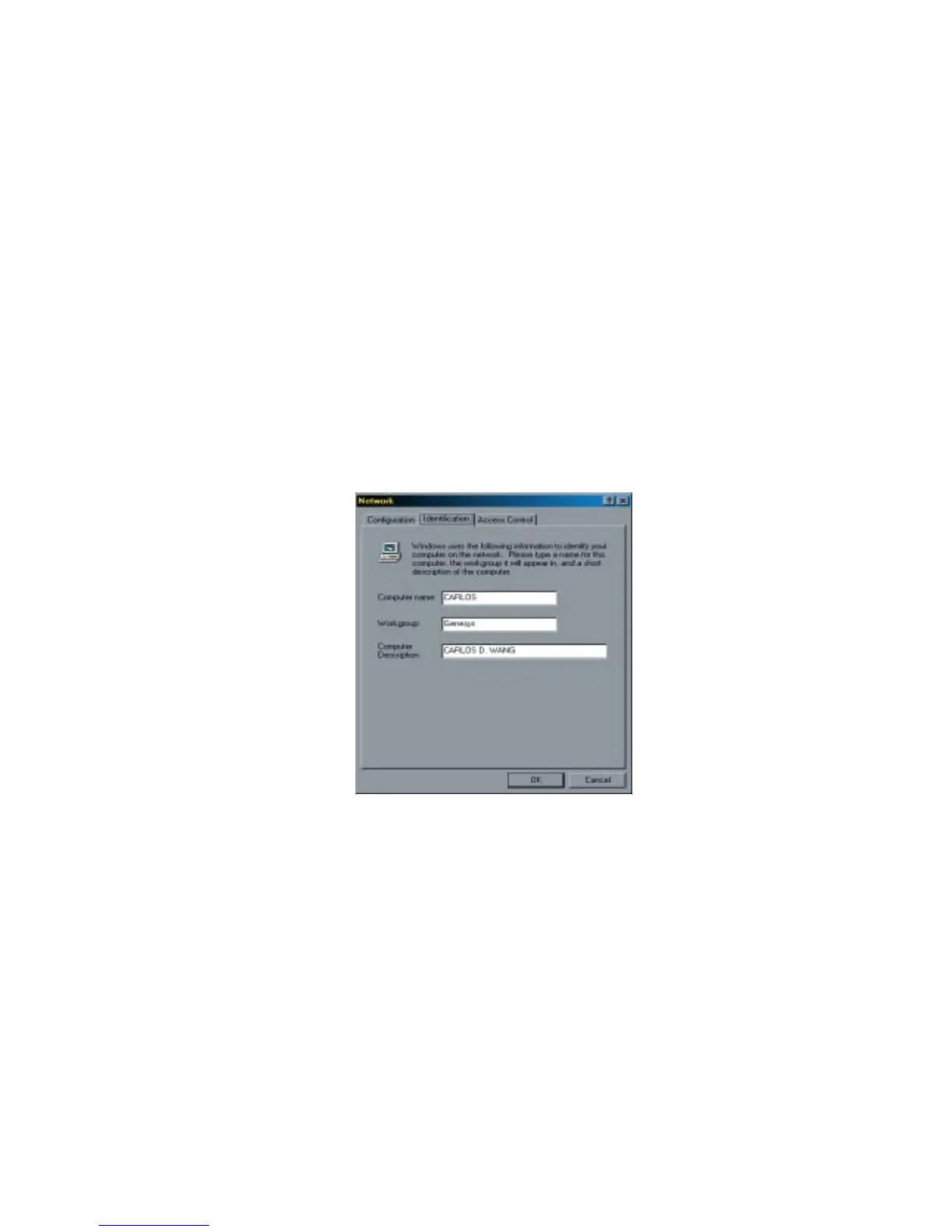
Choose “Identification” tag. Specify an unique name for your
computer if it doesn’t have and fill in the name of your
workgroup. If you are not sure what’s the name of your compu-
ter or Workgroup, please consult your Network Administrator.
- Press “OK” to complete your network configuration. Restart
your computer and you’ll be ready to connect to Internet.
b. If your existing HOME/OFFICE network is using DHCP to
assign client’s IP address, your Network Sever will configure
your network configuration automatically. So you can skip
those procedures described in the previous session.


 To Next Page