3 Operation
3.1 LOP – Controls
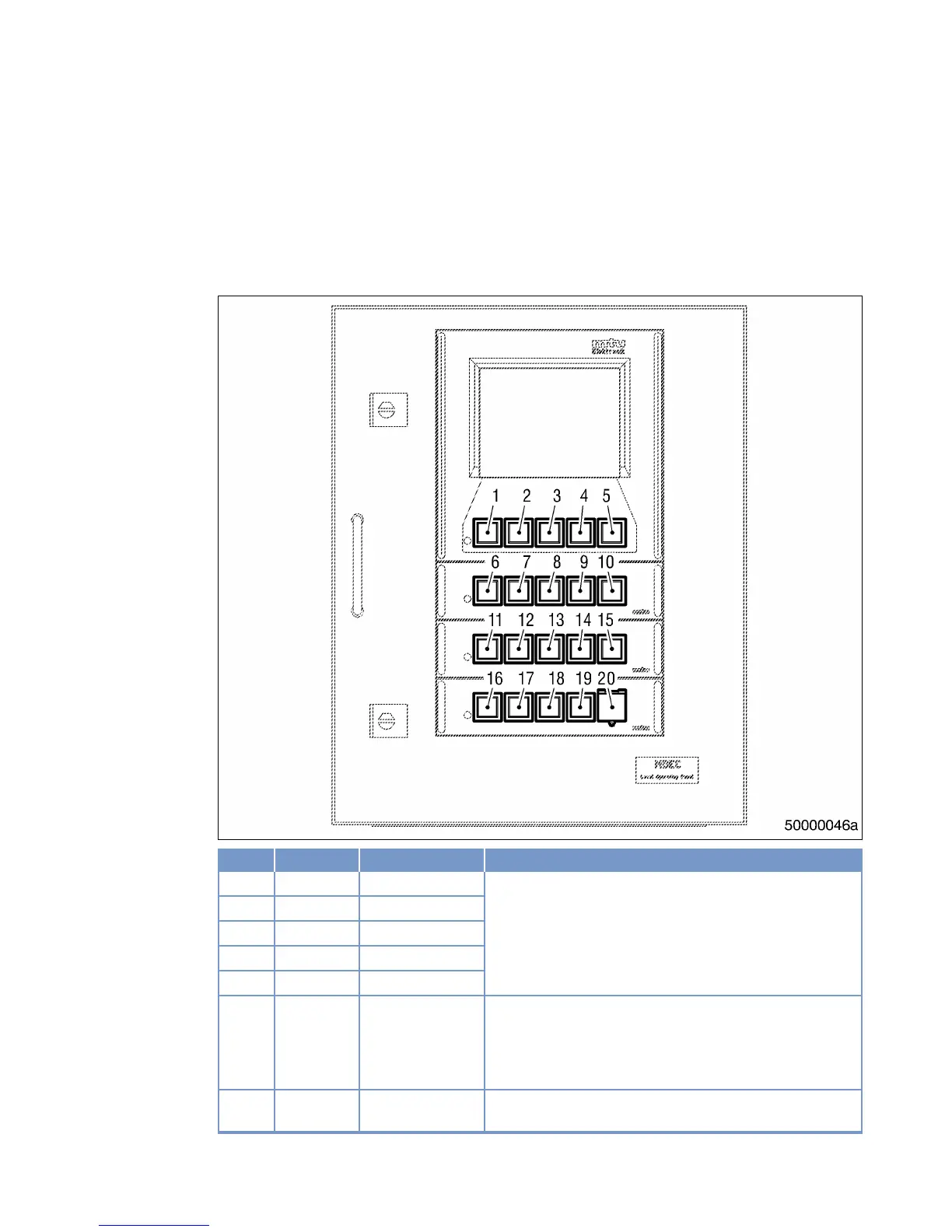
LOP – Controls
Item Color Lettering Meaning / Function
1 White F1 Function keys to control the human-machine interface.
Functions vary and are displayed on the LCD screen.
2 White F2
3 White F3
4 White F4
5 White F5
6 White ALARM AC‐
KNOWLEDGE
Pressing the key the first time stops alarm signalization.
Pressing the button a second time acknowledges an active
alarm.
LED (spot) lights up when an alarm is active.
7 White DIMMER ↑ Holding down the key increases LCD background illumina‐
tion.
MS150031/03E 2011-10 | Operation | 85
TIM-ID: 0000008856 - 003



 To Next Page