133
Ultima S / SL Flex & Pro
3/2019
Hooklift Multilift Ultima S / SL Flex & Pro
User Manual
114060421
>>>
>>>
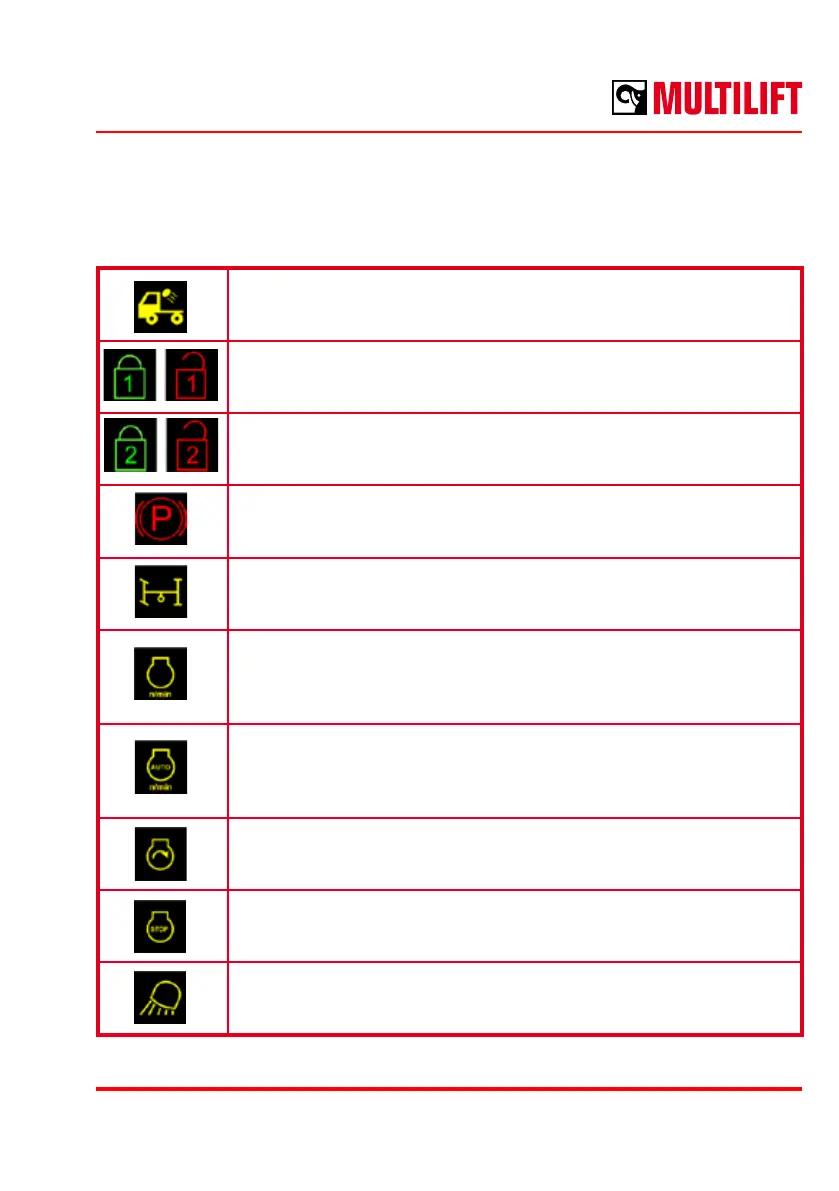
List of functions
Loading lights
Switch ON/OFF truck’s working lights for the container in the rear of
the cabin.
Indication for lock 1 status (body locks)
Closed lock is indicated by green colour, open lock is indicated in red.
Indication for lock 2 status (front locks)
Closed lock is indicated by green colour, open lock is indicated in red.
Parking brake engaged / disengaged.
PTO engaged / disengaged.
RPM pre-set activation
Truck engine RPM can be set to a pre-set level by this control. The
control sets an engine RPM level, which can be adjusted in the
display settings.
Automatic RPM control activation
Sets/resets automatic engine RPM control feature. Engine RPM is
automatically controlled by the hooklift control unit by application
specic settings.
Start engine
Activates engine starting.
Stop engine
Activates engine stop.
Working lights
Generic control for working lights. Location and purpose of the lights
may vary.



 To Next Page