GETTING STARTED
22 MultiConnect
®
Dragonfly
TM
MTQ-MNG6-B02 Device Guide
Use USB 3.0 ports if available. These ports are typically rated for more current.
The USB cable is available through MultiTech. The part number is CA-USB-A-MINI-B-3CA-USB-A-MICRO-B-3.
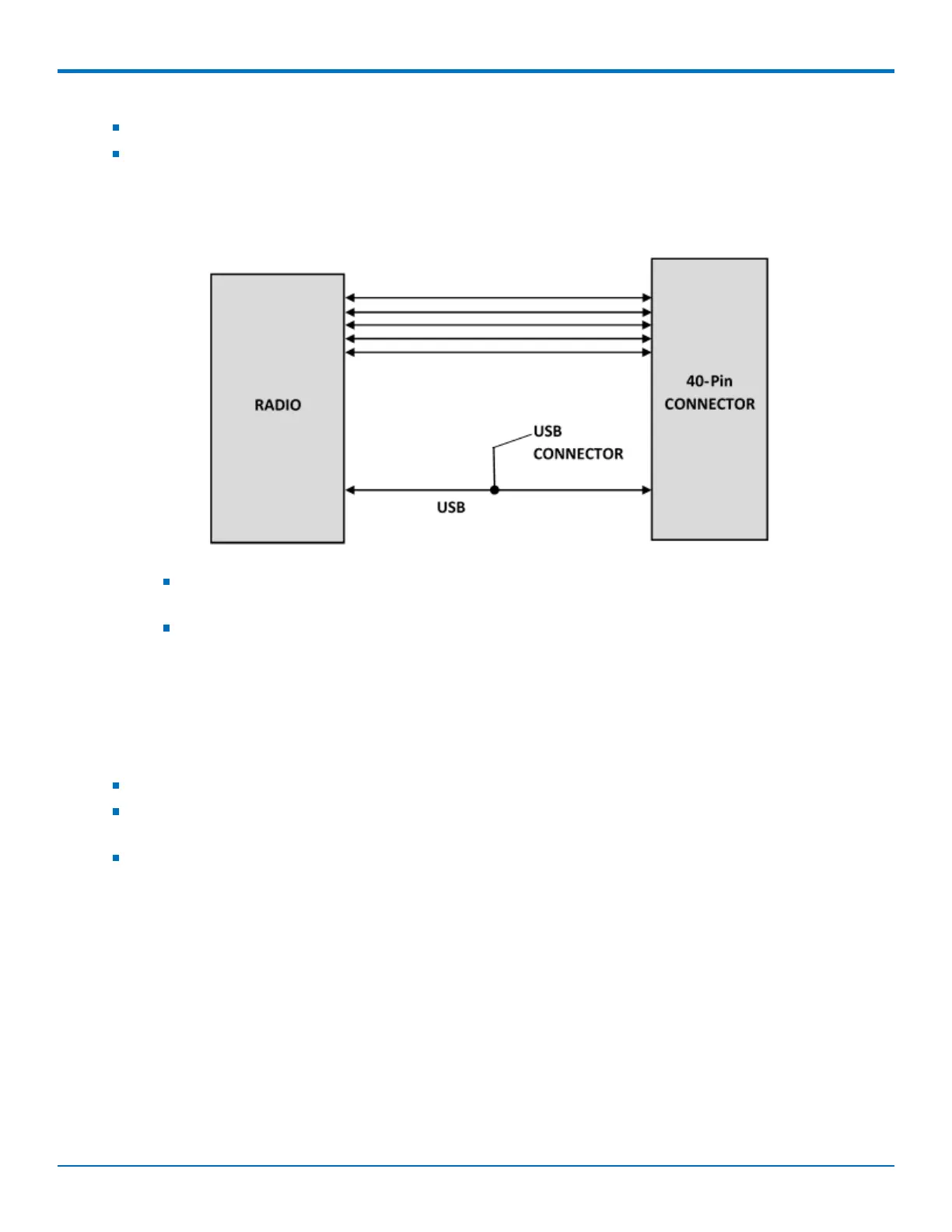
Communications Flow
No Processor Model (B02)
Note:
When the USB interface is used via the 40-pin connector or the USB connector, the serial interface
to the radio will not function.
Switching between the USB interface and serial port requires a reset. The cellular radio checks for a
USB connection upon reset. If USB is not present, it will only use the serial port. If USB is present
upon reset, it will only use USB.
Communicating with the Device
Following are three options for communicating with the device.
Install USB drivers and plug into the micro USB connector. No need for a host board.
Access the device's USB interface via pins 6 and 7 of the 40-pin connector. Data pins 6 and 7 are in parallel
with the micro USB connector on the device. There is no connection to pins 6 and 7 on the developer board.
Establish serial communication using Multitech developer board MTUDK2. See the Universal Developer Kit
2.0 Developer Guide (PN S000610) for more information.



 To Next Page