Chapter 3 – Using the Web Management Software
MultiModem rCell User Guide 35
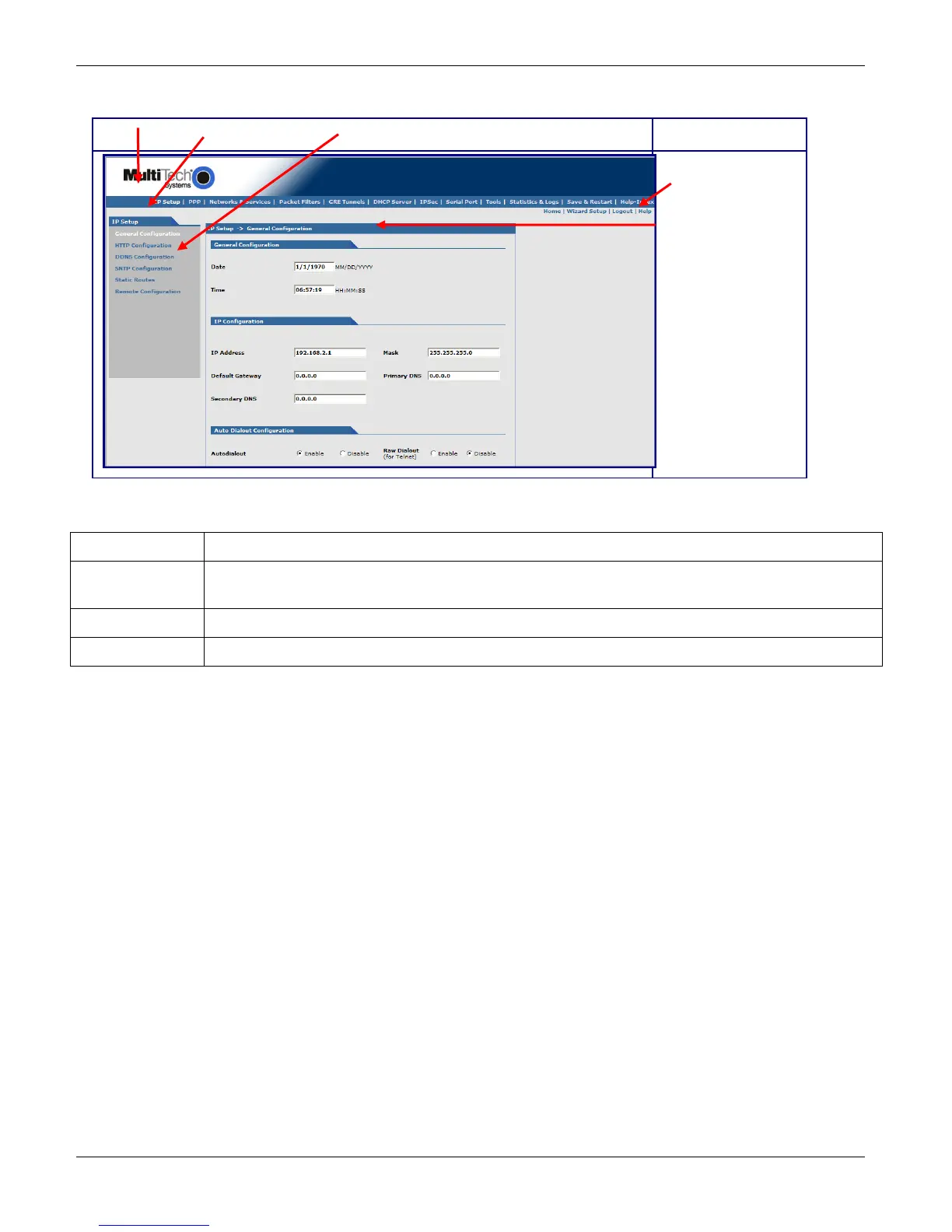
Overview of the Web Management Software’s Interface
Menu bar Submenu title Submenu list
Navigation bar
Page name
Navigation bar
Home To return to the home page, click Home.
Wizard Setup To use the Wizard Setup tool for quick set up of your MultiModem, click Wizard Setup. This
tool helps you configure basic settings needed to run the rCell Router.
Logout To log out of the software, click Logout. You return to the login screen.
Help To open an online help file, click Help.



 To Next Page