Chapter 3 – Using the Web Management Software
MultiModem rCell User Guide 69
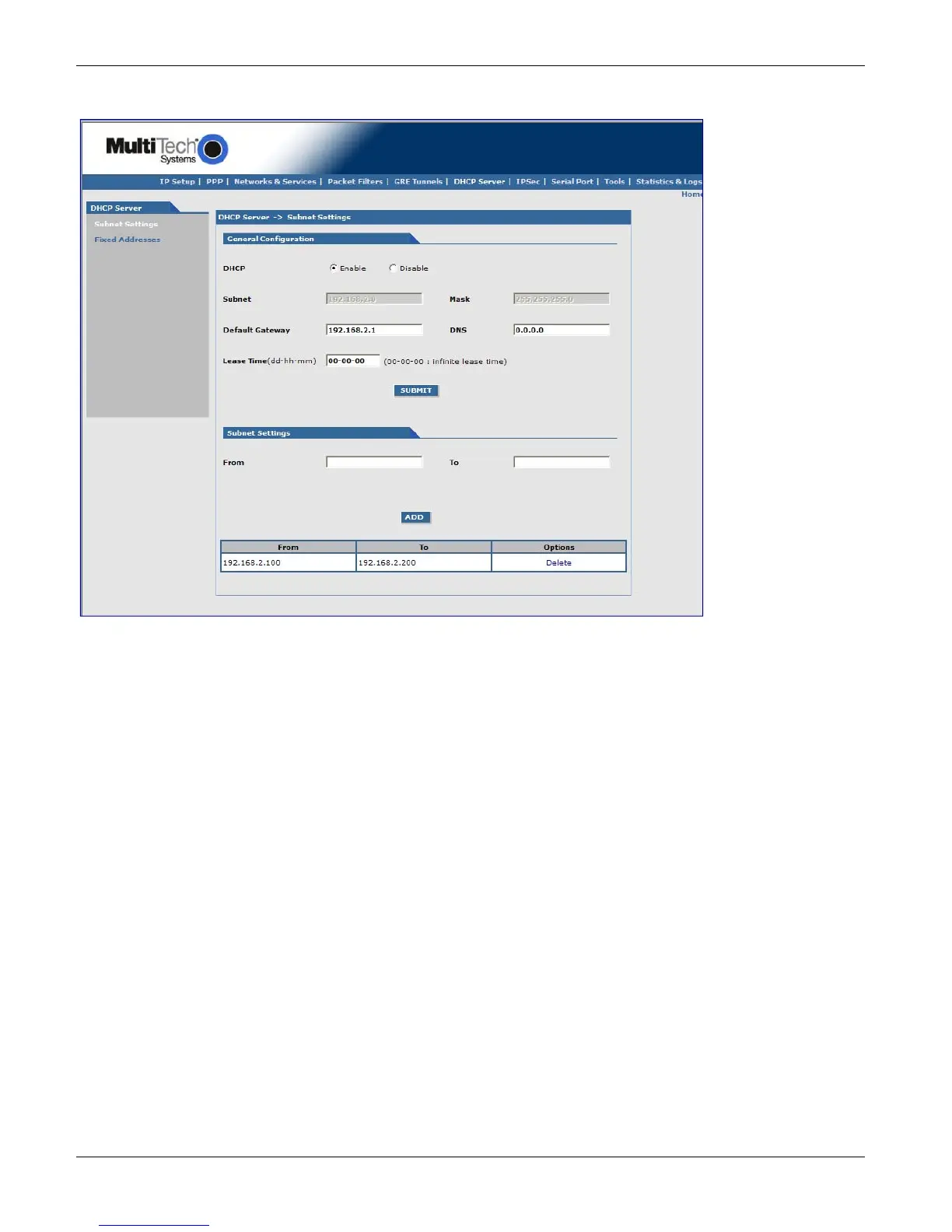
DHCP Server, Subnet Settings
General Configuration
DHCP (Dynamic Host Configuration Protocol) is a protocol that allows individual devices on an IP network to get
their own network configuration information (IP address, subnet mask, broadcast address, etc.) from a DHCP
server. The overall purpose of DHCP is to make it easier to administer a large network.
DHCP: Enable or disable the DHCP server.
Subnet: Enter the subnet address. If you want to change the DHCP subnet address, you first have to delete all the
subnet settings below.
Mask: Enter the subnet mask.
Gateway: Enter the gateway address.
DNS: Enter the DNS address.
Lease Time: Select the DHCP Lease Time from the selection box. Lease time is set in days, hours, and minutes. A
Lease Time of 00-00-00 is an Infinite Lease Time.
To save your changes, click SUBMIT.
To ensure your changes go into effect, click Save and Restart.
Subnet Settings
From-To Range: Enter the range of IP addresses to be assigned by DHCP.
Add: Click the Add button. The address range is added and appears in the table at the bottom of the screen. Once
the range displays, you can delete if necessary.
Note: See Appendix A Commonly Supported Subnets.



 To Next Page