23
Support: +1 650 206 2250
24
Support: +1 650 206 2250
Generally speaking, most of the above errors be caused by dust or dirt
inside of the machine, so keeping the machine clean is highly
recommended.
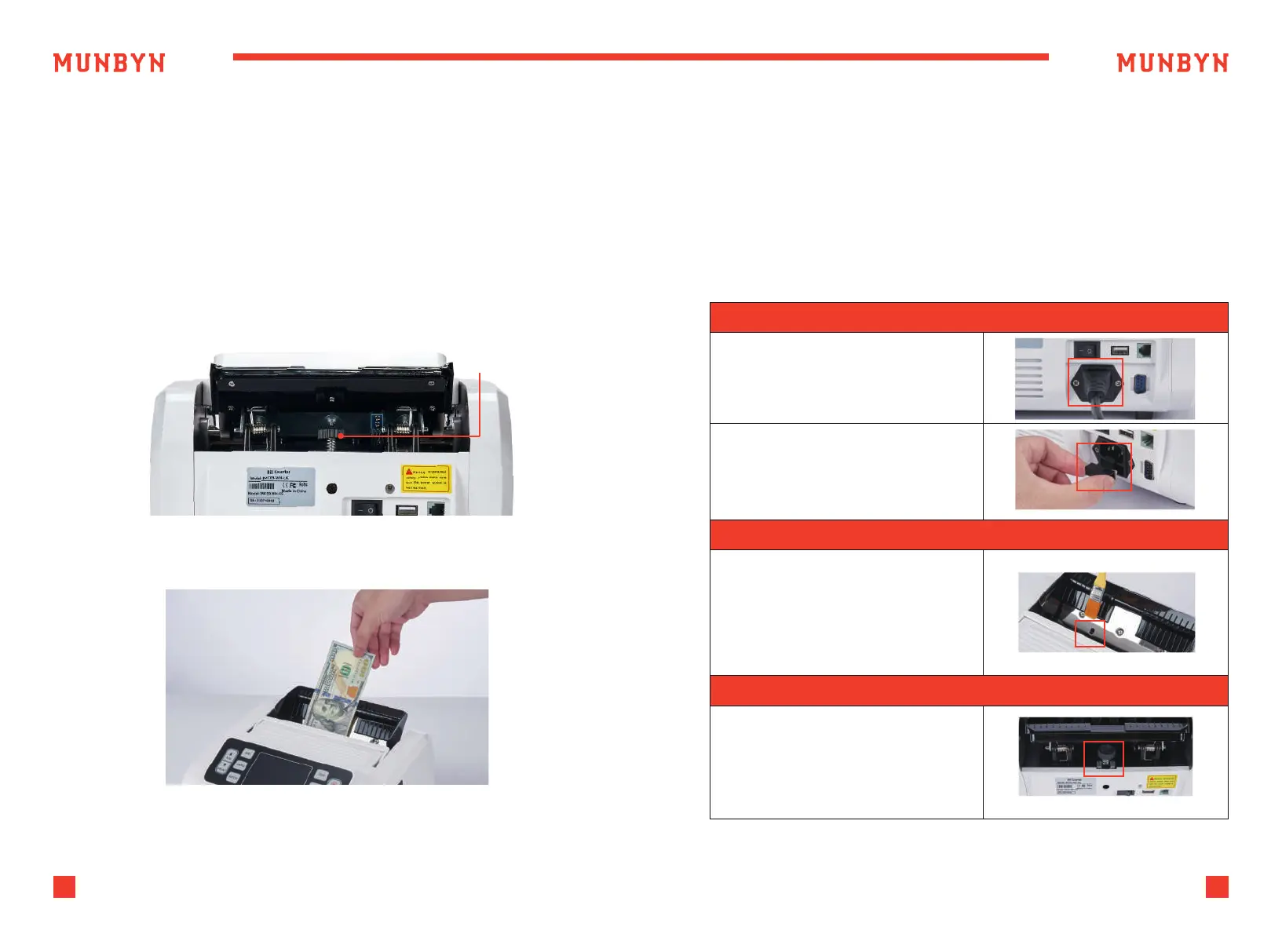
When banknote feeding is unsmooth or banknote counting is inaccurate,
it can be solved through adjusting the vertical adjusting screw as well
as the gap between resistance rubber and rubber wheel. Then you can
put in a banknote and hold, if you feel the pull, the machine is workable.
Turn it clockwise to decrease gap in order to add friction (tight).
Turn it anticlockwise to increase gap in order to reduce friction (loose).
7.2. Hopper Plate Adjustment
Before repair, please check the problems as below.
NOTE:
Before troubleshooting, please turn off the power switch and unplug
the outlet.
7.3. Common Trouble and Solution
Figure 7-2 Adjustable Screw
Figure 7-3 Feeding Gap Adjustment with One Banknote
Adjustable Screw
Table 7-4 Common Trouble and Solution
Check if the plug is well inserted
into socket
Check if the power fails or fuse
burn out
Feeding Sensor covered in dust?
Clean
Hopper position adjusted improperly?
Not working
Fail to start or stop normally
Counting Error



 To Next Page