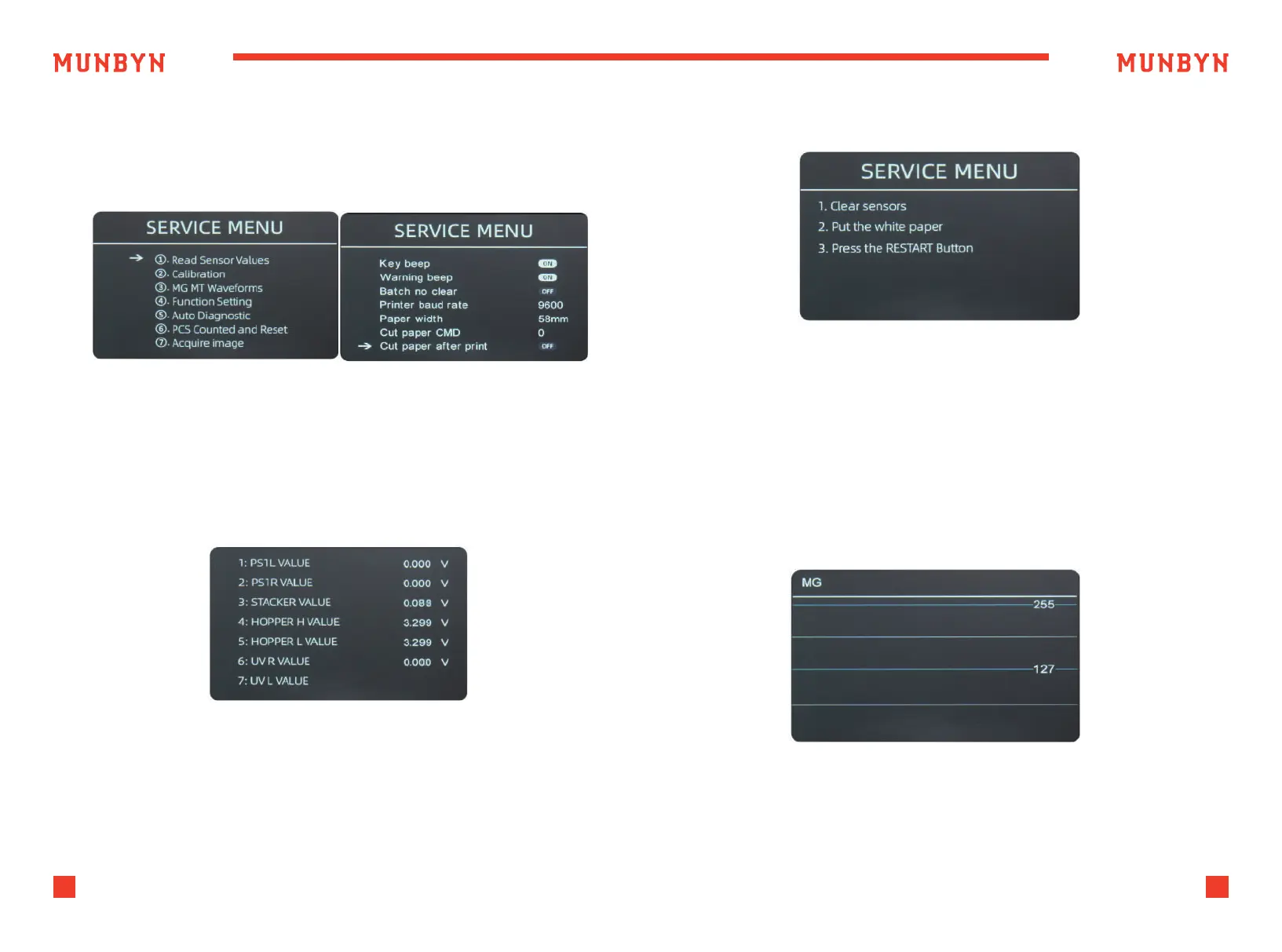
After input the password, the interface showed in Figure 5-3 will be
displayed.
Use the cursor to select with sub-menu you want to enter, and press
MENU button to confirm, and press ESC button to quit.
13
Support: +1 650 206 2250
14
Support: +1 650 206 2250
Figure 5-2 Password Interface
Figure 5-3 Sensor Values
Figure 5-5 IR Calibration Steps
Figure 5-6 MG/MT Waveforms
5.1.1. Read Sensor Values
As shown in Figure 5-4, the sensors values are only for engineer to check
whether any sensor has a malfunction. If you meet any problem about
use, please take a photo of this page and contact us.
5.1.2. IR Calibration
5.1.3. MG/MT Waveforms
If you meet cases about banknote detection errors, please try to calibrate
the CIS. The CIS calibration steps are shown in Figure 5-5. For more detail
instruction, we recommend you to see the reference manual or watch
the video: http://u.pc.cd/qRsctalK



 To Next Page