7
Support: +1 650 206 2250
8
Support: +1 650 206 2250
4.2. How to Place Banknotes?
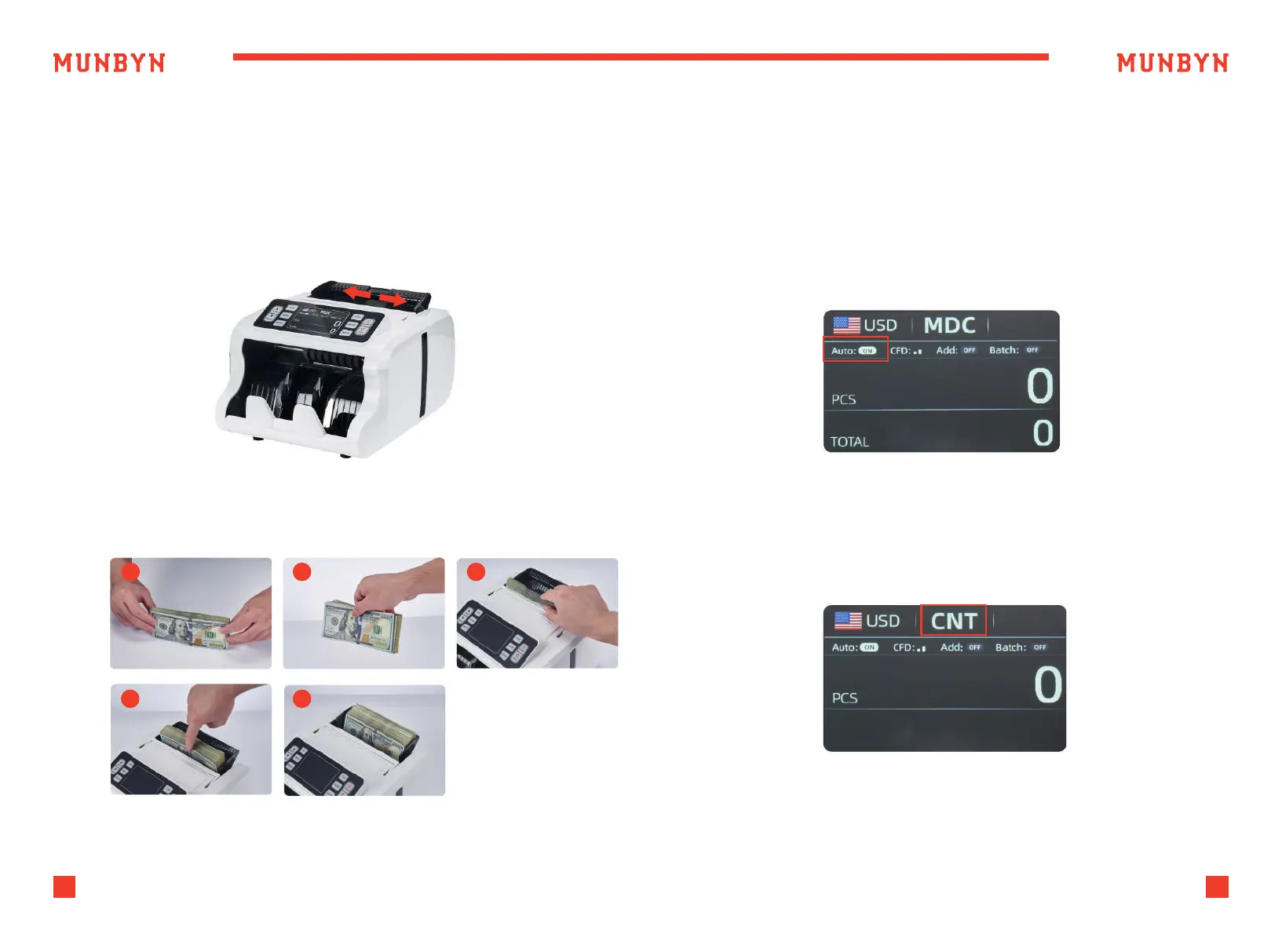
Placing neatly arranged banknotes into the hopper according to the
following steps can avoid jamming or false reporting. It is recommended
to insert no more than 150 banknotes at a time.
4.3. Operating Modes
1) Adjust the width of the banknote guider to match the width of the
banknote currently being counted.
2) Place the banknote following the steps below, allowing it to slide
naturally into the Hopper.
1
2 3
4
5
Figure 4-2 Banknote Placement Steps
Figure 4-3 AUTO Mode
4.3.1. Auto/Manual Mode
IMC09 is set to automatically count notes by default. Press "A/W" button
to switch to manual counting.
In Auto mode, the IMC09 starts count automatically as soon as the bills
placed in the hopper.
In Manual mode, the IMC09 will not start counting automatically; you
must press the “START” button to begin each count.
4.3.2. Counting Mode(CNT)
As shown in the figure 4-4, IMC09 has no anti-counterfeiting function in
CNT mode, and only calculates the number of banknotes.
Placing additional bills in the hopper:
Please be sure the stacker does not accumulate more bills than it can
hold (150 PCS), as this will cause jamming, and may lead to a motor failure.
Figure 4-4 CNT Mode



 To Next Page