5
Support: +1 650 206 2250
6
Support: +1 650 206 2250
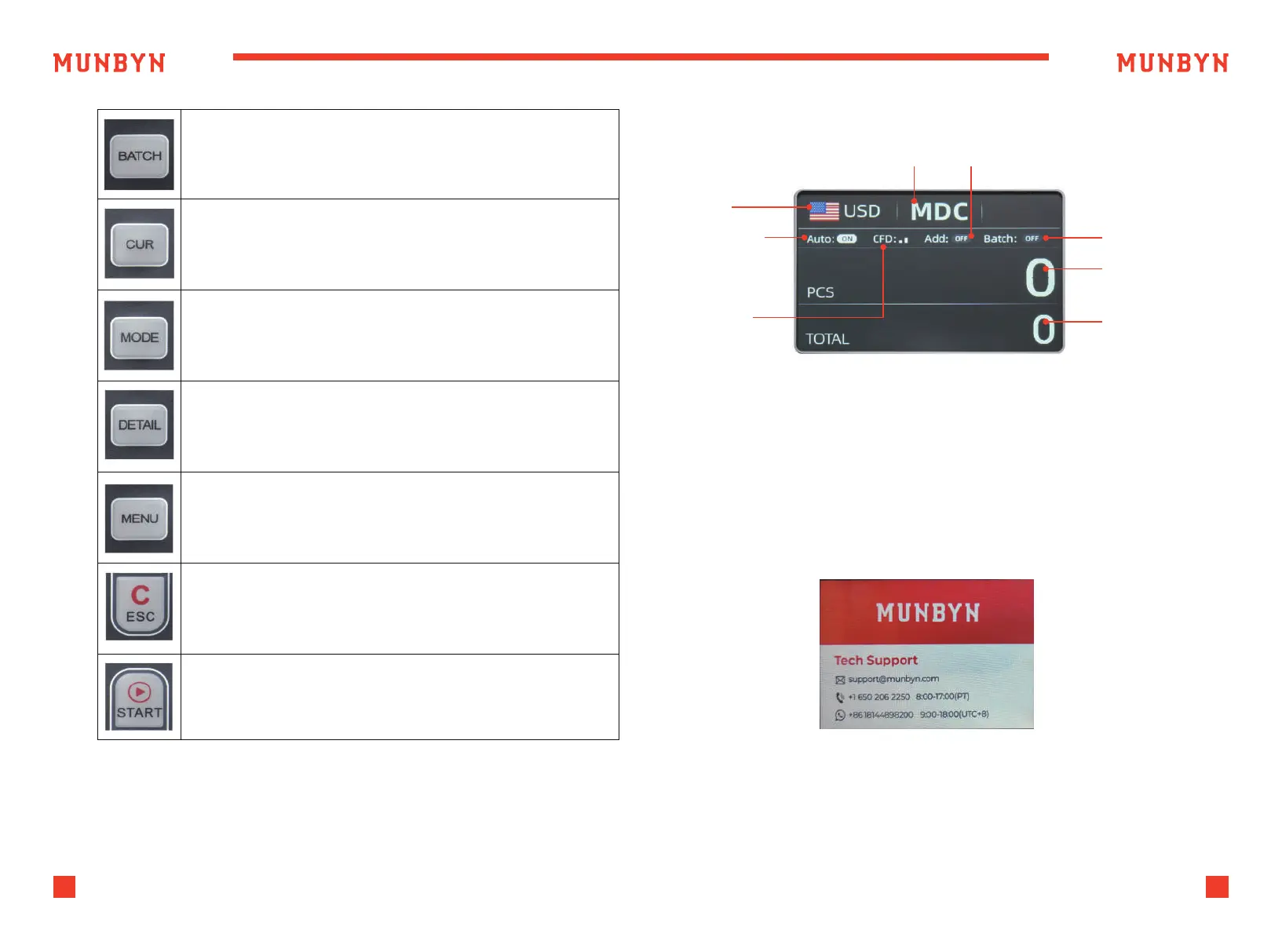
“BATCH” button, press to turn on/off the BATCH function.
“CUR” button, press to different currency counting.
“MODE” button, press to switch between different counting
modes: MDC/SDC/CNT.
Long press this button to adjust the sensitivity of counterfeit
detection.
“DETAIL” button, press to check the counting result details
“MENU” button, press this button to enter the user menu settings.
“ESC” button, press to return to the previous interface.
“START” button, press to counting or clear the current counting
information.
Table 3-1 Function Keys
Figure 3-2 Display Interface
Figure 4-1 Startup Interface
Currency
Counting Mode ADD mode
Batch number
Total number of
banknotes counted
Amount of money
counted
AUTO counting
Counterfeit
identification
leve
3.3. Display Interface
4.0. Operating Instructions
4.1. Start-up
Turn on the switch after connecting the machine to power supply. First,
the machine enters the startup interface, as shown in Figure 4-1.
When starting up, the machine will enter a self-checking state, please wait
for about 15 seconds. Please do not insert any banknotes and ensure that
there is nothing in the Hopper and Stacker.



 To Next Page