EasyManua.ls Logo

Muncie ADVANTAGE + - User Manual

Default Icon
32 pages
Print Icon
To Next Page IconTo Next Page
Loading...
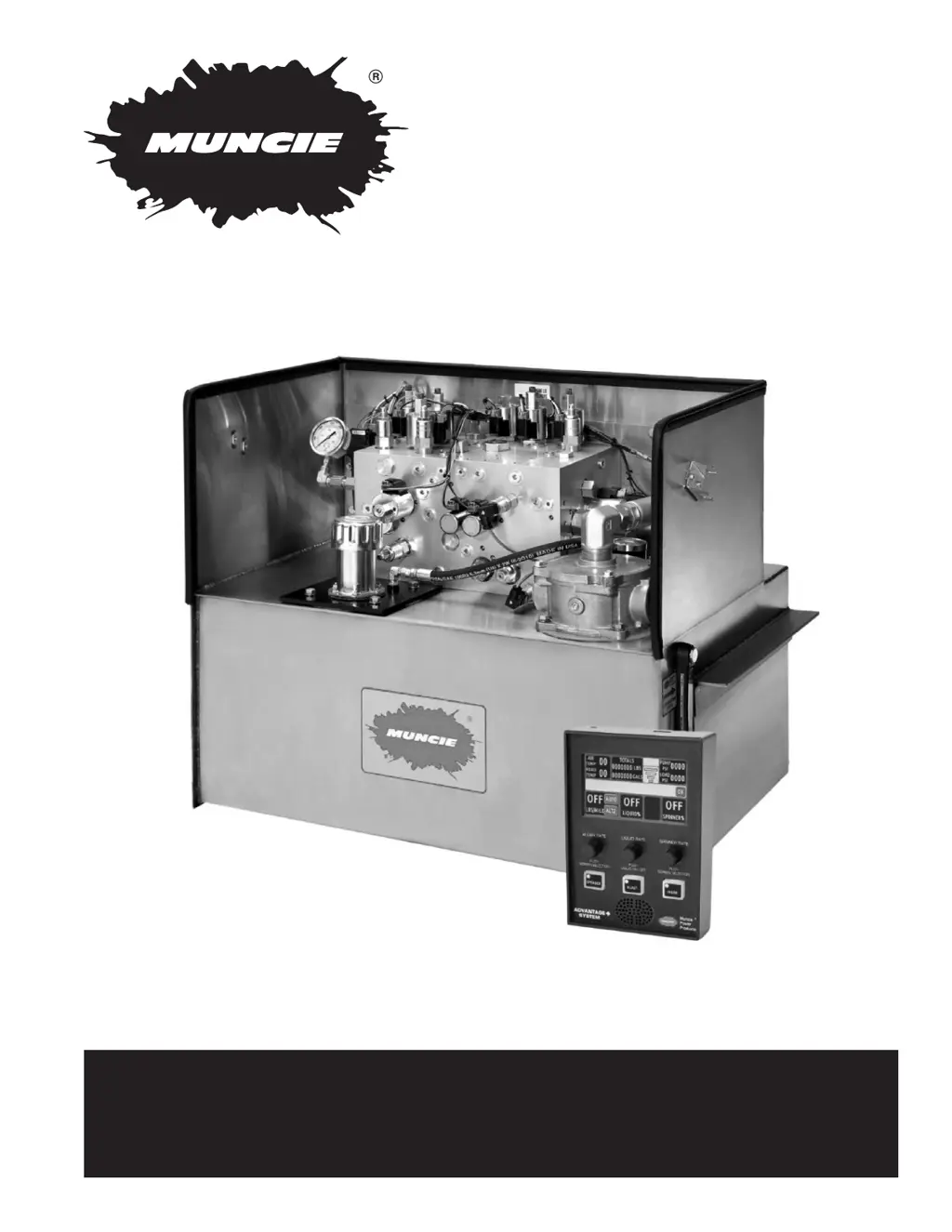
ADVANTAGE +
Service Manual - Rev 1

Questions and Answers

  • B
    Bruce JenningsAug 20, 2025
    What to do if plow does not raise on Muncie Industrial Equipment?
    • M
      Mark HarrisAug 20, 2025
      If the plow on your Muncie Industrial Equipment does not raise, check the controller's speed settings. Inspect the plow down manual override (SP6) and the plow down flow control (SP6) for contamination. Check the plumbing to ensure the PLA and PLB ports are not plumbed backwards. Inspect the plow down relief (RV5) and the load holding valve (CV1) for contamination. Check CV3 for contamination blocking the LS signal. Also, check if the plow cylinder is leaking internally. Ensure the cylinder panel harness buttons change from green to red when pushed. Sync the truck profile and decrease the maximum plow speed settings.
  • S
    ssullivanAug 25, 2025
    What to do if spinner does not operate on Muncie Industrial Equipment?
    • U
      usanfordAug 25, 2025
      If the spinner on your Muncie Industrial Equipment does not operate, check the controller speed settings. Ensure the plumbing is not deadheading the function and inspect the quick disconnects. If the function operates when switches are swapped, the motor could be faulty. Check the spreader relief valve for contamination. Also, check CV9 and CV10 to see if the LS signal is being relayed back to the boost pressure valve.
  • M
    Mark JacksonAug 28, 2025
    What to do if plow does not angle on Muncie Industrial Equipment?
    • R
      Regina EvansAug 28, 2025
      If the plow on your Muncie Industrial Equipment does not angle (left or right), check the plow angle speeds in the controller. Inspect the electrical circuit for opens and shorts, looking for error messages. Check the crossover relief on the plow and ensure the quick disconnects are seated properly and that the quick disconnect manifold is not held open by debris. Check EHPR1 (Plow Right Pilot) or EHPR2 (Plow Left Pilot) as well as PE2, CV4, and CV5 for contamination. Ensure the cylinder panel buttons change from green to red; if not, check the harness. Sync the truck profile. Ensure the plumbing is not restricting flow and verify that the pump is adequately sized. Check the boost pressure setting and sync the truck profile.
  • K
    Kim ConnerSep 1, 2025
    Why is Muncie Industrial Equipment system getting hot?
    • R
      Rebekah BerrySep 1, 2025
      If the Muncie Industrial Equipment system is getting hot, check the standby pressure for contamination in the LS drain. Check the pressure with motors engaged for a bad quick disconnect. Verify that there is no excess pump flow and that the low oil/cold oil sensor is not plugged into the wrong input.
  • R
    Robert HamiltonSep 4, 2025
    How to troubleshoot air/road temp sensor not functioning on Muncie Industrial Equipment?
    • W
      William KaneSep 4, 2025
      If the air/road temp sensor on your Muncie Industrial Equipment is not functioning, ensure that a sensor is installed and wired correctly. Confirm that the system is configured for this sensor, which must be factory configured. Check the power and ground connections of the sensor. Verify that all of the pins are in the correct locations and seated correctly in their housing. Also, ensure that the lens cover was removed after installation.
  • R
    Rebecca MartinezSep 8, 2025
    What to check if PSI is not displayed on Muncie Industrial Equipment controller?
    • N
      Nicholas CalhounSep 8, 2025
      If the PSI is not displayed on the controller of your Muncie Industrial Equipment, verify that the appropriate connector is plugged into the transducer receptacle and that the pins of the connector are seated properly.
  • V
    Veronica JacksonNov 12, 2025
    What to do if Muncie Industrial Equipment system is powered but nothing works?
    • Y
      ywebbNov 12, 2025
      If the Muncie Industrial Equipment system is powered but nothing operates hydraulically and the electronics do not power on, begin by checking the fuse, power and ground connections, and that the master module is plugged in. Ensure the PTO is engaged and that the controller has been programmed with the system profile. Verify modules are plugged into the harness and check the CAN connection to see if modules are recognized. Confirm the ignition input is connected to 12VDC. If applicable, check the ignition source fuse on the truck and the relay and connections within the enclosure. Also, determine if the pump is producing flow. Check for contamination in the unloader compensator (EV1), boost relief (RV1), and main relief (TS3). Ensure the boost pressure relief is not set too low (RV1). For ...
  • A
    ambermitchellNov 15, 2025
    What to do if the hoist on my Muncie Industrial Equipment does not raise?
    • W
      Walter SteeleNov 15, 2025
      If the hoist on your Muncie Industrial Equipment does not raise, start by checking the controller speed settings. Inspect the hoist down manual override (SP5 or additional SP) and the hoist down flow control (SP5 or additional SP) for contamination. Verify the plumbing to ensure the HA and HB ports are not plumbed backwards. Check the hoist up relief (RV4) for contamination and inspect the load holding check valve (CV6) for contamination. Also, check if the plow cylinder is leaking internally. Ensure that T2 is routed directly to the reservoir and verify that the hoist isolation plug is installed. Check the pump displacement and the boost pressure relief setting, which should be at 200 PSI. Also consider whether a second SP16 was installed in the CP2 cavity to lower the hoist and turn the ...

Summary

HYDRAULIC CONFIGURATIONS

Mechanically Locked Plow

Procedure to allow the plow angle to free wheel for a mechanically locked plow.

CONTROLLER ERRORS

Operation Messages

Explanations of operational messages displayed by the controller.

Hardware Related Messages

Messages related to hardware failures or disconnections in the system.

Panel Faults

Messages indicating problems with controller panels or configuration files.

ADVANTAGE PLUS SYSTEM TROUBLESHOOTING

PLOW LIFT ISSUES

Troubleshooting guide for issues related to the plow lift system.

PLOW ANGLE ISSUES

Troubleshooting guide for issues related to the plow angle system.

HOIST ISSUES

Troubleshooting guide for issues related to the hoist system.

SPREADER ISSUES

Troubleshooting guide for issues related to the spreader system.

SYSTEM IS OVERHEATING

Troubleshooting guide for system overheating issues.

CONTROLLER ERROR MESSAGES

Troubleshooting guide for various controller error messages.

Muncie ADVANTAGE + Specifications

General IconGeneral
SeriesADVANTAGE +
ManufacturerMuncie
Mounting OptionsDirect Mount
LubricationPressure Lubrication
ConstructionCast Iron Housing