© Munters AB, 2016 17
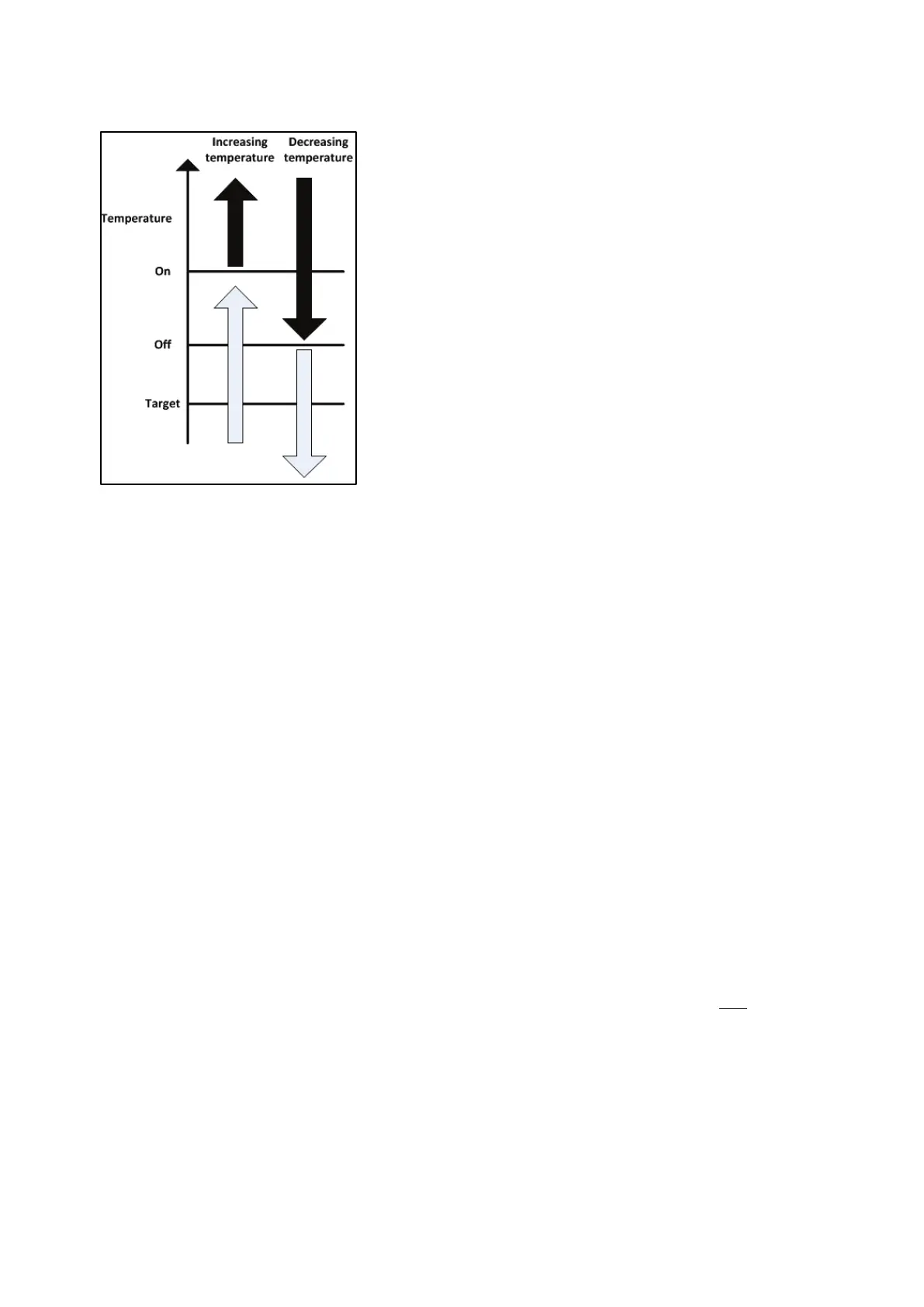
Figure 5 shows how the soakers and foggers respond to increases or decreases in temperature.
Figure 5: Fogger/soaker response to increase/decrease in temperature
4.4.2.2 Configuring the fogger and soaker
Connect fogger and soaker as shown in Figure 8.
1. Press
.
2. Scroll to Settings and press
.
3. Scroll to Fan 1 and press
.
4. Set the following parameters:
o
: The differential from the target temperature from which the fogger
starts operating.
o
: The differential from the target temperature from which the fogger
stops operating.
o
: When the relative humidity level rises to this point, the foggers
and soakers cease to operate.
o
: Number of seconds that the foggers and soakers operate. To disable,
enter 0).
o
: Number of seconds that the foggers and soakers do not operate.
o
: Beginning of the time period in which the foggers/soakers can operate
o
: End of the time period in which the fans can operate
NOTE Setting the time from 00:00 to 00:00 enables 24 hour operation. Setting
other
identical times (for example 13:15 to 13:15) disables the fogger and soaker.
5. Press
.
6. Scroll to Fan 2 and Fan 3 and press
.
7. Repeat step 4.
8. Press
.
9. Press
.



 To Next Page