Section 40 00-02-0994
2016-06-28 - 13 -
User Interface
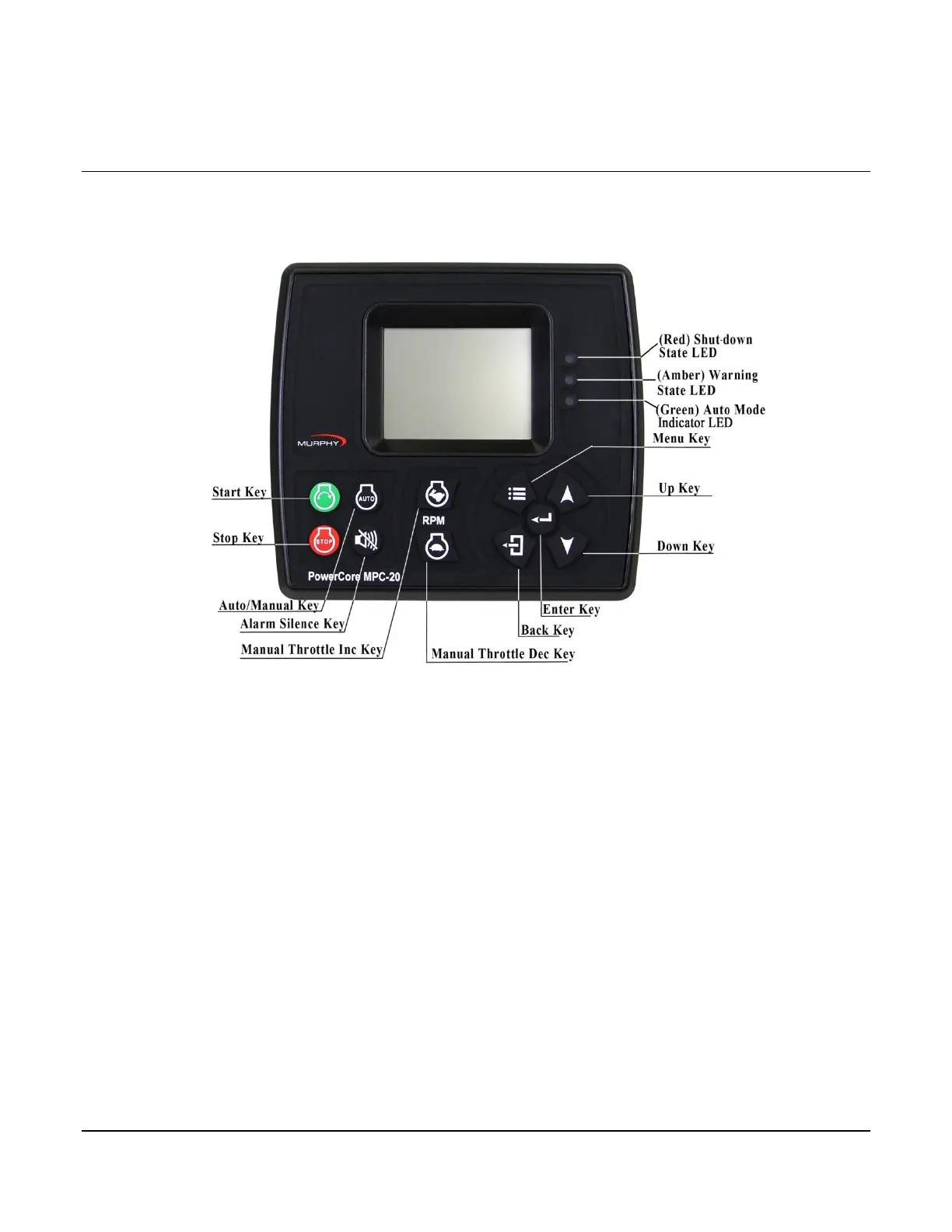
The keypad on the MPC-20 is comprised of 11 tactile buttons. This section describes the functions of each
button.
The buttons have the following functions:
• Start Key – Allows the operator to start sequence in Manual Mode or initiate an auto start
sequence when in Auto Mode.
• Stop Key – Allows the operator to initiate the stop sequence in either mode of operation. A
single button press in auto will initiate an auto stop. As a safety feature, when the stop button
is pressed twice or held (in auto mode), the controller will skip the cool-down state and (upon
shutting down) will place itself in manual mode to eliminate an auto crank condition. This
happens if the autostart condition is still present.
• Auto Key – Allows the operator to change from Auto to Manual or Manual to Auto Mode by
press-hold for 3 seconds.
• Alarm Silence Key – Allows the operator to silence the internal siren when an alarm or
shutdown is present on the controller.
• Manual Throttle Increase Key – Allows the operator to manually increase the engine throttle
in Manual Mode.
• Manual Throttle Decrease Key – Allows the operator to manually decrease the engine throttle
in Manual Mode.
• Menu Key – Allows the operator to get into and out of the menus.
• Back Key – Allows the operator to move back one step while in the menu.
• Enter Key – Allows the operator to enter a value in the menu when selected and is used to
acknowledge internal and external alarm/shutdowns.
• Up Key – Allows the operator to navigate up through the menu and page forward on the main
pages.


 To Next Page