Mutoh Ultima Multi-Purpose Cutting Plotter - Operation Instructions
37
AP-75125, Rev 1.3 ; 20/10/04
3.4. SQUARE DETAILS
Notes :
Please note that the creation of an image should be done in a graphics application
software (e.g. CorelDRAW, Corel PHOTO-PAINT, Adobe Illustrator, Adobe Photoshop
or MacroMedia Freehand).
Notes :
Do not forget to create the cutting line around your image. The default cutting line is a
“magenta hairline” (in the CMYK pallet).
→ Thickness line = hairline (or 0.25)
→ Colour = 100% magenta
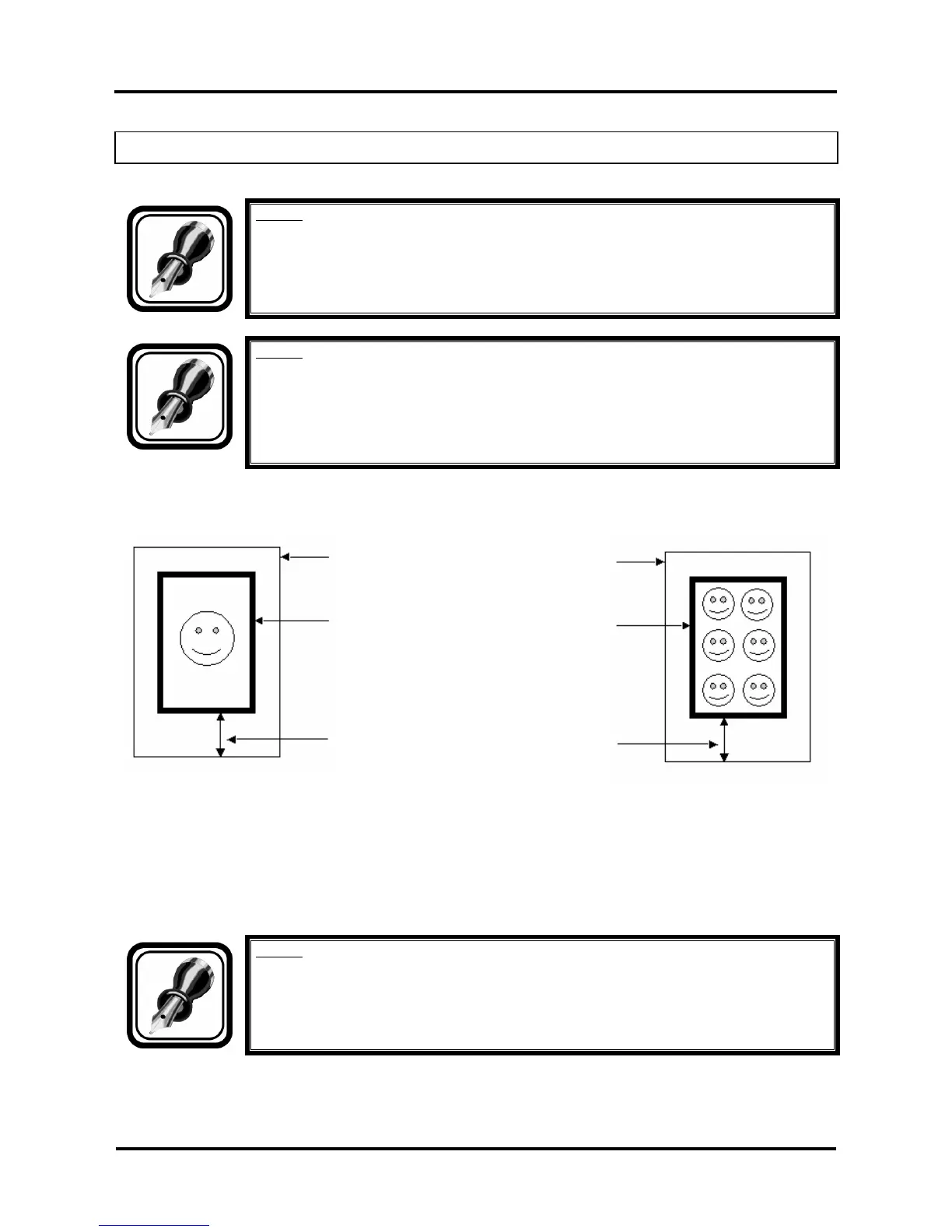
To use the automatic alignment procedure, the pre-printed sheet contains a Bounding Box (*) around the
design to be cut. Details can be found below.
VINYL
Bounding Box. This Bounding Box
should have a minimum thickness of
3 mm, default value of this square is 5
mm thick.
Please leave a white edge of 20 mm
in front. The sensor firstly detects the
white space.
(*) Please note that the Bounding Box around your design(s) will be printed. Before contour-cutting the E-
pos technology will search for the Bounding Box and measure the position of the design(s).
The Bounding Box should be at least an A4 format. There must be 5 mm white space between the image
and the Bounding Box. Make sure that the Bounding Box is coloured black. Make sure that the Bounding
Box fits in the margins of the maximum cutting width of your cutting plotter.
Notes :
Please note that the position of the design with the Bounding Box compared to the page
edges is defined in the print-software.










 To Next Page