10
EN
hyperion X5 2D/3D - TECHNICAL MANUAL
EN
PC CONFIGURATION
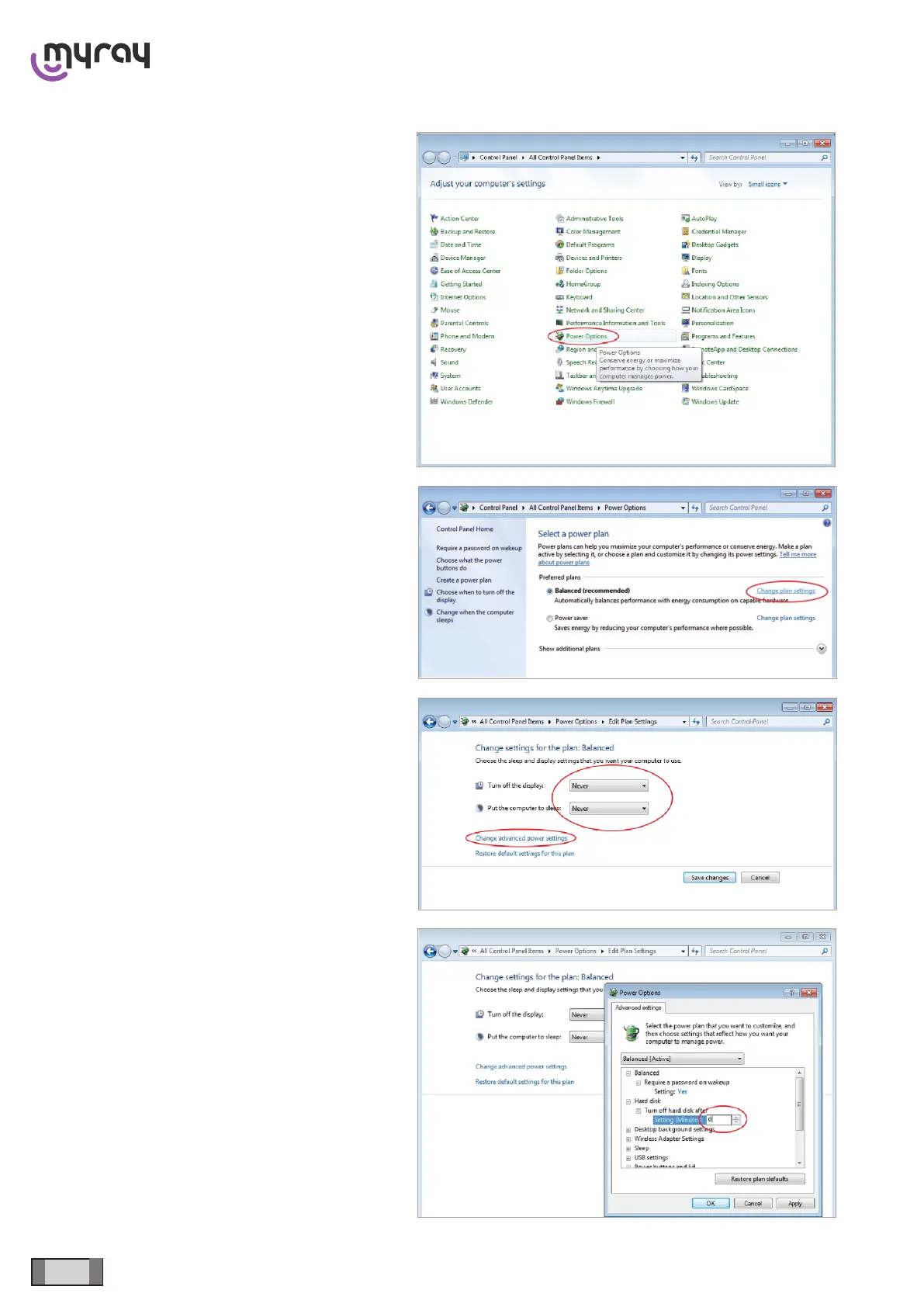
From the Control Panel select “Power Options”.
On the “Balanced” prole select “Change plan settings”.
Set “Turn OFF display” and “Put the computer to sleep”
to “Never”. Select “Change advanced power settings”.
Set “Hard disk → Turn off hard disk after → 0”.



 To Next Page