21
EN
hyperion X5 2D/3D - TECHNICAL MANUAL
EN
PC CONFIGURATION
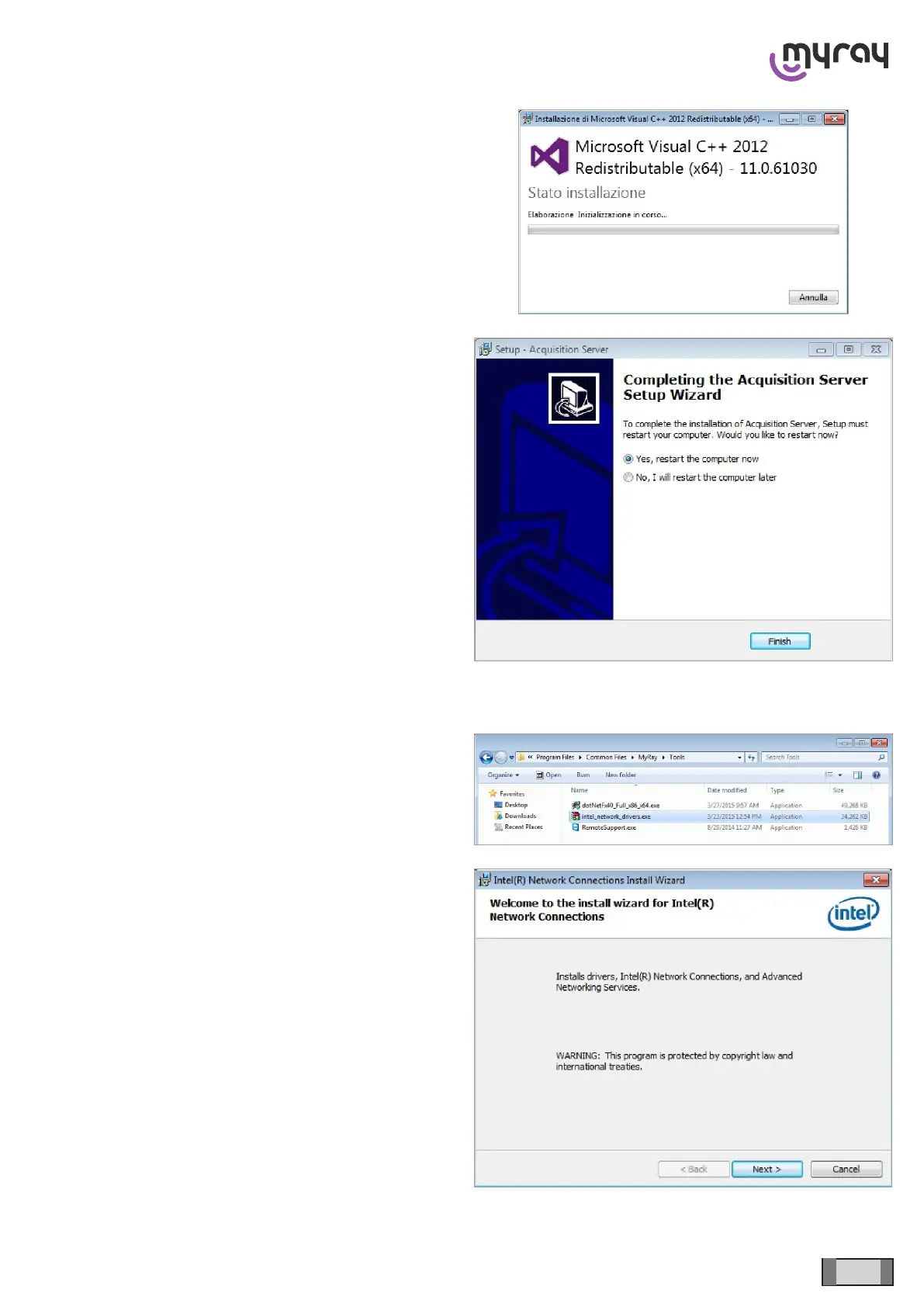
Installed software will be checked, any missing system
component will be installed at this stage:
Restart the PC.
3.9 INTEL PRO 1000 DRIVER UPDATE
The Intel PRO 1000 ethernet card is automatically
recognized from the Operating System.
However, the default system driver should be updated
to a specic version in order to ensure the best
functionality. The updated driver is found in:
“C:\Program les\Common les\MyRay\Tools”, double
click on the “Intel_network_drivers.exe” le to start the
installation.
Click on “Next”.



 To Next Page