11
EN
hyperion X5 2D/3D - TECHNICAL MANUAL
EN
PC CONFIGURATION
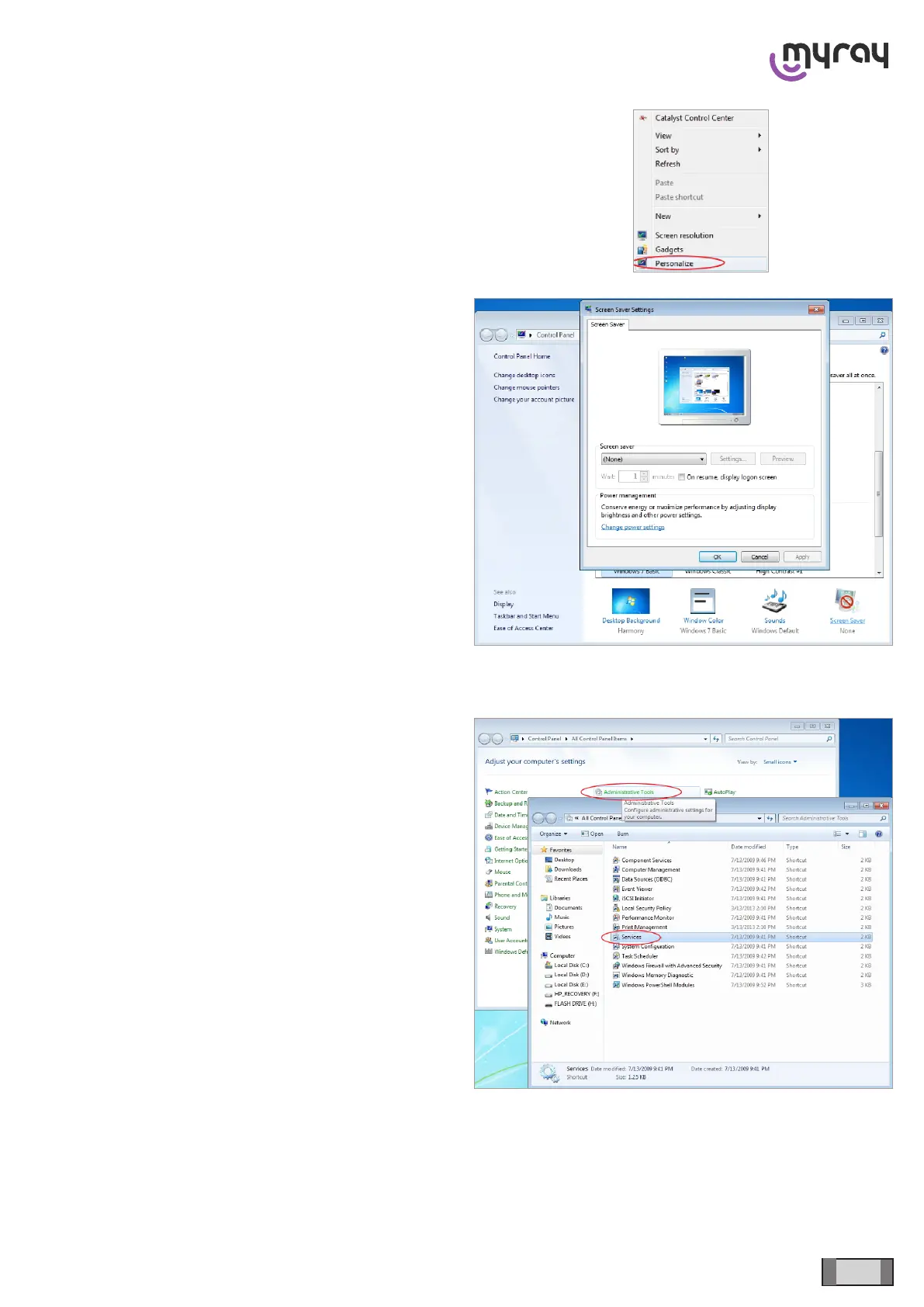
Disable also the screensaver, if any. To do this, right
click with the mouse on any free area of the desktop
(with no icons or windows), and select “Personalize”
from the context menu.
Press on the “Screen Saver” icon in the bottom right
corner, and select “None” in the next dialog box.
3.4 DISABLING WINDOWS FIREWALL
From the Control Panel select “Administrative Tools”
and double click on “Services”:



 To Next Page