27
EN
hyperion X5 2D/3D - TECHNICAL MANUAL
EN
PC CONFIGURATION
3.11 iRYS SOFTWARE INSTALLATION AND CONFIGURATION
The software used to receive images from the 3D device is iRYS (version 6.5 or higher), installed in its MAIN
WORKSTATION version.
iRYS must be installed on the Acquisition Server PC.
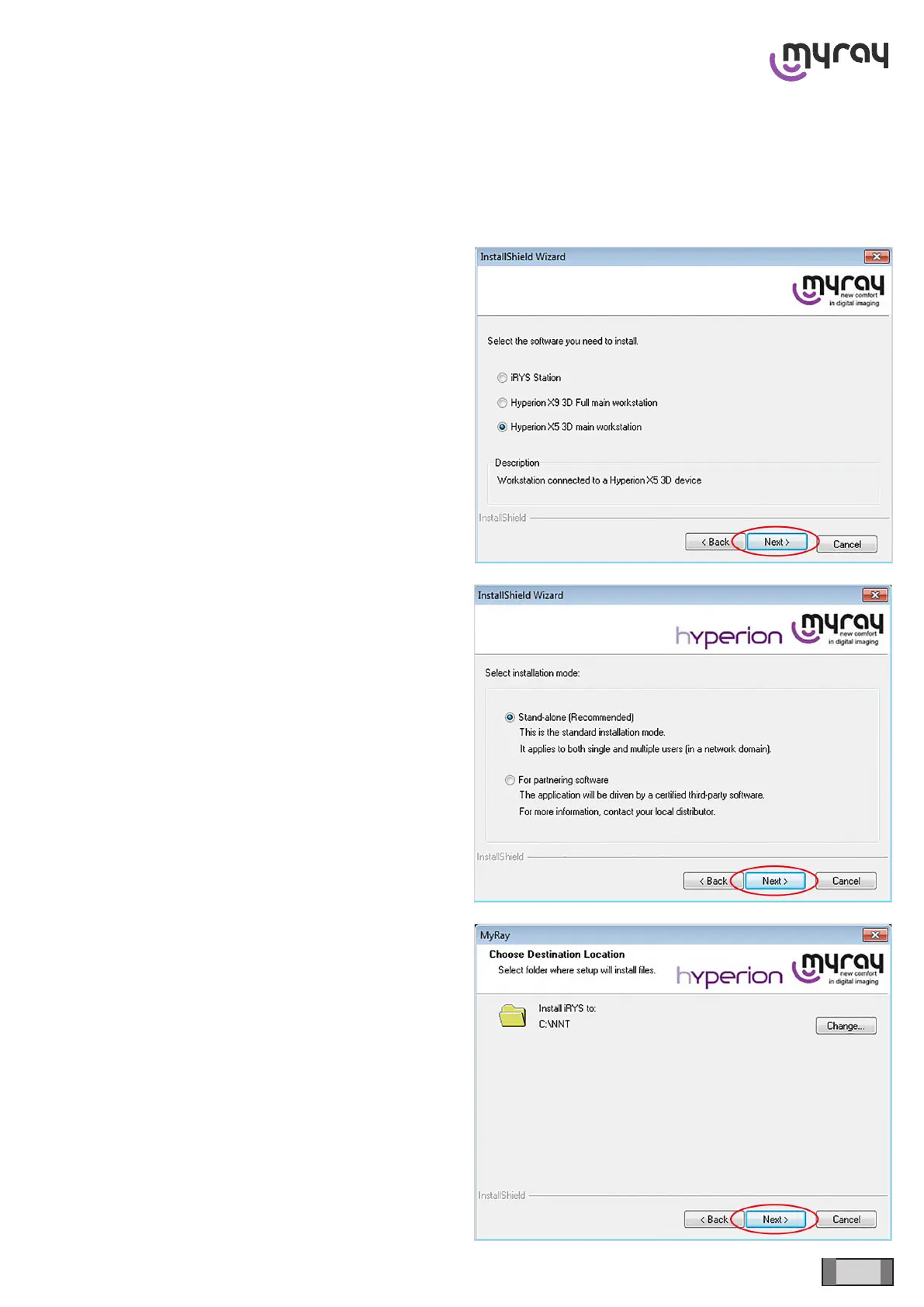
Start iRYS installation, select 3D device installation
and click on “Next”.
Select the “Stand alone” option and click on “Next”.
Conrm the installation process and click on “Next”.



 To Next Page