19
EN
hyperion X5 2D/3D - TECHNICAL MANUAL
EN
PC CONFIGURATION
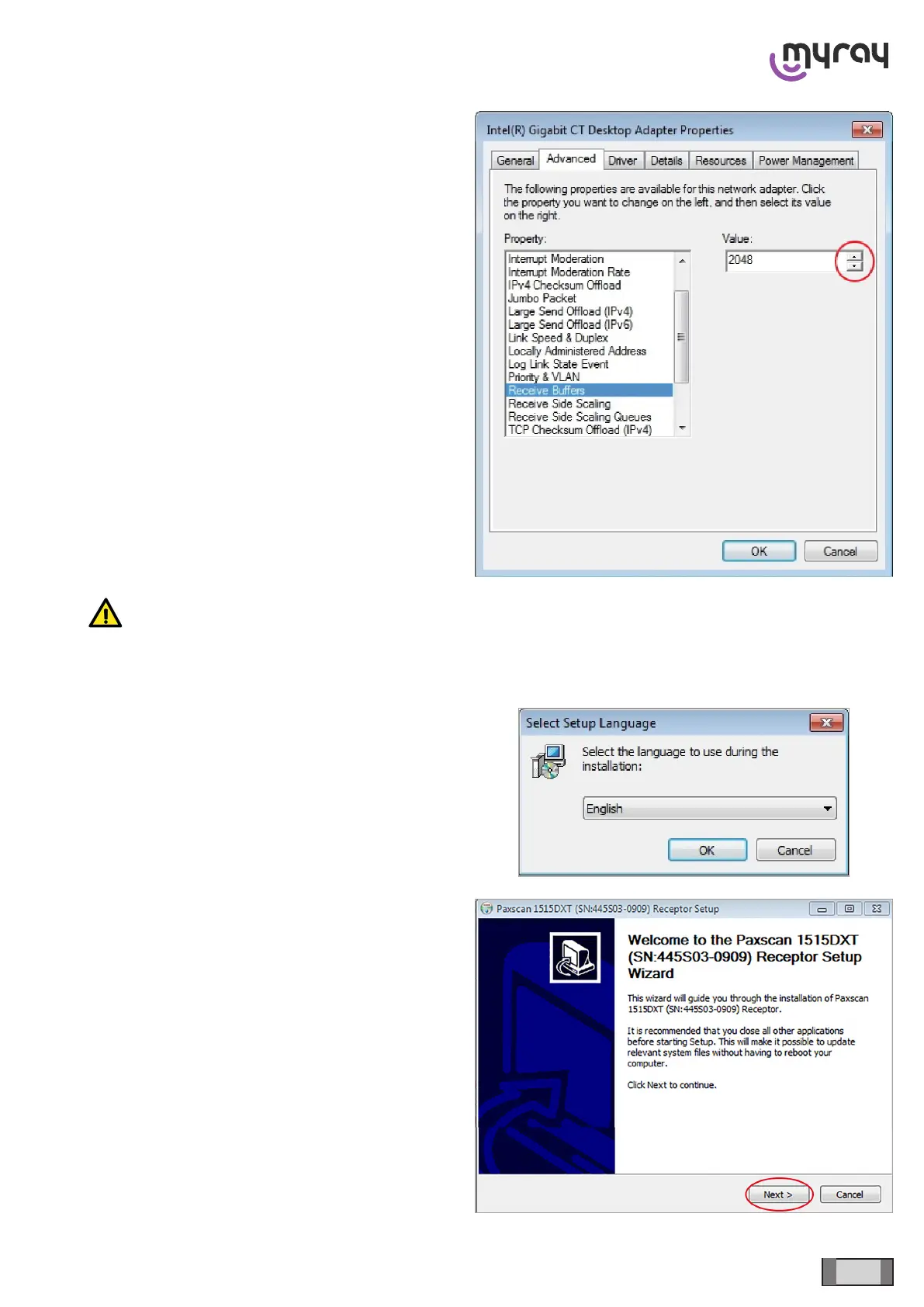
In the “Advanced” section, search for “Receive Buffers”
and set the value to 2048 (using the arrows on the side)
WARNING: maybe the “Receive Buffers” item is not displayed directly in this window. If it is not displayed,
search for the “Performance Options” item and click on “Properties”. The “Receive Buffers” value is
displayed there.
3.8 ACQUISITION SERVER SOFTWARE INSTALLATION
This software can only be installed on 64 bit Operating
Systems.
Launch the software installer (from the setup menu on
the usb dongle or from Extranet download)and select
the language:
Click on “Next”.



 To Next Page