15
2.5.3 How to bind your smartphone to Tuya
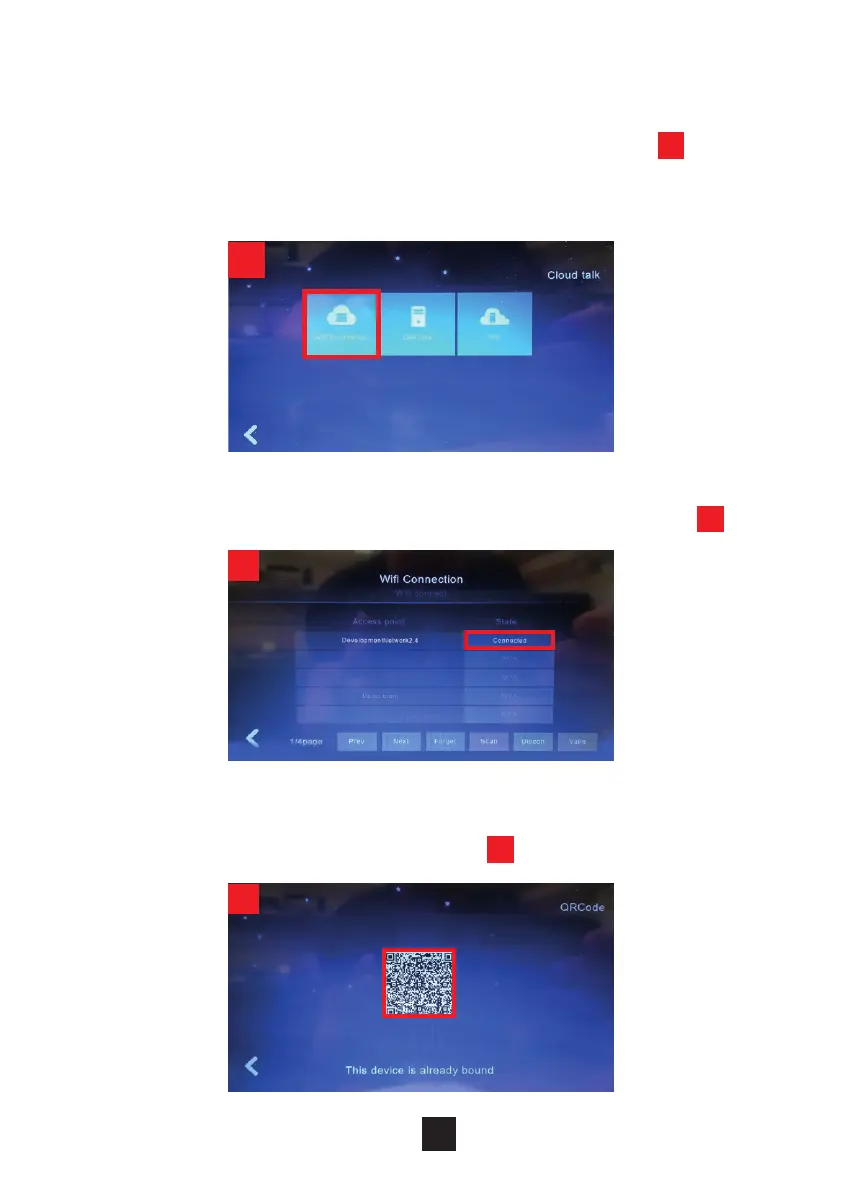
Select “Video Intercom” from the menu. Select “Wi-Fi Connection”
1
.
Once you have found your Wi-Fi network press Connect and enter your Wi-Fi
password.
1
2
3
When the Status shows Connected, press back to exit from this option
2
.
After successful connection, select the option “QRCode”. You will see a QR
Code ready to be paired with your smartphone
3
.



 To Next Page