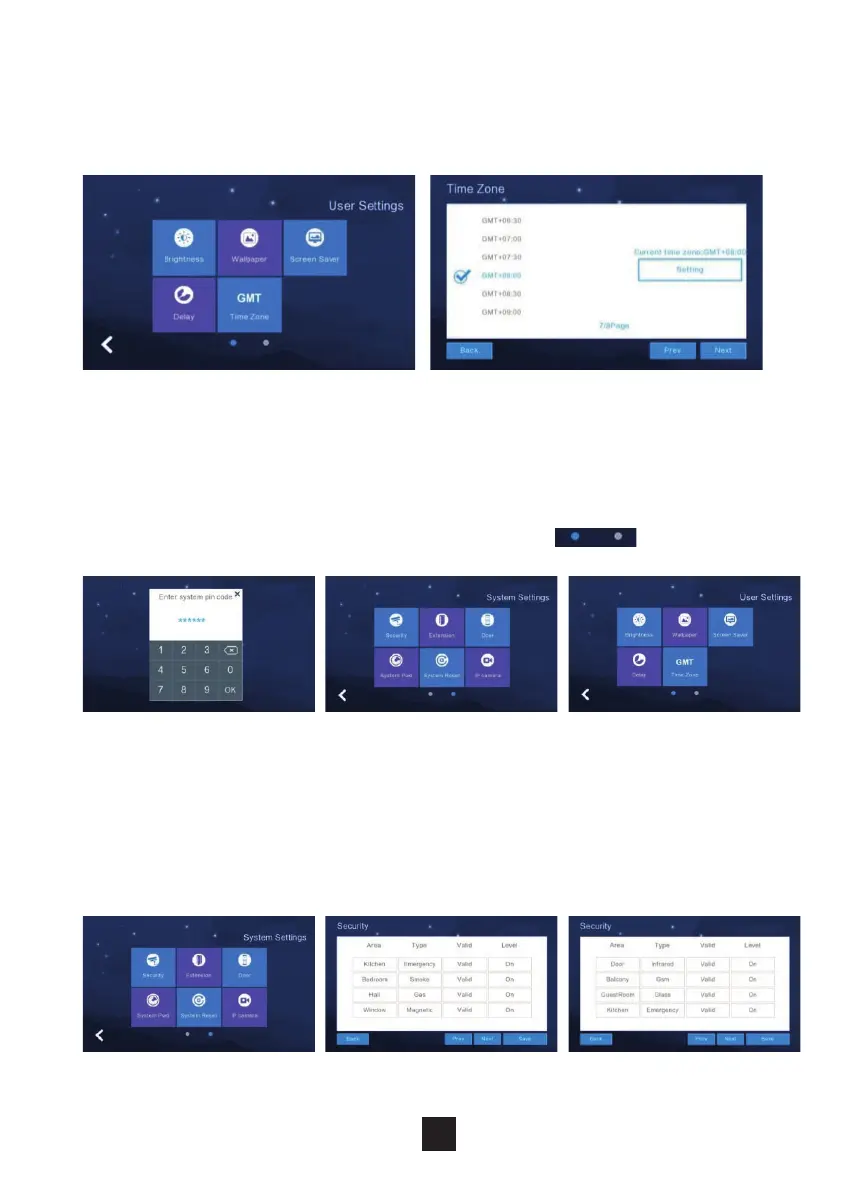
To adjust the monitors time zone settings, click ‘time zone’. Select the required
time zone and click ’setting’ to set successfully.
To adjust the monitors system settings, Click ‘System Settings’. Input the code
‘123258’
To toggle between the pages, click on the blue circle.
To adjust the monitors security settings, click ‘Security’. The monitor supports 8
‘Security areas’ & 7 ‘Security Types’.
Once security settings are congured click ‘Save’ to set successfully.
2.6.11 Timezone settings
2.7 System settings
2.7.1 Security settings
27



 To Next Page