Once powered up, the digital recorder will provide pass-through power to the seismometer as
well as feedback regarding seismometer operation.
3.11 Verifying connection with the Centaur digital recorder
Use the guidelines in this section to verify that the connection between the Centaur digital
recorder and the Trillium Compact was successful.
1. Once the Centaur has booted up, using a Web-enabled device such as a laptop, login to
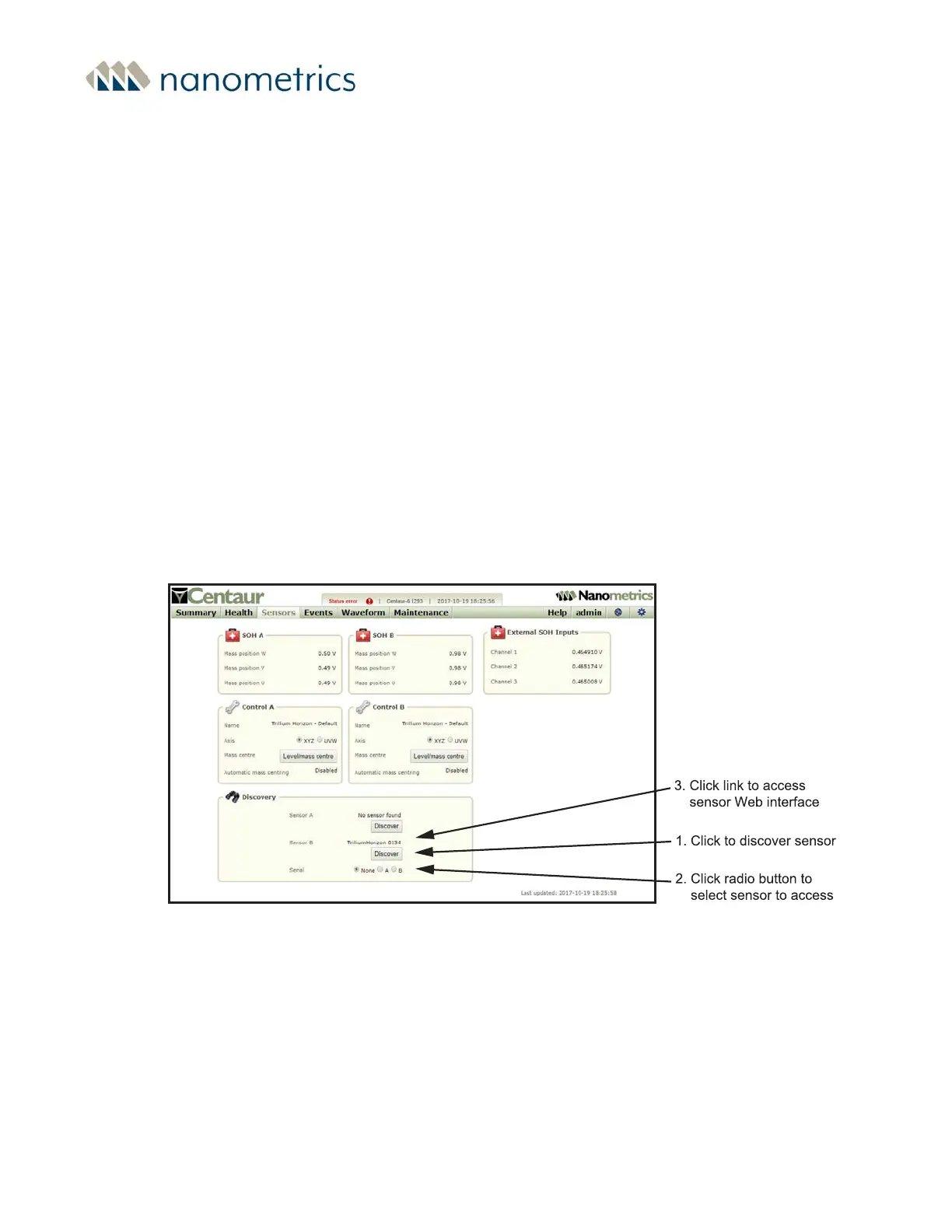
the Centaur and Discover the seismometer as follows, see Figure 3-5:
a. Navigate to the Sensors page.
b. For each sensor, click on the Discover button.
c. Once a sensor has been discovered, a link will display above the Discover
button. You can access the sensor’s web page by clicking on the appropriate
Serial radio button, then clicking on the link.
Figure 3-5 - Centaur Web interface Sensors page
Chapter 3 - Installing a Trillium Compact Vault Seismometer
16889R10 • 2020-11-12 Page 47


 To Next Page