Update Firmware 6-1
6 – Update Firmware
6.1 Update firmware
The EHP-50G internal firmware can be updated easily by the user.
The “Dongle Utility” embedded in the EHP-50 setup is used for the
Options activation procedure
This section provides all the information required for firmware updating and
options activation.
The Update Firmware Program and Activation utility are available after
EHP50-TS package installation.
6.2 To run the
update software
Turn off the EHP-50G and connect it to a free USB or RS232 port of the
PC.
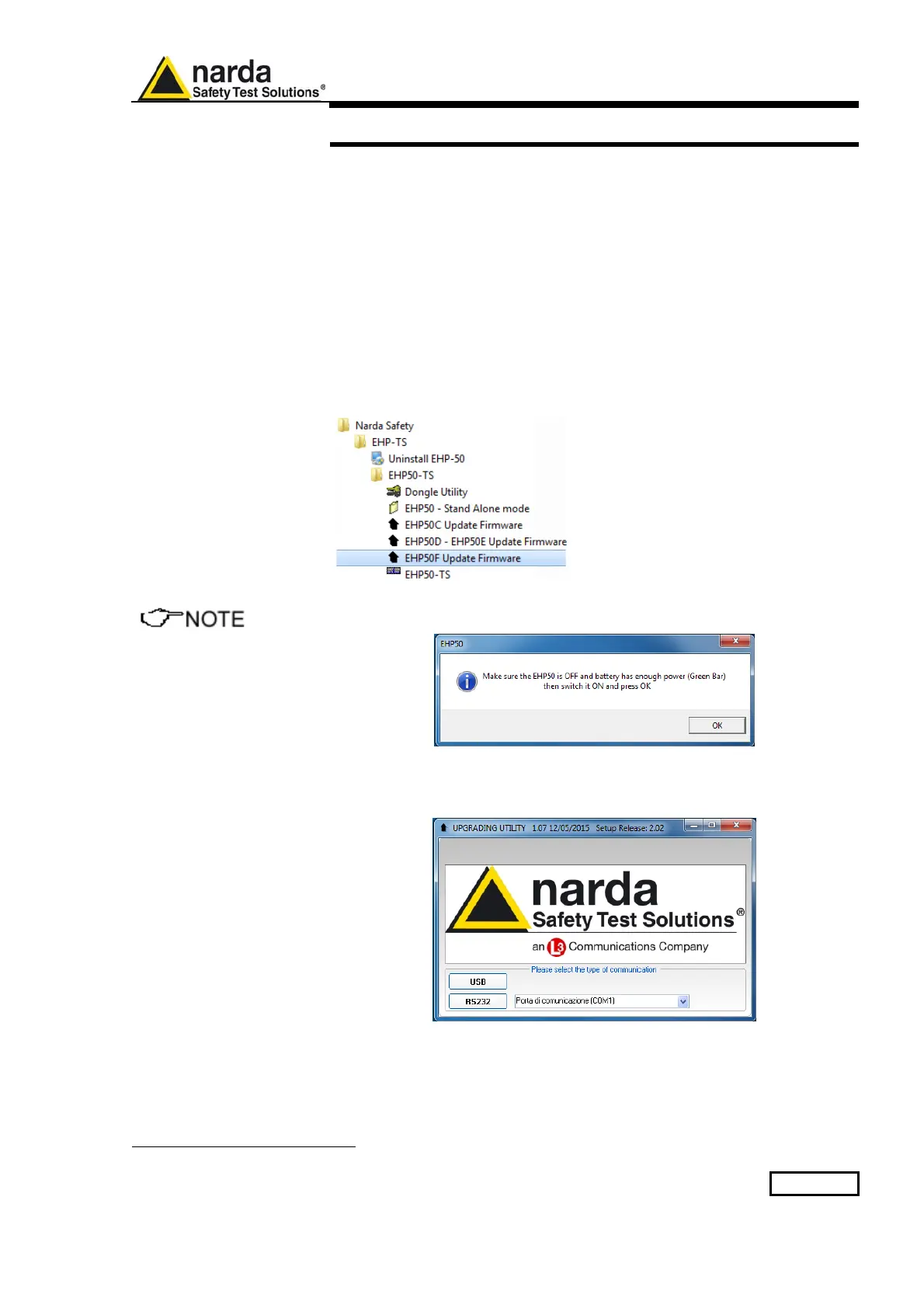
Run EHP-50F Update Firmware to start the update program.
The User should check that the battery level is at least 3.9 V before
starting the upgrade.
6.3 To transfer data
Main window displayed after the updating program EHP-50F Update
Firmware has been run:
Fig.6-1 EHP-50G Upgrading Utility Main Window
Select USB or RS232 communication port.
Before selecting RS232 port, choose the COM port used.
Document EHP50GEN-81007-1.71 - © NARDA 2018



 To Next Page