Chapter 3 Analog Output
© National Instruments Corporation 3-7 E Series User Manual
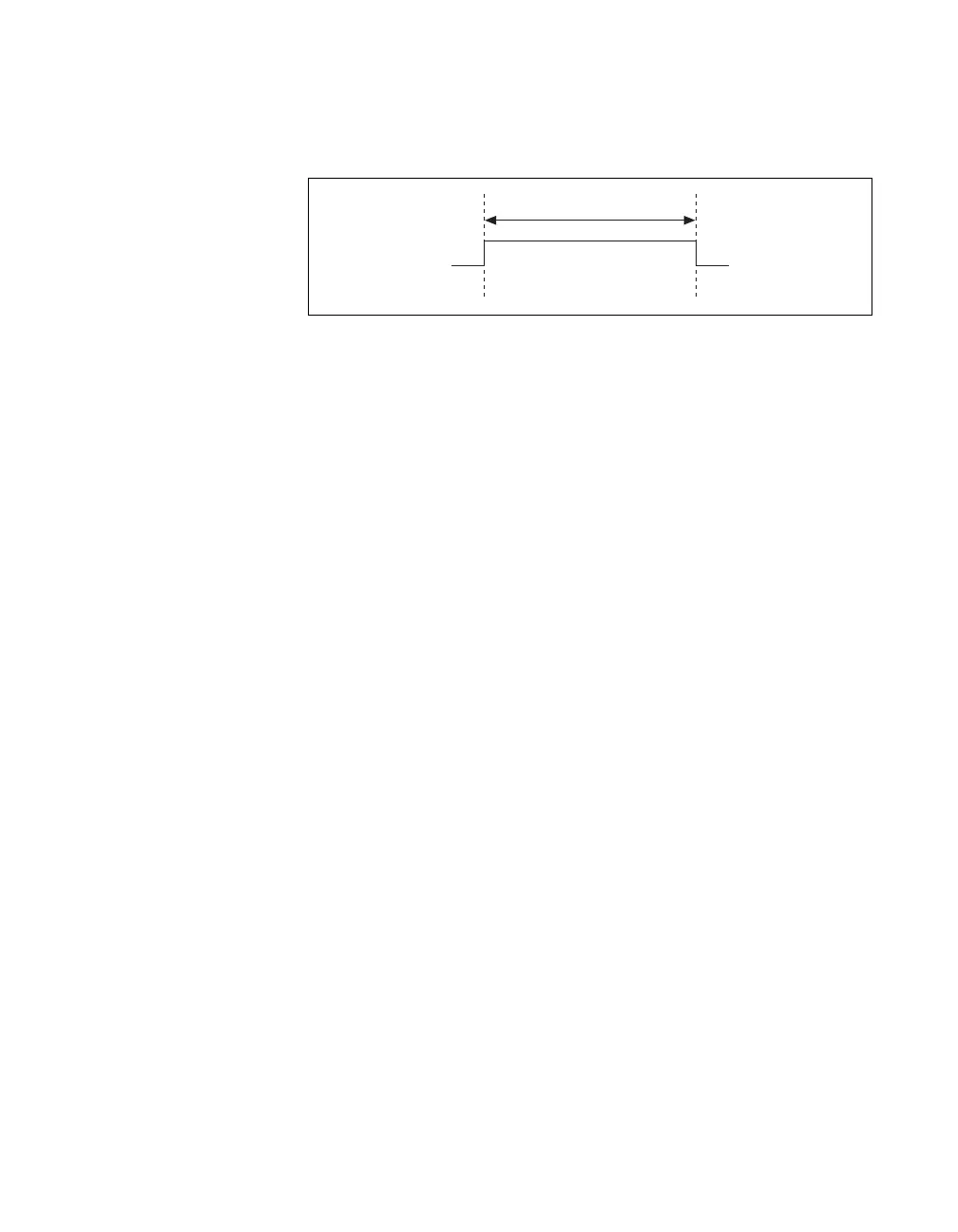
The output is an active high pulse. Figure 3-3 shows the timing behavior of
the PFI 6/AO START TRIG pin configured as an output.
Figure 3-3. PFI 6/AO START TRIG Timing Behavior
The PFI 6/AO START TRIG pin is configured as an input by default.
AO Pause Trigger Signal
You can use the AO Pause trigger signal (ao/PauseTrigger) to mask off
samples in a DAQ sequence. That is, when ao/PauseTrigger is active, no
samples occur.
The ao/PauseTrigger does not stop a sample that is in progress. The pause
does not take effect until the beginning of the next sample. This signal is
not available as an output.
Using a Digital Source
To use ao/PauseTrigger, specify a source and a polarity. The source can be
an external signal connected to any PFI or RTSI <0..6> pin. The source can
also be one of several other internal signals on your DAQ device. Refer to
Device Routing in MAX in the NI-DAQmx Help or the LabVIEW 8.x Help
for more information.
Also, specify whether the samples are paused when ao/PauseTrigger is at a
logic high or low level.
Using an Analog Source
When you use an analog trigger source, the samples are paused when the
Analog Comparison Event signal is at a high level. Refer to Chapter 10,
Triggering, for more information on analog triggering.
t
w
t
w
= 25 to 50 ns



 To Next Page
 Loading...