NV10LT/NV7.5LT INSTALLATION MANUAL INSTALLING CONTROL/MONITOR WIRING
PAGE 2.8.2 VERSION 5.0 2021-03-01
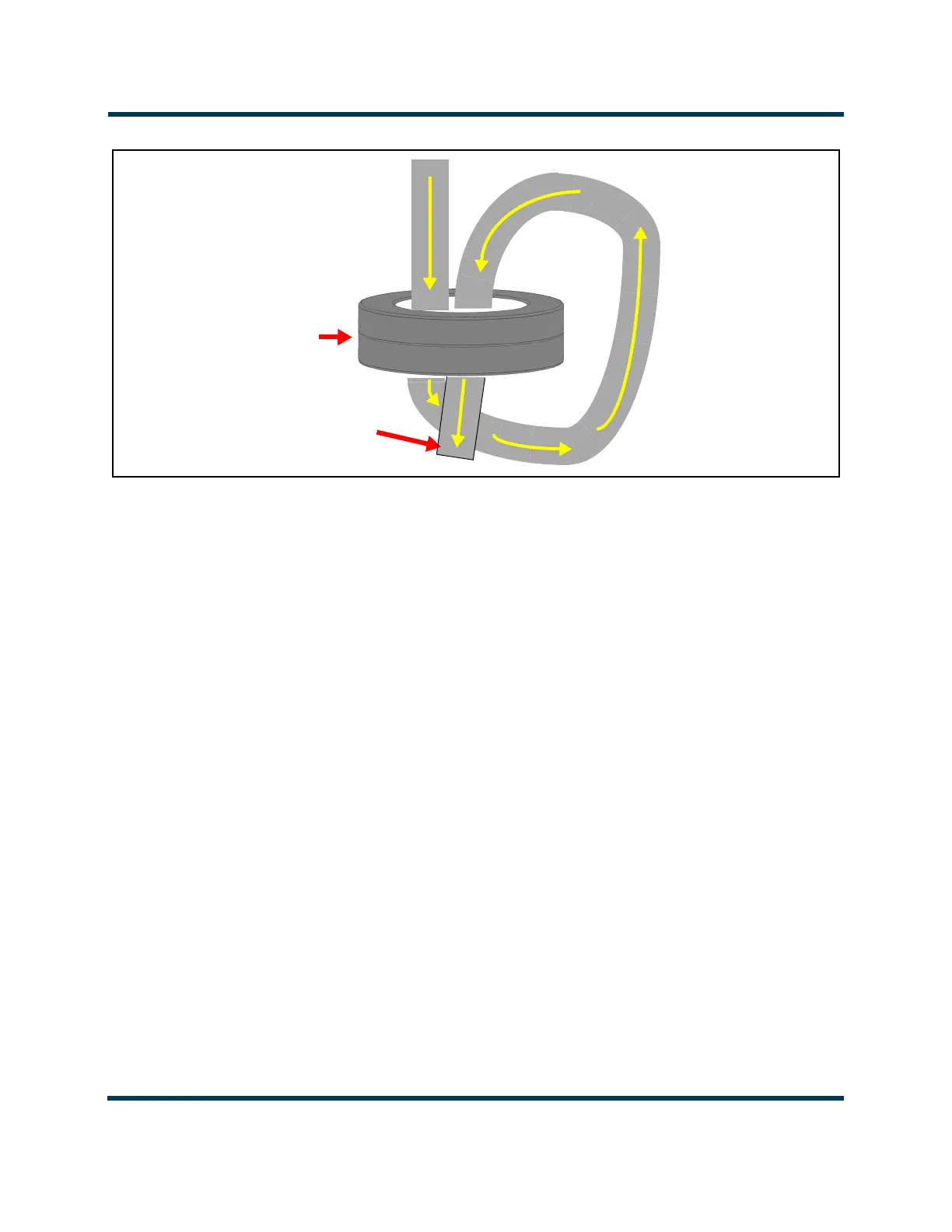
Figure 2.8.1: Passing remote/control monitor wiring through ferrite toroids
4. Punch the appropriate size hole in the desired remote control/monitor entry plate as follows (see
Figure 2.8.2 on page 2.8.4):
Remove the desired remote control/monitor entry plate from the top of the transmitter, noting
there are two in the front and one in the rear. The rear plate is also used for program input
cables. Each plate is secured using four M4 screws and has a pre-cut, centered 1/4-inch
diameter hole.
Use a chassis punch tool (e.g., Greenlee, etc.) to punch the desired size hole in the selected
remote control/monitor entry plate. Make sure the cables will pass safely through the hole. If
necessary, you can remove the plate completely to gain access to a 2.5-inch diameter hole.
Re-install the remote control/monitor entry plate on top of the transmitter using four M4
screws.
5. With the rear filter panel removed or the front, hinged panel open, as applicable, route the remote
control/monitor cables through the selected entry hole and then to the controller’s (A4) rear panel
or to the optional remote interface PWB (A16) (see Figure 2.8.2 on page 2.8.4).
NOTE: When routing remote control/monitor and LAN cables through the built-in conduit, consider the
possibility that program cables may also pass through the conduit (see Section 2.7, “Installing Program
Inputs” on page 2.7.1).
6. With the remote control/monitor cables near their destination - either at the top of the remote
interface PWB or at the rear of the controller, cut each wire to the required length, and install
connectors, as necessary.
Remote Control/Monitor Wiring
(to controller or optional remote
interface PWB)
Qty 2
LXP38
ferrite
toroids



 To Next Page