FUNCTION NAME ACTION Action
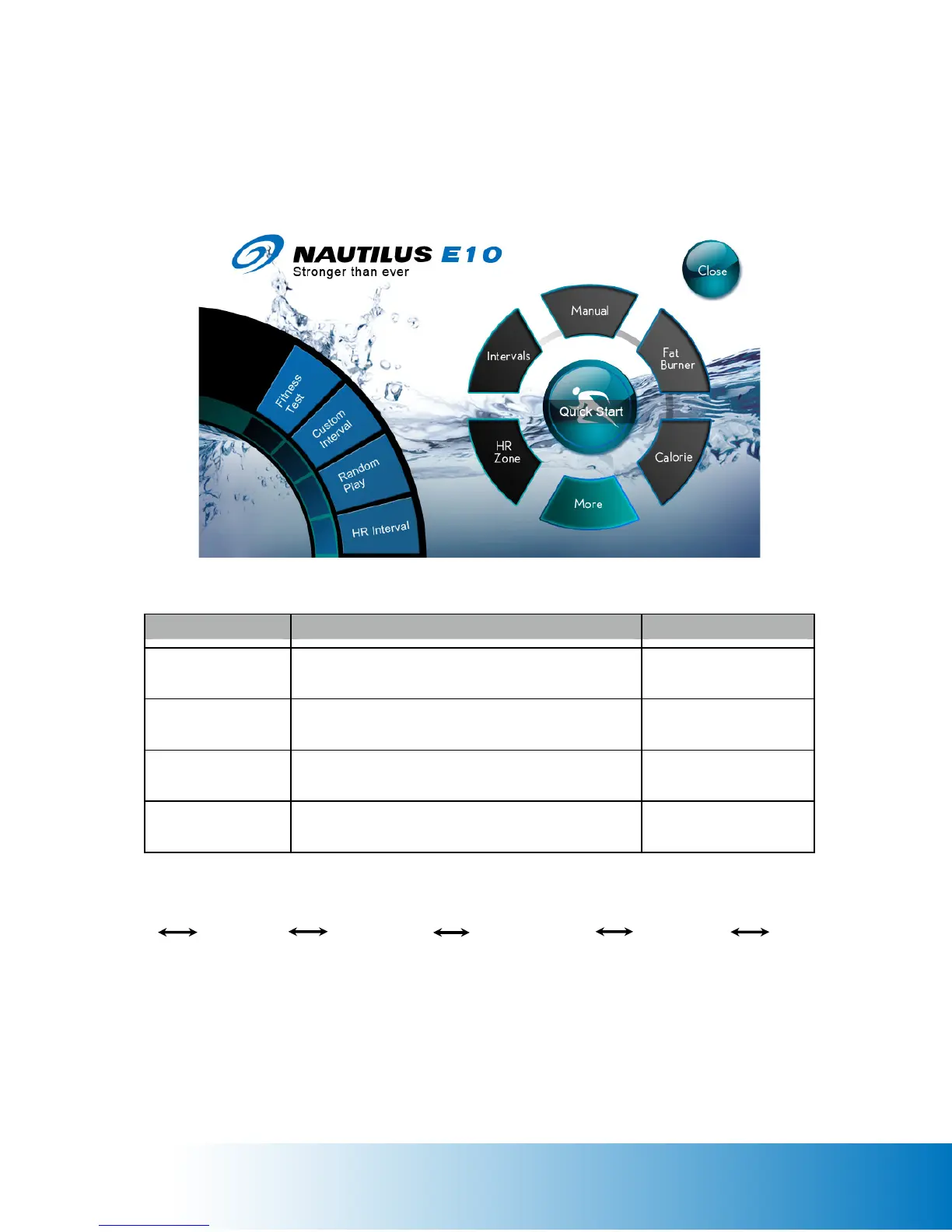
Fitness Test Tap the Fitness Test icon to enter the Fitness Test Menu Fitness Test Menu page
displayed
Custom Intervals Tap the Custom Intervals icon to enter the setting
page
Setting Page displayed
Random Play Tap the Random Play icon to enter the setting page Setting Page displayed
Heart Rate Interval Tap the Heart Rate Interval icon to enter the
Checking for Heart Rate Page
Checking for Heart Rate
Page displayed
Fitness Test Calories Goal
Custom Intervals
Random Play HR Interval
More
More Programs Page (More Exercise Programs)


 To Next Page