EasyManua.ls Logo

Nautilus E514c - User Manual

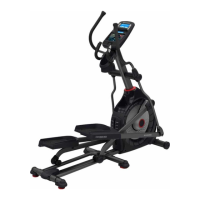
Nautilus E514c
38 pages
Print Icon
To Next Page IconTo Next Page
Loading...
ASSEMBLY MANUAL / OWNER’S MANUAL
Manual en Español Latino Americano:
http://www.nautilus.com
E514c

Questions and Answers

Nautilus E514c Specifications

General IconGeneral
TypeElliptical Trainer
Resistance TypeEddy Current Brake
Stride Length20 inches
Weight Capacity300 lbs
Display TypeLCD
Heart Rate MonitoringContact and telemetry enabled

Summary

Assembly Safety Instructions

Safety Labels and Compliance

Machine Safety Labels

Details critical safety labels, user weight limits, and warnings for machine operation.

FCC Compliance Information

Information regarding radio frequency compliance and potential interference for the equipment.

Equipment Specifications

Technical Specifications

Key data including maximum user weight, power requirements, and regulatory approvals.

Pre-Assembly Preparation

Guidance on selecting a workout area and essential tips for a smooth assembly process.

Parts List

Component Identification

Illustrated list of all parts required for assembly, with corresponding item numbers.

Hardware and Tools

Hardware Components Guide

Comprehensive listing of all screws, bolts, washers, and other hardware for assembly.

Tools Required for Assembly

Details on included tools and recommended tools not supplied with the machine.

Assembly Instructions

Step 1: Attach Rear Stabilizer & Handle

Connect the rear stabilizer and transport handle to the machine's rails.

Step 2: Attach Rails & Front Stabilizer

Connect the rail assembly and front stabilizer to the main frame.

Assembly Instructions

Step 3: Connect Lower Console Cables

Align and connect the lower console cables, ensuring secure locking.

Assembly Instructions

Step 4: Attach Console Mast

Securely attach the console mast to the main frame assembly.

Assembly Instructions

Step 5: Attach Static Handlebar

Connect the static handlebar to the console mast assembly.

Step 6: Remove Console Hardware

Instructions to remove pre-installed hardware from the console unit.

Assembly Instructions

Step 7: Connect Cables & Attach Console

Connect remaining cables and attach the console unit to the frame.

Assembly Instructions

Step 8: Attach Legs to Frame

Securely attach the left and right legs to the main frame of the machine.

Assembly Instructions

Step 9: Attach Lower Handlebar Arms

Connect the lower handlebar arms to the console mast assembly.

Assembly Instructions

Step 10: Attach Pedals and Arms

Connect the pedals to the rails and the lower handlebar arms.

Assembly Instructions

Step 11: Attach Upper Handlebar Arms

Connect the upper handlebar arms to the console mast assembly.

Assembly Instructions

Step 12: Connect AC Adapter

Connect the AC adapter plug to the machine's frame.

Step 13: Final Inspection

Perform final checks to ensure all parts are tight and properly assembled.

Pre-Operation Setup

Moving the Machine

Instructions for safely moving the fitness machine to its desired location.

Leveling the Machine

Guidance on adjusting the machine's levelers for stability on uneven surfaces.

General Safety Precautions

User Safety Guidelines

Key safety guidelines for operating the equipment, including user age, health, and environment.

Machine Features Overview

Component Identification

Identifies and describes the main features and parts of the Nautilus E514c elliptical.

Console and Display Functions

Keypad and MP3 Input

Explains the function of each button on the console and the MP3 input feature.

LCD Display Information

Details the information shown on the console display, including program, time, and speed.

Console and Display Functions

Workout Metrics Explained

Explanation of distance, wattage, calorie, and pulse readings on the console.

Heart Rate Monitoring

Information on using contact sensors and remote monitors for heart rate tracking.

Heart Rate and Workout Guidance

Heart Rate Calculation

Explains how to calculate maximum and target heart rates for effective fat burning.

Target Heart Rate Zone Graph

Visual guide showing target heart rate zones based on age for optimal fat burning.

Operating the Machine

Getting Started and Safety

Advice on attire, exercise frequency, and safe mounting/dismounting procedures.

Console Power and Setup

Details on console power states, auto-shutoff, and initial setup procedures.

Operating the Machine

Quick Start and User Profiles

How to use the Quick Start program and set up personal user profiles.

User Profile Data

Information on the data stored for each user profile, including workout history.

Operating the Machine

Adding and Managing User Profiles

Step-by-step guide to adding user profiles and creating custom workouts.

Operating the Machine

Editing and Deleting User Profiles

Instructions for editing existing user data and deleting profiles.

Custom Workout Setup

How to set up and start a custom workout program within a user profile.

Workout Programs and Fitness Test

Available Profile Programs

Overview of the different pre-set workout programs available on the console.

Fitness Test Procedure

How to perform the fitness test to measure and track physical fitness improvements.

Workout Program Details

Heart Rate Control Workout

Setting up and using the Heart Rate Control program for target heart rate training.

Distance Goal and Cool Down

How to use the Distance Goal program and understanding the Cool Down results display.

Workout Control and Statistics

Pausing, Stopping, and Results

Instructions on how to pause, stop, and view workout results.

Viewing User Statistics

How to access and interpret recorded workout data for individual users.

Console Setup and Configuration

Setting Units and Machine Type

How to configure measurement units (Imperial/Metric) and machine type (Bike/Elliptical).

Console Settings and Logs

Adjusting screen brightness, viewing error logs, and checking run hours.

Equipment Maintenance

Routine Maintenance Schedule

Daily, weekly, and monthly checks and cleaning procedures for the machine.

Troubleshooting Common Issues

Display and Power Problems

Solutions for issues like no display, partial display, or unit not turning on.

Heart Rate Sensor Issues

Troubleshooting steps for problems with contact or telemetry heart rate display.

Troubleshooting Common Issues

Sensor and Fan Malfunctions

Resolving issues with speed/RPM readings, fan operation, and sensor errors.

Mechanical and Operational Issues

Solutions for problems like the unit rocking, loose pedals, or clicking sounds.

Product Warranty Information

Warranty Coverage and Terms

Details on what is covered, warranty terms, and how Nautilus supports warranty claims.

Warranty Limitations and Exclusions

Information on what is not covered, exclusions, and limitations of liability.

Related product manuals