FUNCTION NAME ACTION RESULT
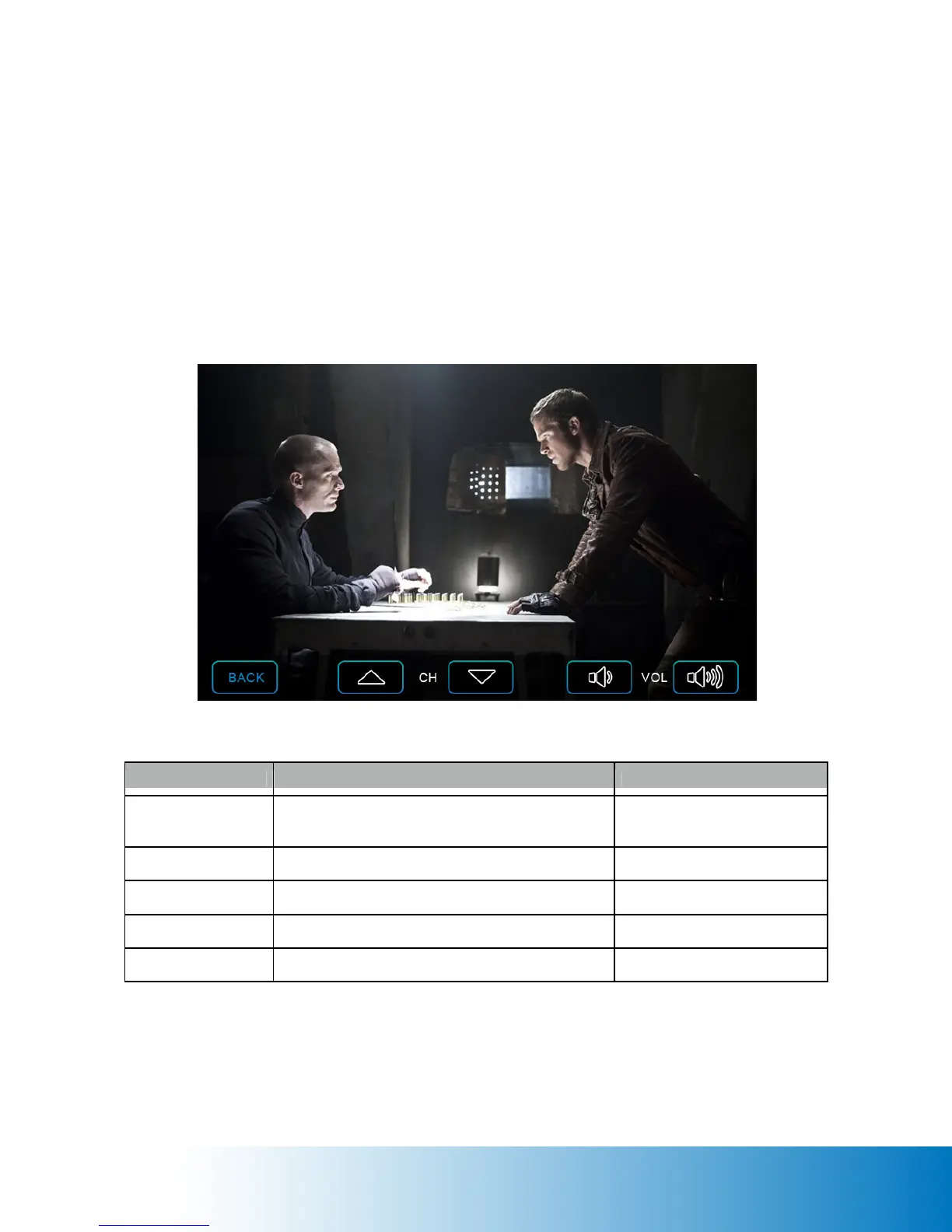
BACK Tap the Back button to leave the TV / Video
screen and back to the Workout Page
• TV / Video stops playing
• Workout page shows
CH UP Tap the Channel Up button to change channel Channel changed
CH DOWN Tap the Channel Up button to change channel Channel changed
VOL UP Tap the Volume Up to increase the volume Volume adjusted
VOL DOWN Tap the Volume Down to decrease the volume Volume adjusted
TV / Video Page
The TV / Video Page will display a TV channel or video over the entire Workout Page. Tap
anywhere on the page to display the control bar across the bottom of the screen; tap the page
again to hide the control bar.
Note: The touchscreen console is not equipped with internal speakers. External speakers or
earphones are required to listen to audio playback.


 To Next Page