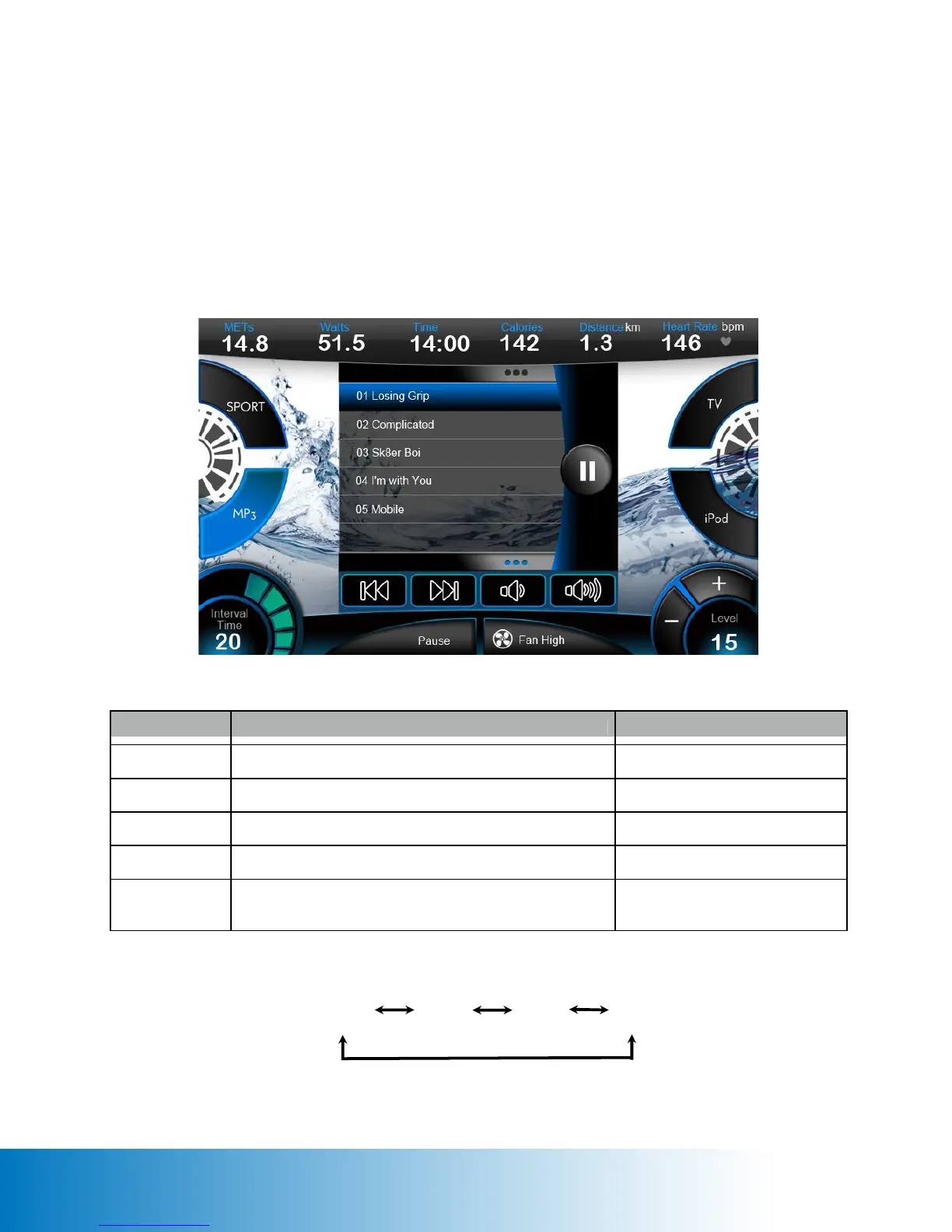
FUNCTION ACTION RESULT
Previous Tap the PREVIOUS icon to play the previous track Previous music played
Next Tap the NEXT icon to play the next track Next music played
Volume Down Tap the VOLUME DOWN icon to decrease volume Voice lower
Volume Up Tap the VOLUME UP icon to increase volume Voice louder
Pause Tap the PAUSE icon to stop the media temporarily PLAY icon displayed. Tap the
PLAY icon to resume.
MP3
iPod
Sport
TV
MP3 Page
The MP3 Page will hover over the Workout Page until the user chooses another function.
Note: The touchscreen console is not equipped with internal speakers. External speakers or
earphones are required to listen to audio playback.


 To Next Page