Page 14 Naxa Electronics
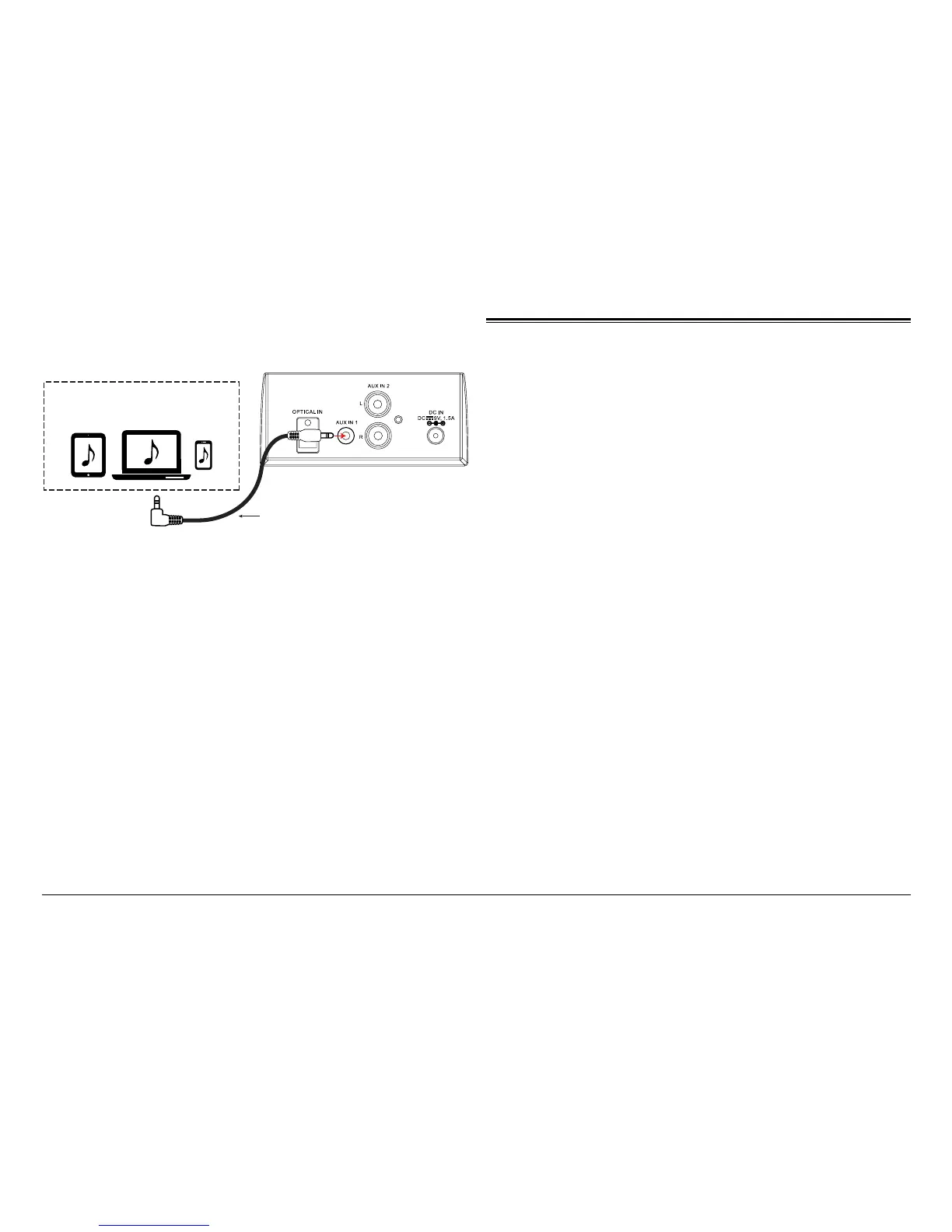
Connect to the 3.5mm Audio Out jack
of external audio devices including Tablets,
Laptops, Smartphones, MP3 Players, etc.
1 XUA mm5.3 oT jack on
the Sound Bar
3.5mm Aux In Cable (Included)
Operate the external device as directed by its manu-
facturer to control playback.
⚠L
If there is no sound or if the volume is not
loud enough, try increasing the volume on
the source device
Using AUX IN 2 Mode
AUX IN 2 sources may include:
• TV/DVD/VCR
AUX IN 2 connection
1. Use an AV cable to connect the audio output jacks
(white jack=L, red jack=R) of the source device (e.g.,
a TV) to the AUX IN 2 audio input jacks found on
the rear of the unit.
2. Turn on the unit. Press the POWER/SOURCE [8]
until the Source LED indicator turns orange. Start
playback on the source device.
IN


 To Next Page