www.naxa.com Page 15
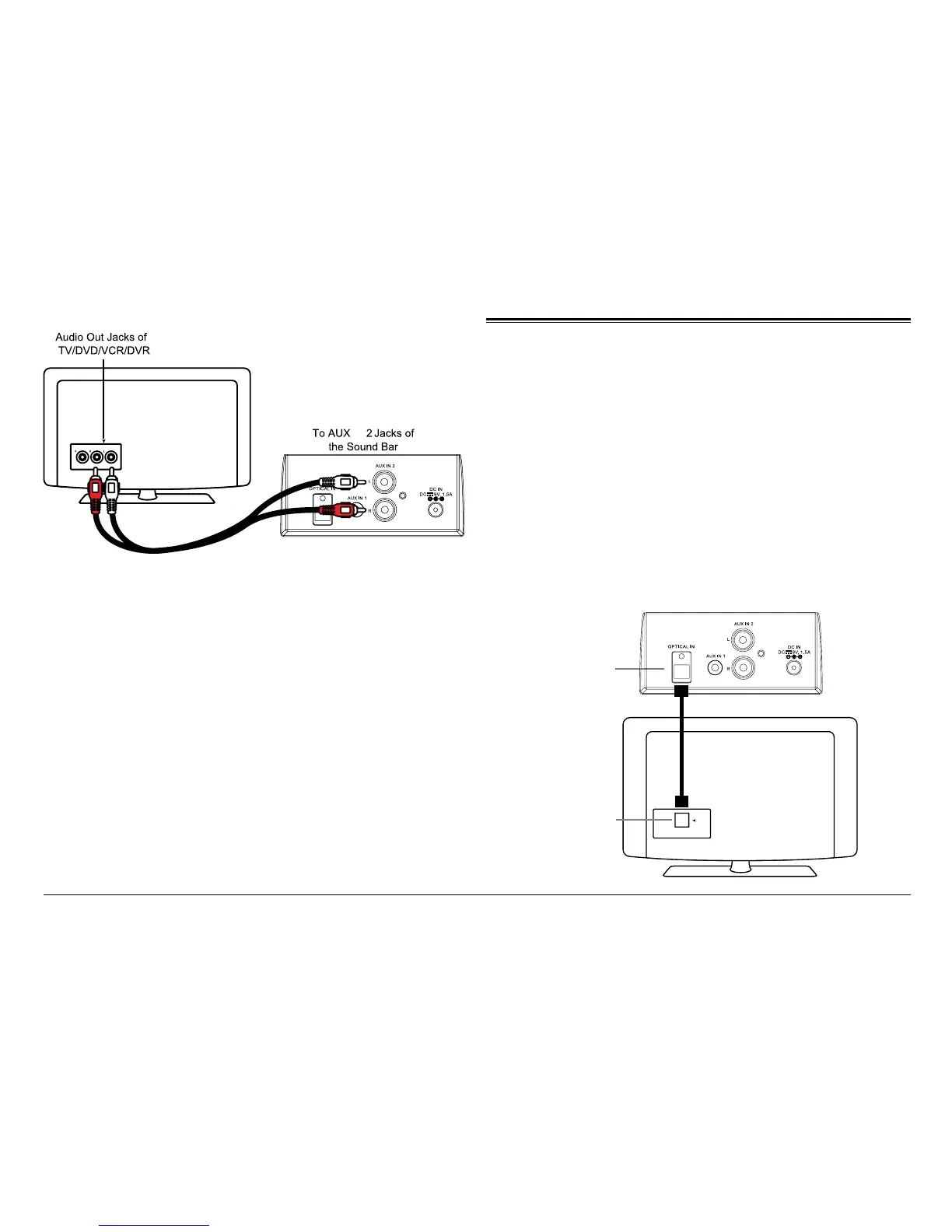
Operate the external device as directed by its manu-
facturer to control playback.
⚠L
If there is no sound or if the volume is not
loud enough, try increasing the volume on
the source device
Using Optical In Mode
Connection
1. Follow the gure below to make the connections.
2. Turn the unit on. Press the POWER/SOURCE [8] un-
til the SOURCE LED indicator turns indigo.
⚠L
Not all entertainment systems are set up
the same way; the diagram below is only
one example of how the connection can be
made.
Optical Cable (not included)
OPTICAL OUT
Optical Out of
TV/DVD/Etc.
(referred to as
“Digital Out” on
some devices)
Optical in jack
of the Sound Bar
IN


 To Next Page