Page 6 Naxa Electronics
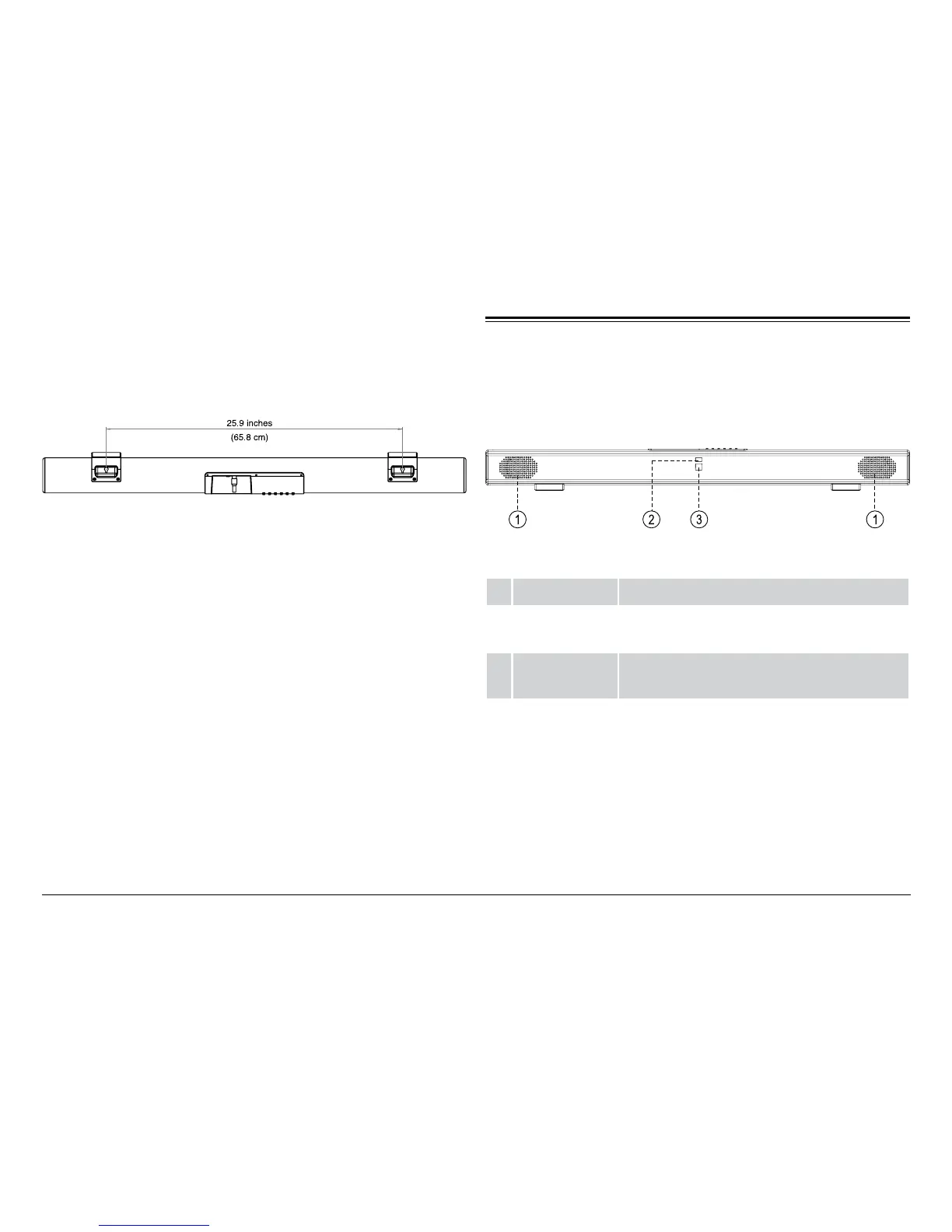
4. Make sure that the screws are stable and rmly at-
tached to the wall. Locate the mount points on the
rear of the sound bar, then hook the sound bar onto
the screws.
⚠⚠
The wall that the sound bar is mounted on
should be of sufcient strength to support
the weight of the sound bar.
At a Glance
Front View
1 Speakers Full-range drivers
2 Source LED Lights up to indicate the current source
mode.
3 Remote
Sensor
Receives signals from the remote control.


 To Next Page