NComputing L-Series User Manual rev.05.07.12
Page 76 of 95
5.3 Session Controls
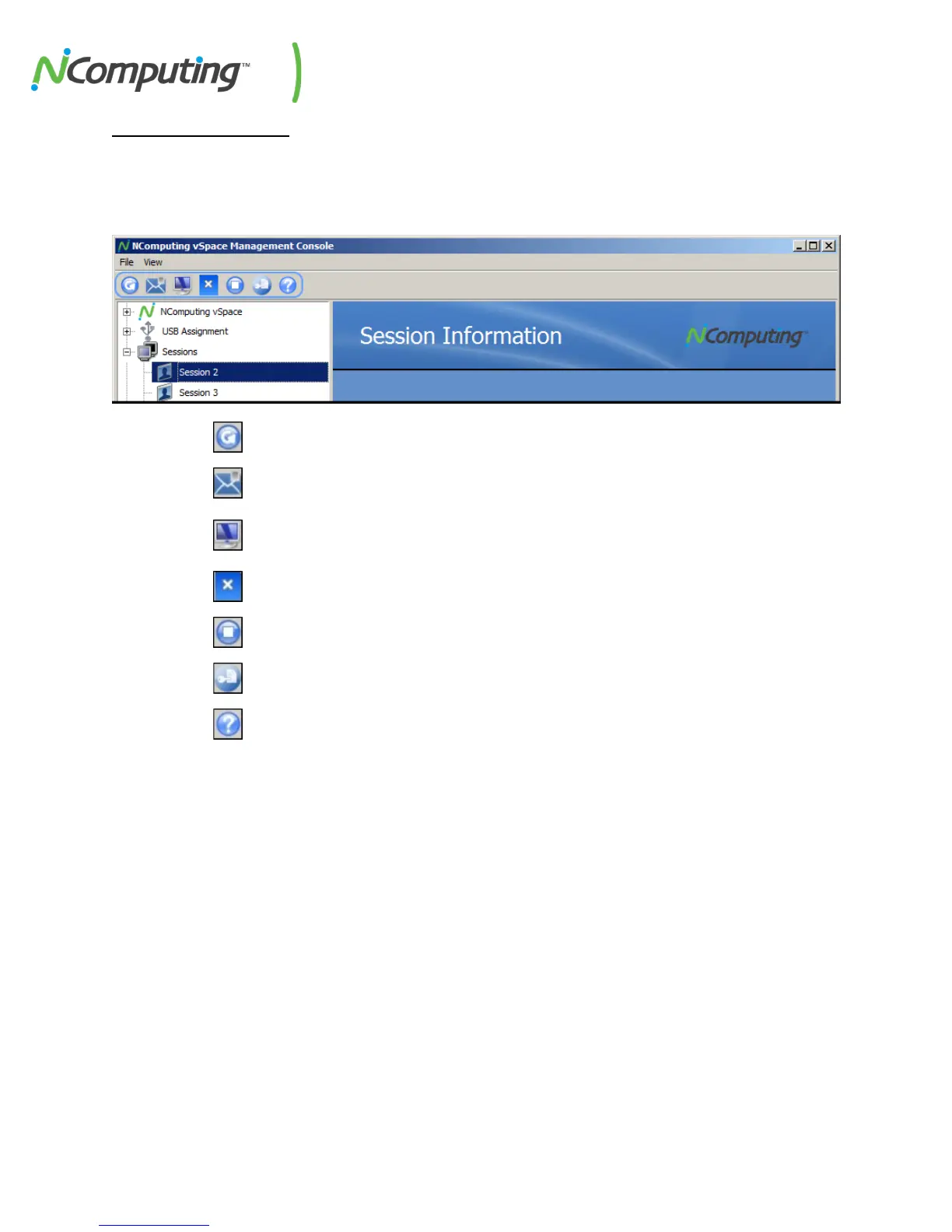
A number of controls that provide easy access to some common operations appear at the top of the
console. These operations include the ability to remotely view a specific session or to send that session a
message.
Refresh – Refreshes Device and Session data within the vSpace console.
Send Message – Sends a private message to the selected session.
View* – Remotely displays the selected session, providing the same desktop view
that the user is currently seeing.
Disconnect – Disconnects the device from its associated session.
Stop – Stops the selected session, effectively logging the user out.
Registration –Opens the Registration dialog box.
Help – Opens the Ncomputing Support page on an external web browser.
*While using the “View” function on a session, administrators can right-click on the top bar of the view
window to take control of that session.


 To Next Page