NComputing L-Series User Manual rev.05.07.12
Page 78 of 95
6.2 Device Groups
When dealing with large numbers of devices spread throughout several logical or physical groups (for
example, deployments across several office floors or classrooms), it can be advantageous to group these
devices within the vSpace console itself. This can be accomplished by right-clicking on the “L-series”
section inside the “Devices” group within the left navigation tree and selecting “Add Group,” which
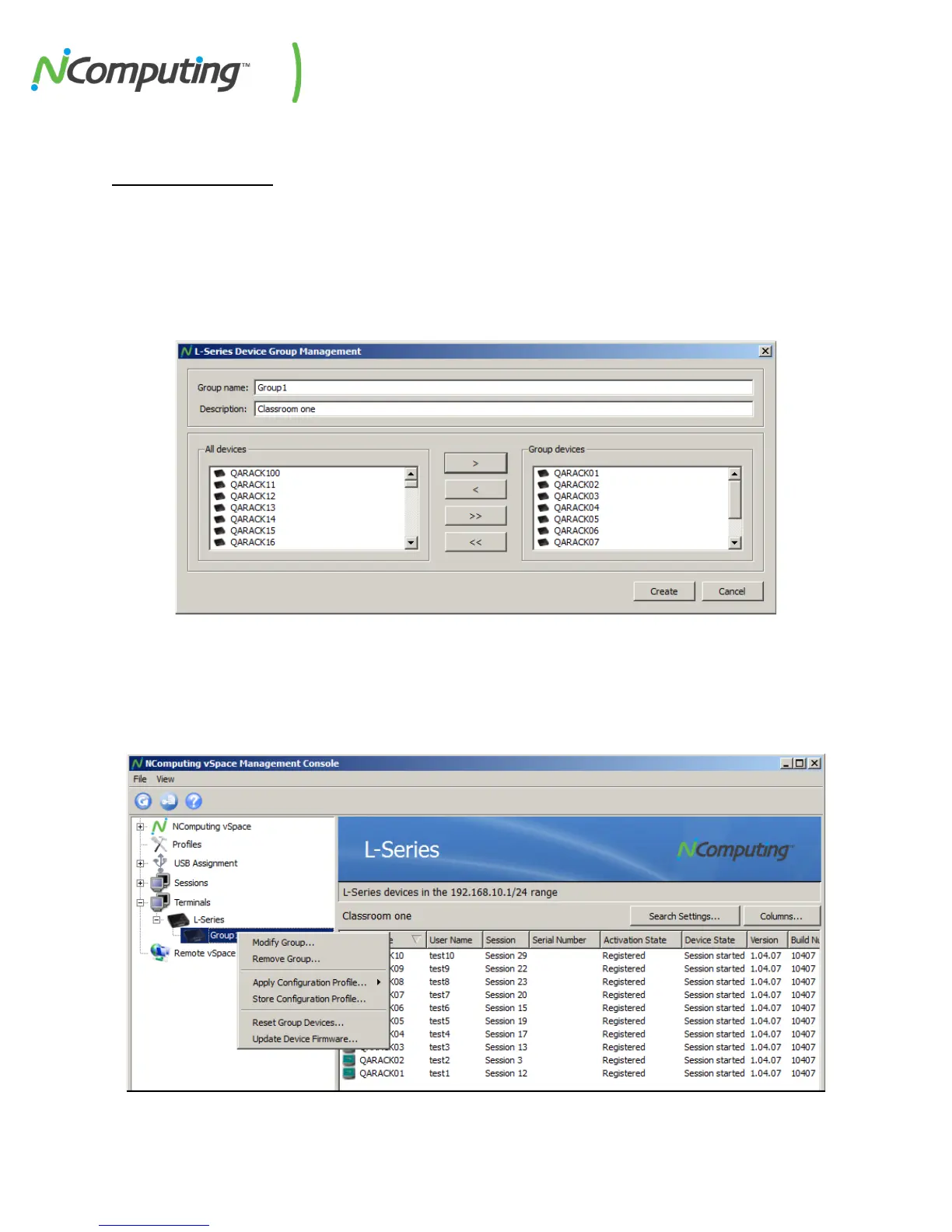
opens the Device Group Management interface, as shown below:
From this interface, devices can be added to a group which can be given a name befitting the nature of
your deployment. Once created, groups can be selected from the “L-series” section of the console for
easy configuration, as shown below:


 To Next Page