NComputing L-Series User Manual rev.05.07.12
Page 79 of 95
6.3 Information Tab
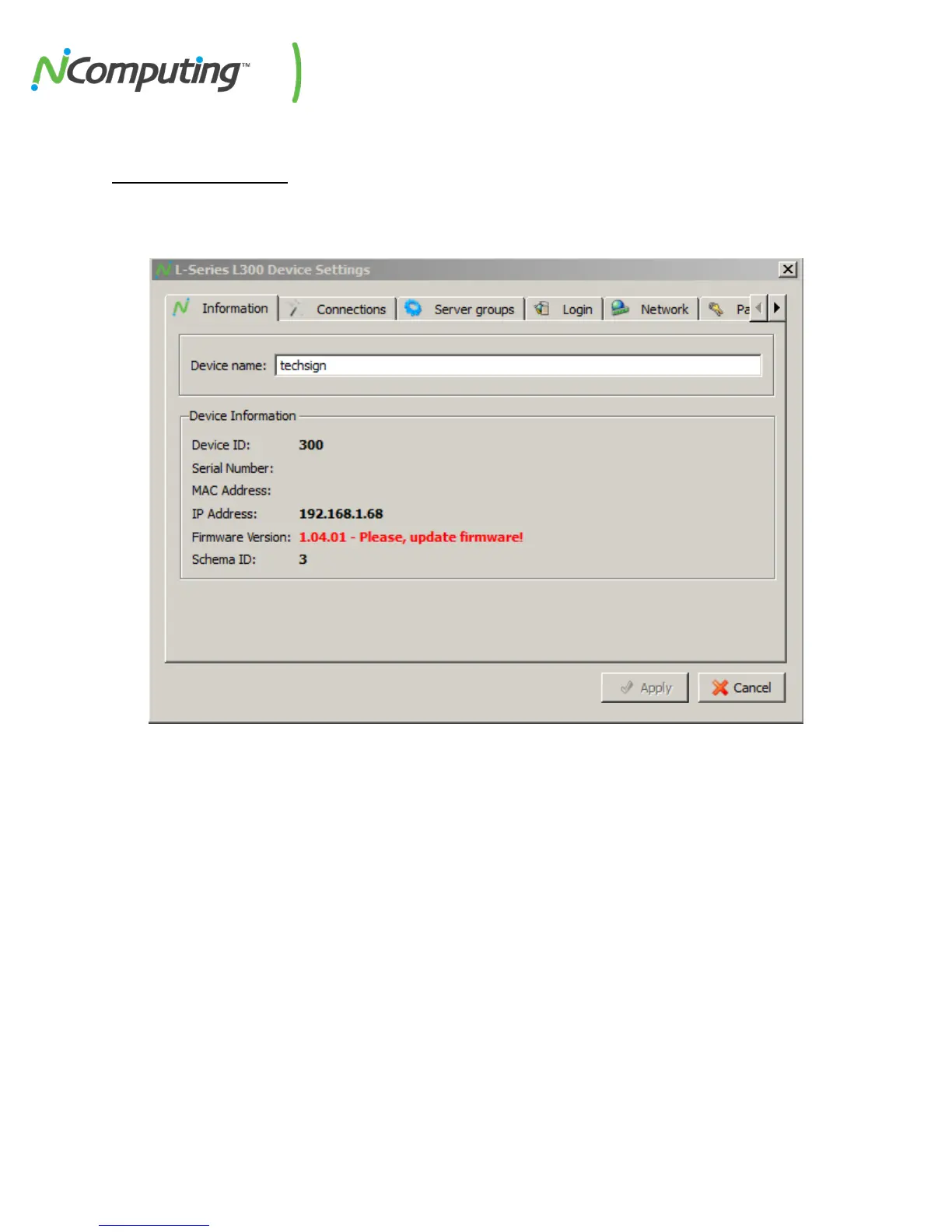
The “Information” tab provides basic information on a selected device, including its network address
and serial number. This tab also allows you to rename the device to facilitate identification.
Device Name Displays the designated device name. This can be edited as desired.
Device ID The Model ID of the selected device (L300’s have a Device ID of 300)
The serial number of the selected device
MAC Address The MAC address of the selected device
IP Address The current IP address of the selected device
Firmware Version
Displays the currently loaded firmware version of the selected device. In this
example, the device firmware is out of date, as indicated by the text “Please
update firmware.”
Schema ID Miscellaneous build information (for NComputing internal use only)


 To Next Page