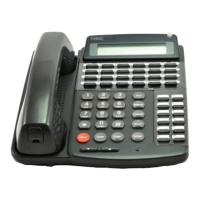
D
term
Cordless Lite
Owner’s Manual 3 - 1
Installing the D
term
Cordless
S
ECTION
1
S
ELECTING
A
L
OCATION
Select a location for the
D
term
Cordless Lite
to avoid
excessive heat or humidity. The base unit of the
D
term
Cordless Lite
can be placed on a desk or tabletop near a
standard 120 Vac outlet and telephone line jack. The base
unit can also be mounted on a standard AT&T or GTE wall
plate using the wall mount adapter. Keep the base unit and
handset away from sources of electrical noise (motors,
fluorescent lighting, computers, PC monitor). Refer to
Chapter 1 Specifications and Safety Information for a
complete discussion of safety precautions.
S
ECTION
2
C
ONNECTING
THE
T
ELEPHONE
C
ORDS
When connecting the telephone cords, observe the following
precautions.
Never install telephone wiring during a lightning storm.
Never touch bare telephone wires or terminals unless
the telephone line has been disconnected at the
network interface.
Use caution when installing or modifying telephone
lines.



 To Next Page