Issue 1 NEC America, Inc.
3 - 2 Installing the Dterm Cordless
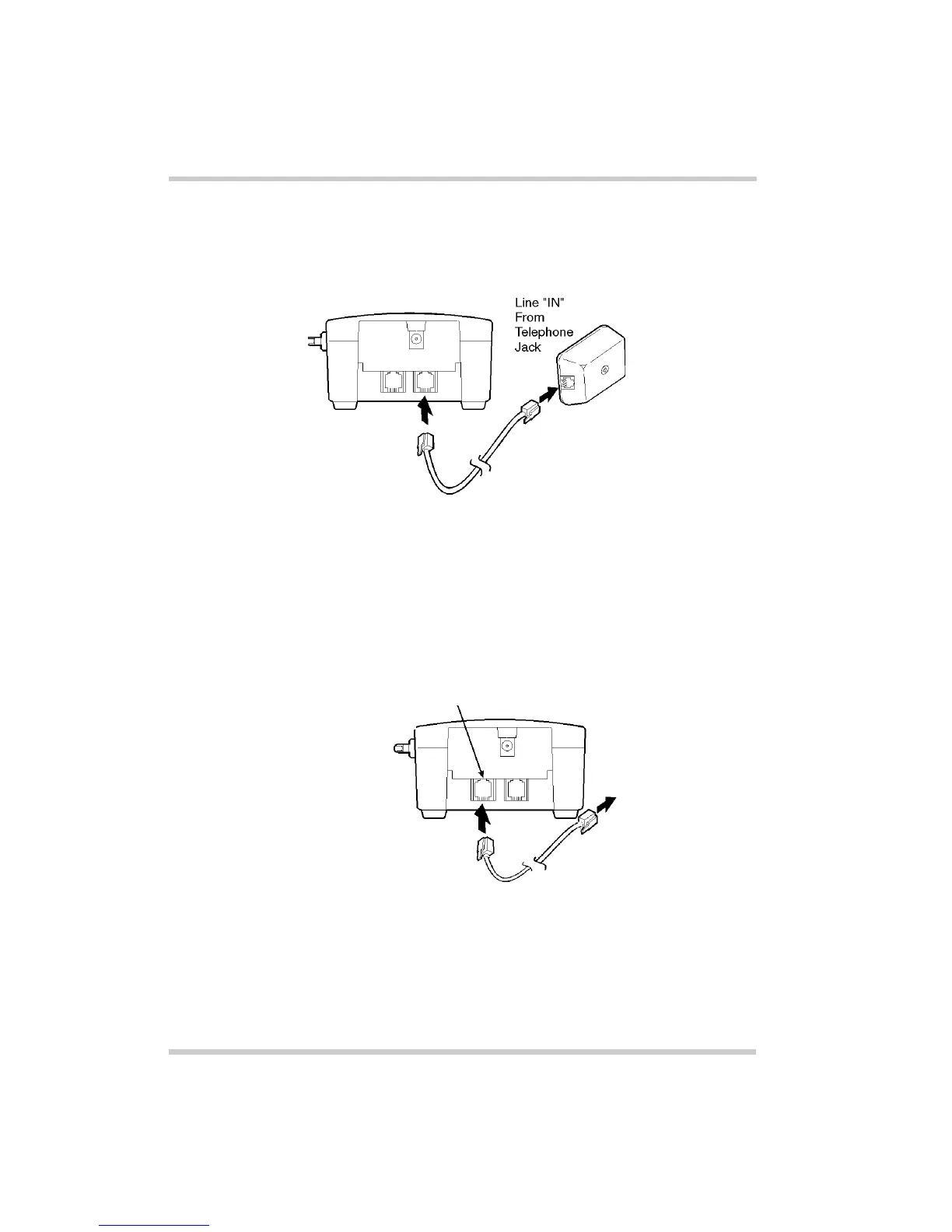
1. Connect the cord from the telephone jack to the Line In
on the
D
term
Cordless Lite
.
2. Connect a qualified NEC digital Multiline Terminal to the
D
term
Cordless Lite
.
Figure 3-1 Connecting Telephone Cords to the Telephone
Jack
Figure 3-2 Connecting the
D
term
Cordless Lite
to the Multiline
Terminal
To digital
Multiline
Terminal
interface
card on
KTS/PBX
Line “OUT”
To Multiline
Terminal



 To Next Page