NEC America, Inc. Issue 1
D
term
Cordless Lite
Owner’s Manual 3 - 5
S
ECTION
4
W
ALL
I
NSTALLATION
Standard Wall Plate Mounting
The base unit is designed to be mounted on standard AT&T
or GTE wall plate. To attach the wall mount stand to the base
unit:
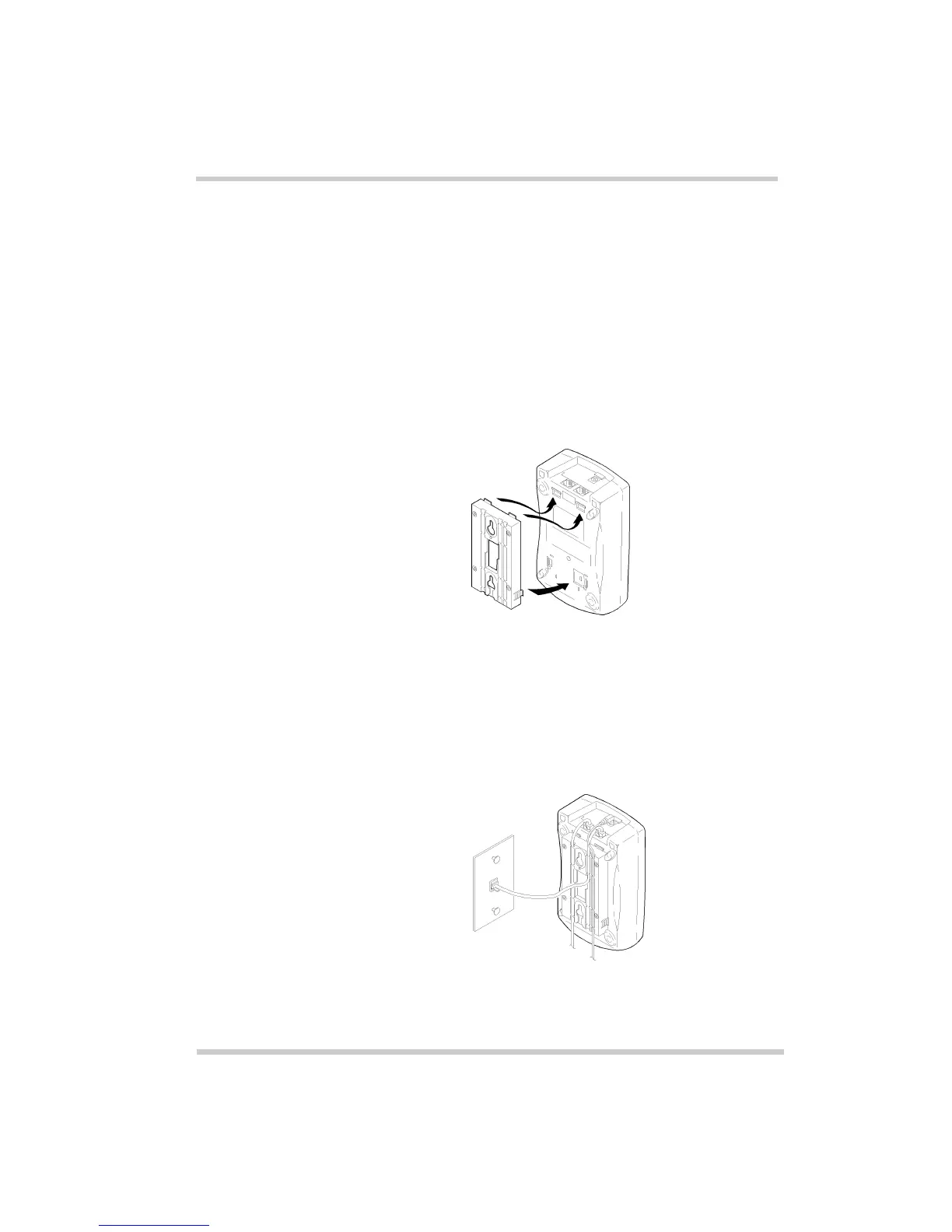
1. Slide the wall mount stand into the notches at the top
of the base unit. Rotate the wall mount stand down
and snap it into place.
2. Plug the AC adapter into the base unit.
3. Place the AC adapter cord inside the molded channel
of the wall mount stand.
Figure 3-5 Attaching the Wall Mount Stand to the Base Unit
Figure 3-6 Placing the AC Adapter Cord Inside the Wall
Mount Stand



 To Next Page