Issue 1 NEC America, Inc.
3 - 8 Installing the Dterm Cordless
2. Plug and secure the AC adapter.
3. Plug the AC adapter into the base unit.
4. Plug one end of the short telephone cord into the
LINE
jack on the base unit. Then plug one end of an Electra
Professional or Electra Elite Multiline Terminal into the
PHONE
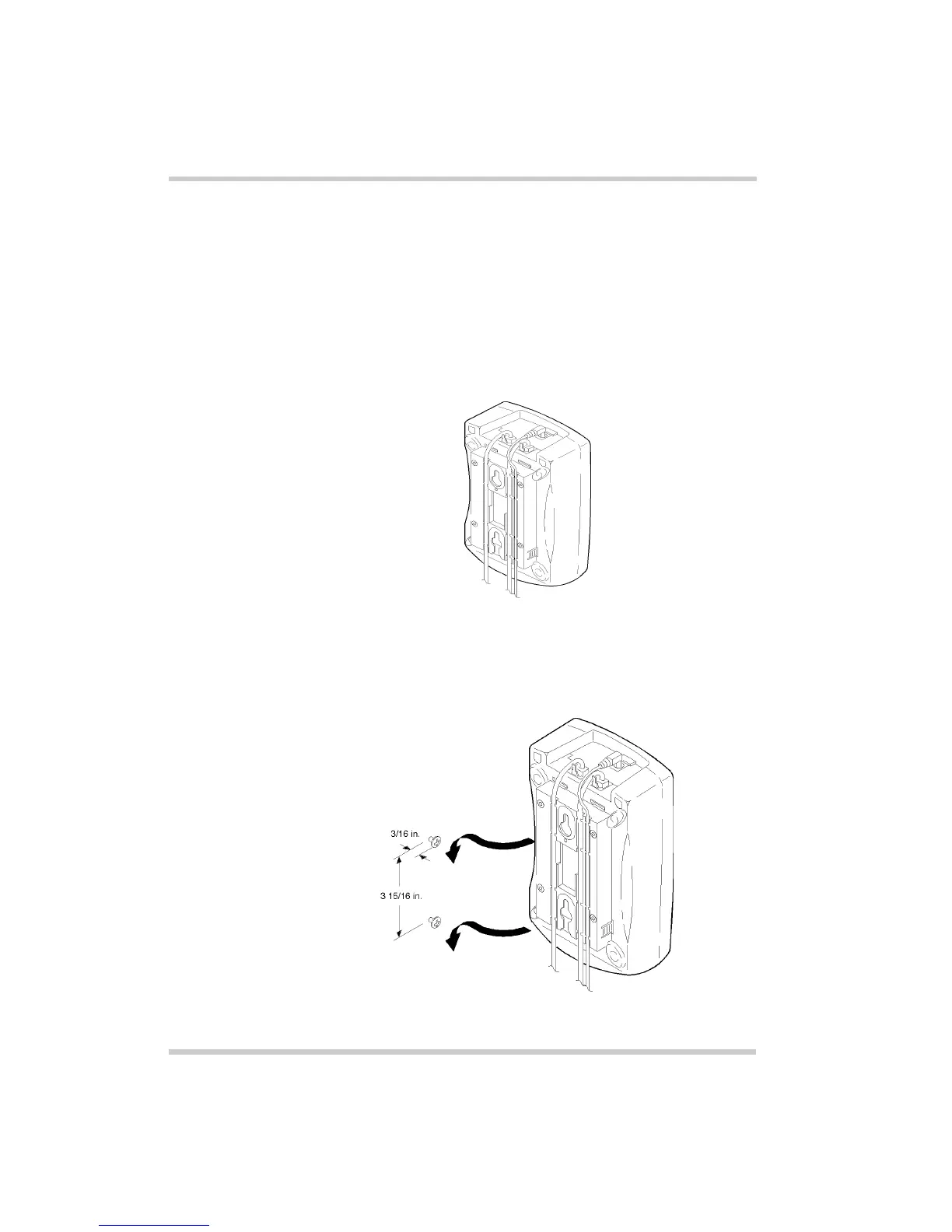
jack. Place the telephone cords inside the
molded channels on the bottom of the wall mount stand.
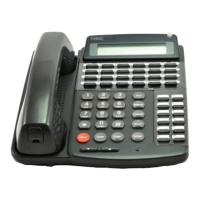
5. Place the base unit on the posts of the wall screws and
push down until it is firmly seated.
Figure 3-10 Placing the Telephone Cords into Inside
the Wall Mount Stand
Figure 3-11 Attaching the Wall Mount Unit to the Wall



 To Next Page