Issue 1 NEC America, Inc.
3 - 12 Installing the Dterm Cordless
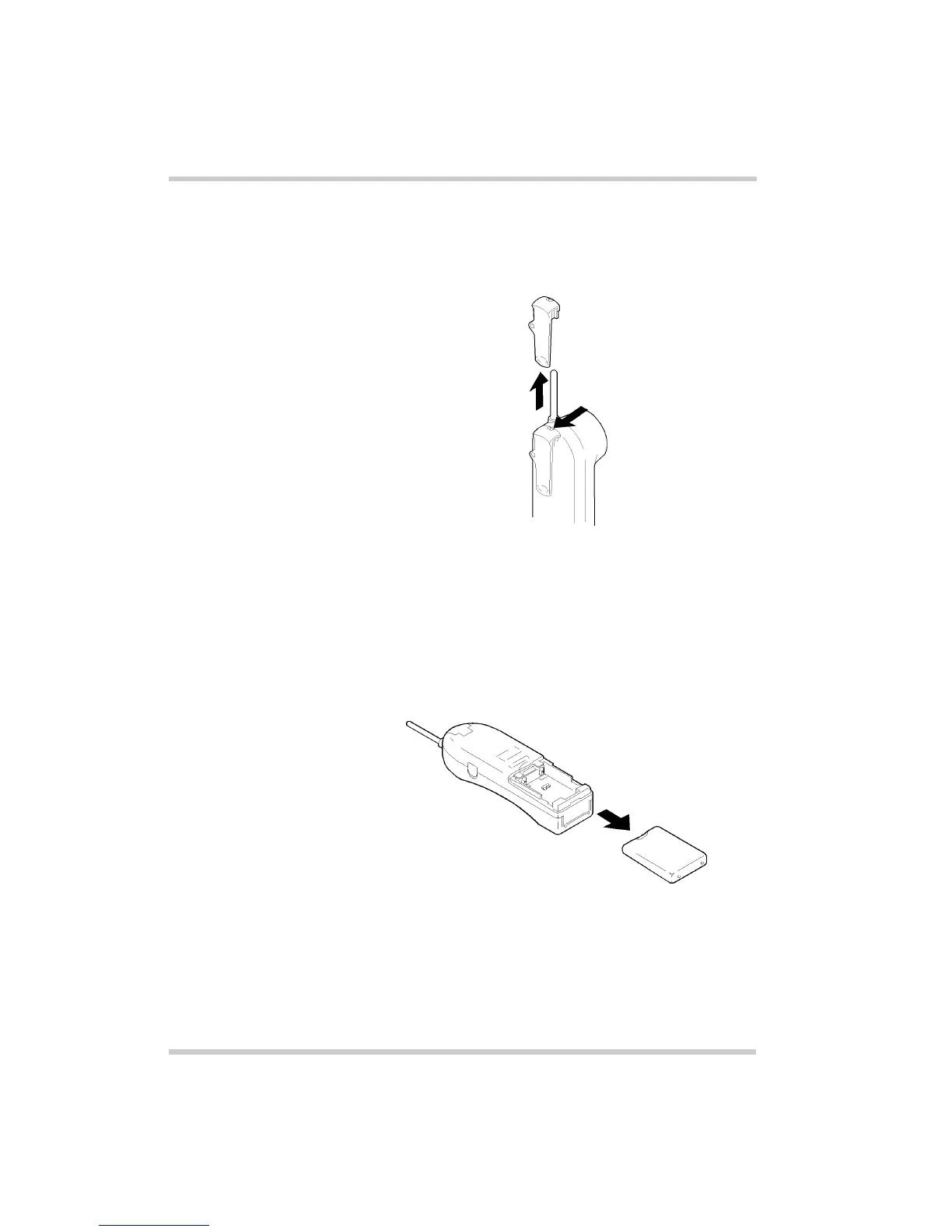
3. To remove the clip, press the retaining clip in toward the
belt clip blade and slide the clip up at the same time.
Once the belt clip is removed, remember to reinstall the
cover tab.
S
ECTION
6
I
NSTALLING
THE
H
ANDSET
B
ATTERY
P
ACK
1. Remove the battery cover by pressing the latch an
sliding the cover down and off of the handset.
Figure 3-17 Removing the Belt Clip
Figure 3-18 Removing the Battery Cover



 To Next Page