EasyManua.ls Logo

NEC Express5800 120Lh - User Manual

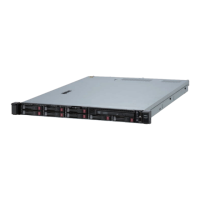
NEC Express5800 120Lh
314 pages
Print Icon
To Next Page IconTo Next Page
Loading...
N8100-941F/942F/943F
NEC Express5800/120Lh
User's Guide
1st Edition
08-2004
856-124032-101-00

Table of Contents

Questions and Answers

  • J
    johnnystevensAug 16, 2025
    What to do if IPMB signal lines do not respond on NEC Express5800 120Lh Server?
    • J
      Jeffery SmithAug 17, 2025
      If the IPMB signal lines do not respond on your NEC Server, this is not a fatal error. Power off the server and then power it back on to restart it. If the error persists, contact your service representative.
  • M
    Melissa JenningsAug 19, 2025
    Why is the STATUS lamp flashing green on my NEC Express5800 120Lh Server?
    • C
      Christopher RamirezAug 20, 2025
      If the STATUS lamp on your NEC Server is flashing green, it means the server is operating with the memory, CPU, or power supply unit in a degraded state. Check the AC POWER lamp indication on the rear panel of the server. Use the BIOS setup utility "SETUP" to identify the specific device that is degraded, and replace it as soon as possible.
  • J
    Jose WeberAug 22, 2025
    What to do if a temperature alarm was detected on NEC Express5800 120Lh Server?
    • P
      Paul EvansAug 22, 2025
      If you detect a temperature alarm on your NEC Server, check if the internal fans are clean and securely connected. If the STATUS lamp indication doesn't change after ensuring the fans are normal, contact your sales representative.
  • B
    brittany64Aug 25, 2025
    What to do if a fan alarm was detected on NEC Express5800 120Lh Server?
    • A
      Anthony MorganAug 26, 2025
      If a fan alarm is detected on your NEC Server, verify that the fan units are firmly connected. If the STATUS lamp indication remains unchanged even when the fans appear normal, contact your sales representative.
  • A
    Autumn JohnsonAug 27, 2025
    What to do if the management controller is not responding on NEC Express5800 120Lh Server?
    • T
      Travis CarrilloAug 28, 2025
      If the management controller is not responding on your NEC Server, update the RMC firmware. If the problem persists, contact your service representative.
  • J
    Jennifer SilvaAug 30, 2025
    What does it mean if the STATUS lamp is unlit or lit/flashing in amber on NEC Express5800 120Lh?
    • K
      kbensonAug 30, 2025
      If the STATUS lamp on your NEC Server is unlit or lit/flashing in amber, the server has failed.
  • D
    Dr. Joe GambleSep 2, 2025
    What to do if no screen display appears with beep on NEC Express5800 120Lh?
    • J
      Jennifer RiveraSep 2, 2025
      If there is no screen display with a beep on your NEC Server, check whether DIMMs are firmly connected to the mating connectors.
  • U
    umoralesSep 5, 2025
    What to do if Power Supply LEDs are OFF on NEC Express5800 120Lh Server?
    • L
      Lori ConleySep 5, 2025
      If the Power Supply LEDs are OFF on your NEC Server, check if AC power is supplied to all power supplies.
  • C
    colemantaylorSep 7, 2025
    What to do if a CPU error occurred on NEC Express5800 120Lh?
    • K
      karimorrisSep 7, 2025
      If you encounter a CPU error on your NEC Server, turn the power off and then turn it back on. If the POST screen displays an error message, note the message and contact your sales representative.
  • V
    Vanessa JonesSep 12, 2025
    Why is the STATUS lamp off on my NEC Server?
    • S
      Samuel WhiteSep 12, 2025
      If the STATUS lamp is off on your NEC Server, wait for a while. The STATUS lamp turns green when POST is completed.

Summary

Safety and Handling Guidelines

General Safety Precautions

Provides essential safety guidelines for server operation, covering warnings and handling precautions.

Chapter 1: Notes on Using Your Server

Installation, Cleaning, and Health Advice

Details safe procedures for server installation, cleaning, and ergonomic considerations.

Chapter 2: General Description

Server Components, Features, and Security

Identifies server chassis components, standard features, system functions, and security measures.

Chapter 3: Setting Up Your Server

Site Selection and OS Installation

Guides on choosing a server site, making connections, and installing the operating system.

Chapter 4: Configuring Your Server

BIOS, SCSI, and RAID Configuration

Explains how to configure system settings via BIOS, SCSI, and RAID utilities.

Chapter 5: Installing Operating Systems and Drivers

Express Setup Utility and Driver Installation

Covers OS installation using Express Setup and subsequent device driver setup.

Chapter 7: Maintenance Procedures

Backup, Cleaning, and Diagnostics

Details essential maintenance tasks including data backups, cleaning, and system diagnostics.

Chapter 8: Troubleshooting Guide

Status Indicators and Error Resolution

Guides on interpreting status lamps, error messages, and resolving common server issues.

Chapter 9: Server Upgrades

Component Installation and Static Precautions

Outlines ESD precautions and step-by-step guides for installing and removing server components.

Chapter 10: Internal Cabling Diagrams

Interface and Power Cable Connections

Illustrates standard internal cable connections for drives, options, and power.

Appendix A: Specifications

Server Hardware Specifications

Lists detailed hardware specifications for different server models (941F, 942F, 943F).

Appendix D: Installing Windows Server 2003

Manual OS Installation and Driver Setup

Guides on installing Windows Server 2003 and its drivers without Express Setup.

NEC Express5800 120Lh Specifications

General IconGeneral
BrandNEC
ModelExpress5800 120Lh
CategoryServer
LanguageEnglish

Related product manuals