LOGIN AND LOGOUT
Login
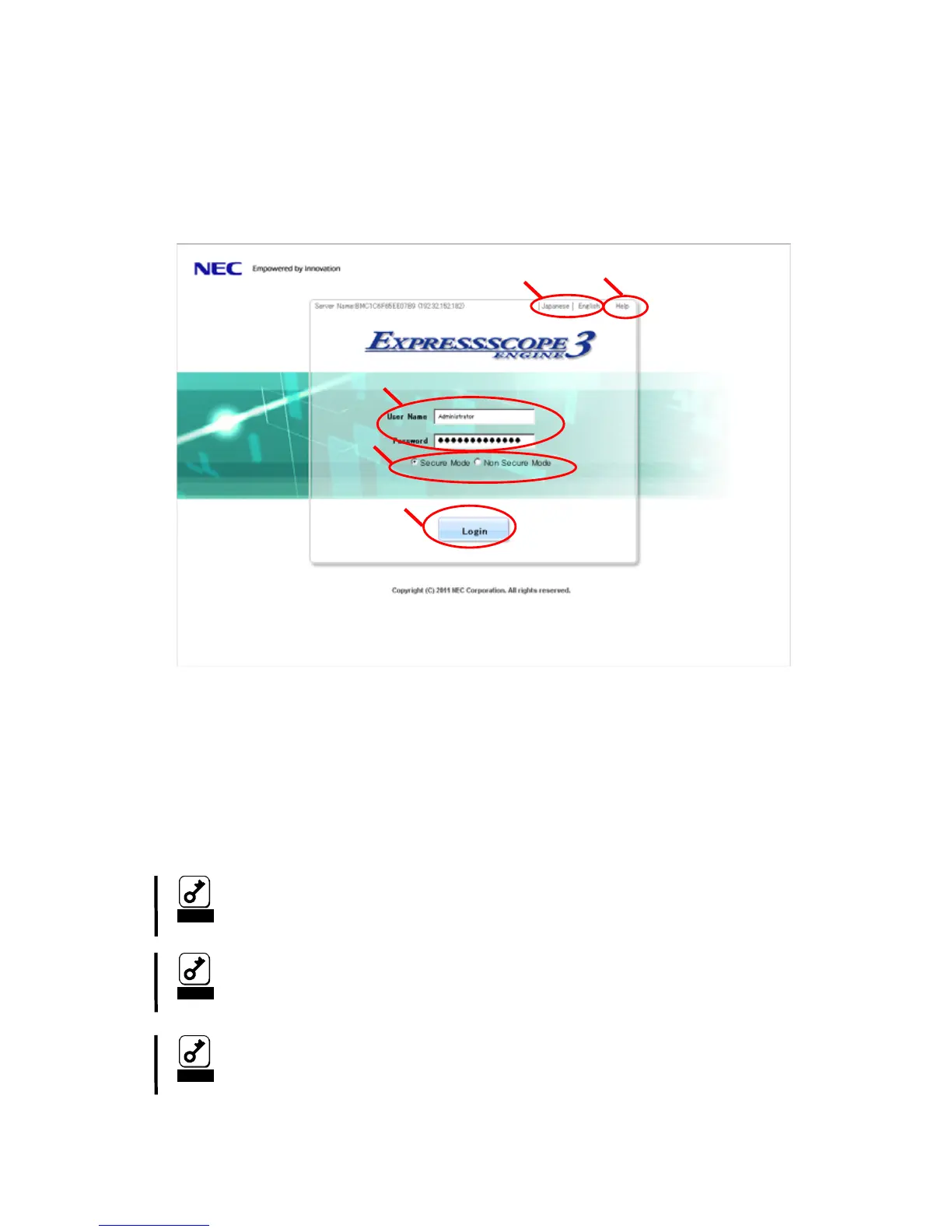
When the login page appears, input the user name and password, and then click [Login].
1. The display language can be selected to English or Japanese.
2. The online help is displayed.
3. Please input username and password.
4. Secure Mode(HTTPS) or Non Secure Mode(HTTP) can be selected.
5. Please push "Login" button.
Notice
You can select the display language only in the login page. If you
want to change the language after login, log out once and change the
language in the login page.
Do not use the “Reload” button in your browser after login.
Notice
If you use Active Directory authentication, you need to input with the
form of username@domainname in “User Name”.
Notice
1
2
1
2
5
4
3
- 17-



 To Next Page