44
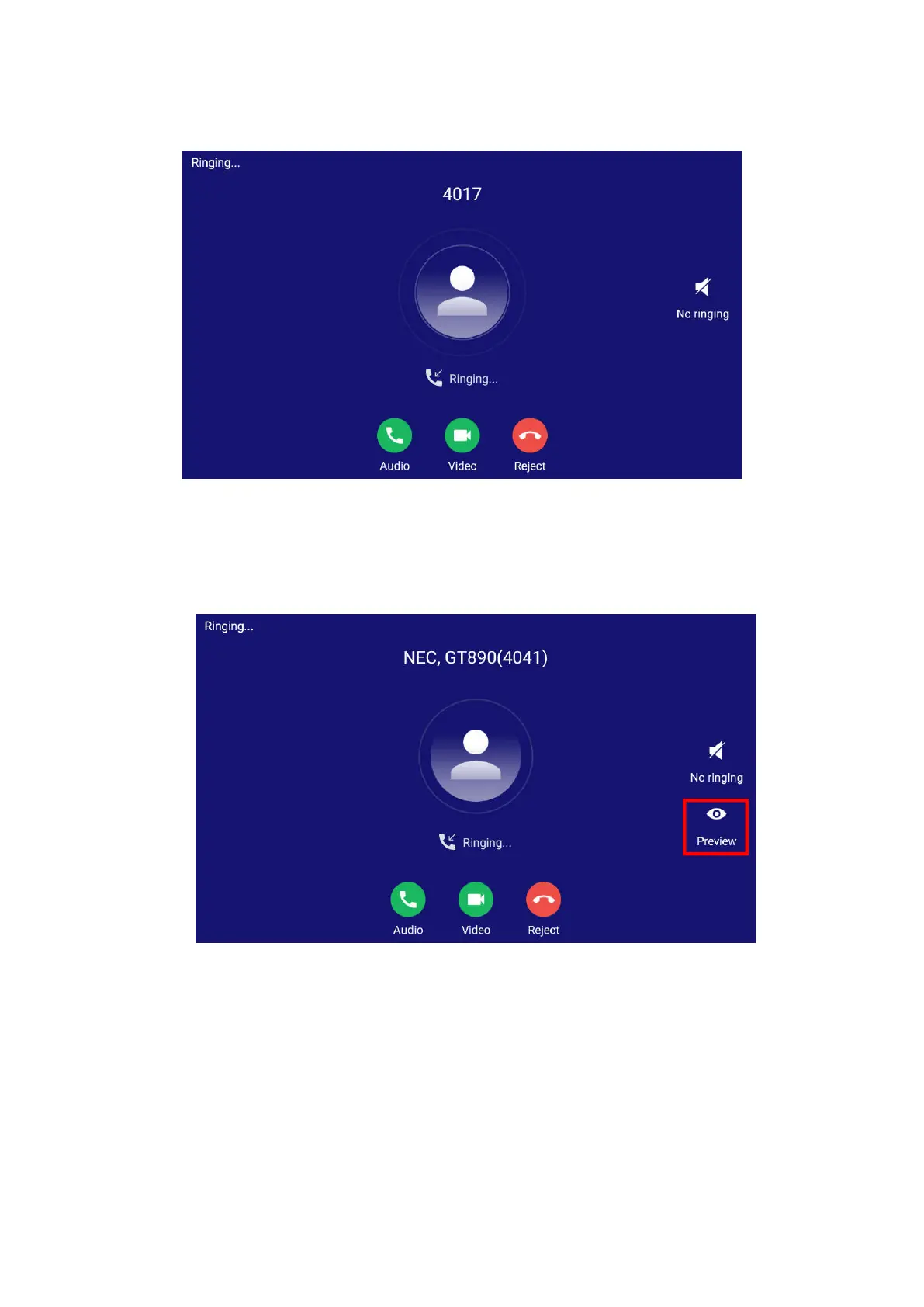
Figure 40: Single Incoming Call – Video
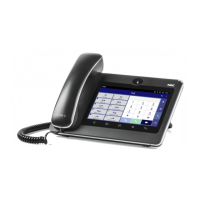
If the phone set the “Preview” feature for the incoming call from Web GUIPhone SettingsCall
SettingsEnable Function for Incoming Call, the phone will display one more key “Preview” when
there is an incoming video call. End users will preview the remote end without answering the video call.
After previewing, end user can tap on Answer key to answer the video call, or “Reject” key to reject it.
Figure 41: Single Incoming Call – Preview-1




 To Next Page