71
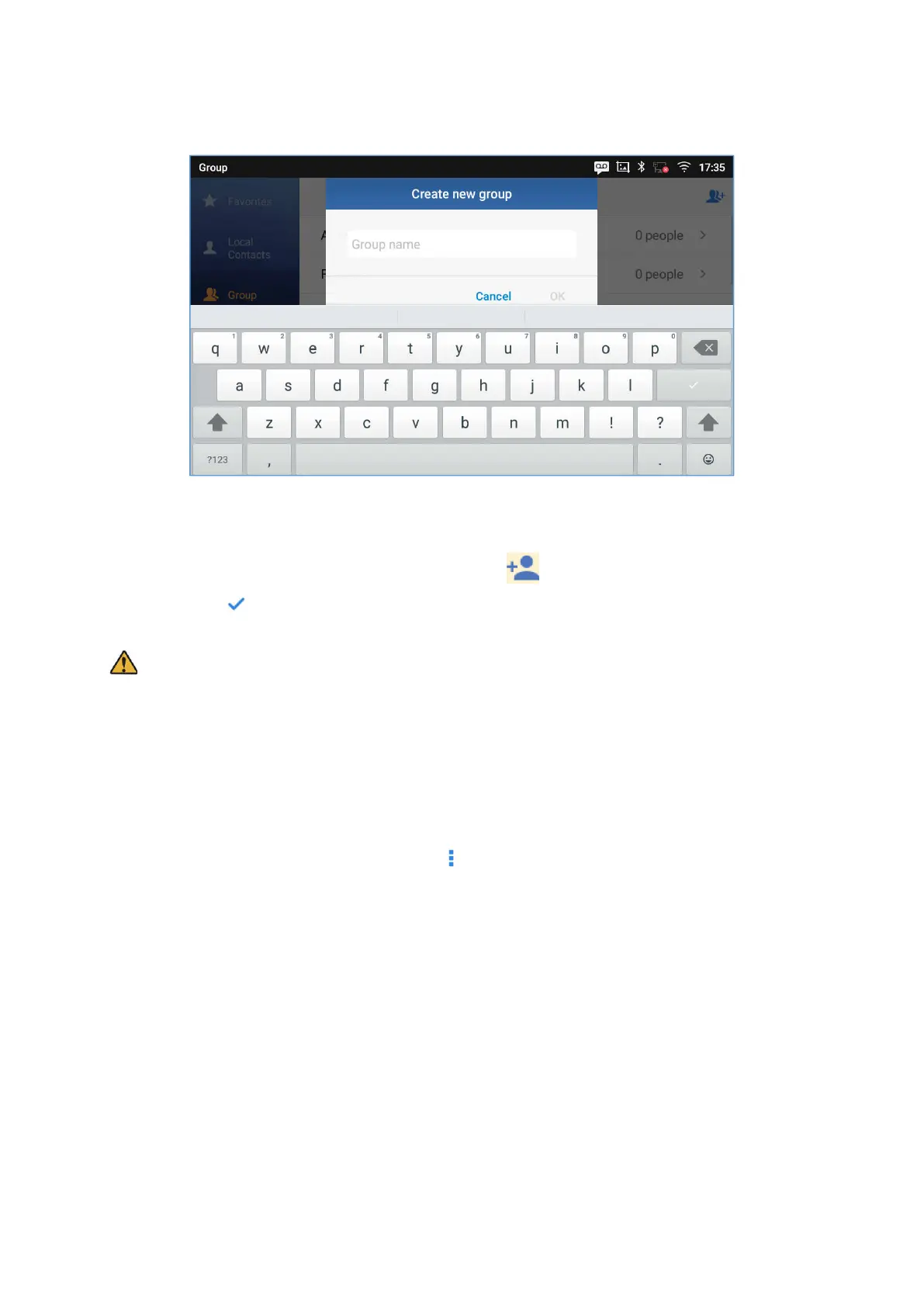
Figure 78: ITX-3370 Contacts - Add New Group
Add contacts to Group
To add contacts to a group, tap on the group then tap on , check the contacts to be added to the
group and press .
Note:
Users could also select a group for the contact when adding or editing the contact.
Ringtone can be assigned in group as well as single contact. If the group has ringtone set to "Custom
Ringtone", this ring tone has the highest priority when there is an incoming call to the contact.
Contacts Storage Status
The phone’s default maximum contacts storage is up to 1000. To check contact storage status, tap on More
on the upper right corner of the contacts screen to bring up contacts options, scroll down and select
"Storage Status".







 To Next Page