82
1. Tap in the top right corner of the screen and select the files to move
2. Tap to move the files.
3. Select the directory to which you want to past the files then .
Send Files
The users can send a file via Bluetooth. Please make sure Bluetooth is turned on and connected to the
Bluetooth devices. Otherwise, you will be directed to set up Bluetooth before the file can be sent out.
To send a file:
1. Open file manager and navigate to the directory of the file to be sent over. Tap and hold on the file for
about 2 seconds and press send
2. Select the Bluetooth device to which the file will be transferred
Or
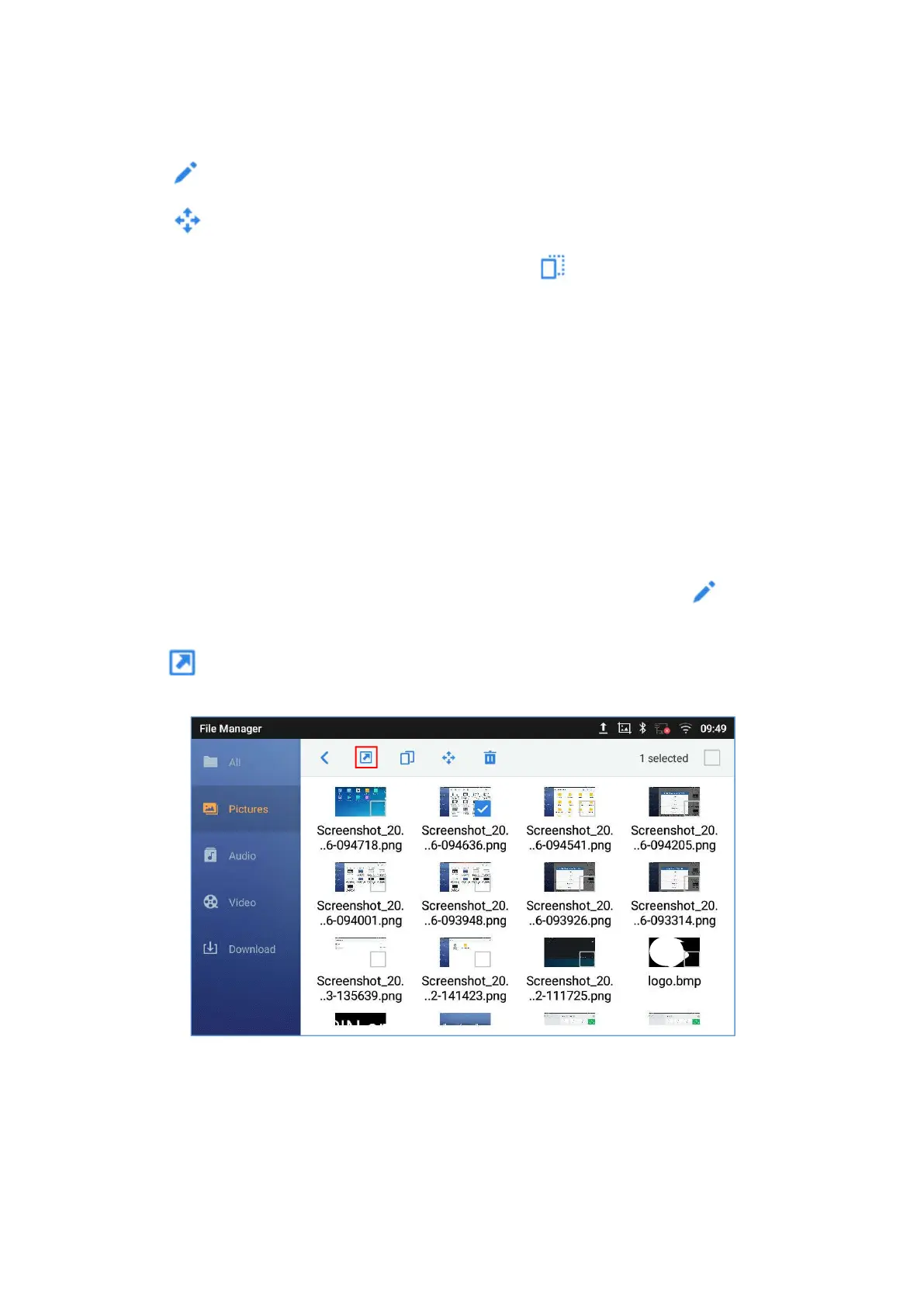
1. Open file manager and navigate to the directory of the file to be sent over then tap
2. The check boxes will appear then check the files to be sent over
3. Tap to send the selected files via Bluetooth then choose the Bluetooth devices to send the files
to.
Figure 91: ITX-3370 File Manager - Options
Delete Files
1. Open file manager and navigate to the directory of the file to be deleted. Tap and hold on the file for
about 2 seconds until more options appear.




 To Next Page