78
Dial Out from Call History
Tap on or of the call history entry to call this number directly. The phone will use the same
account as the call log when dialing out.
Call History Options
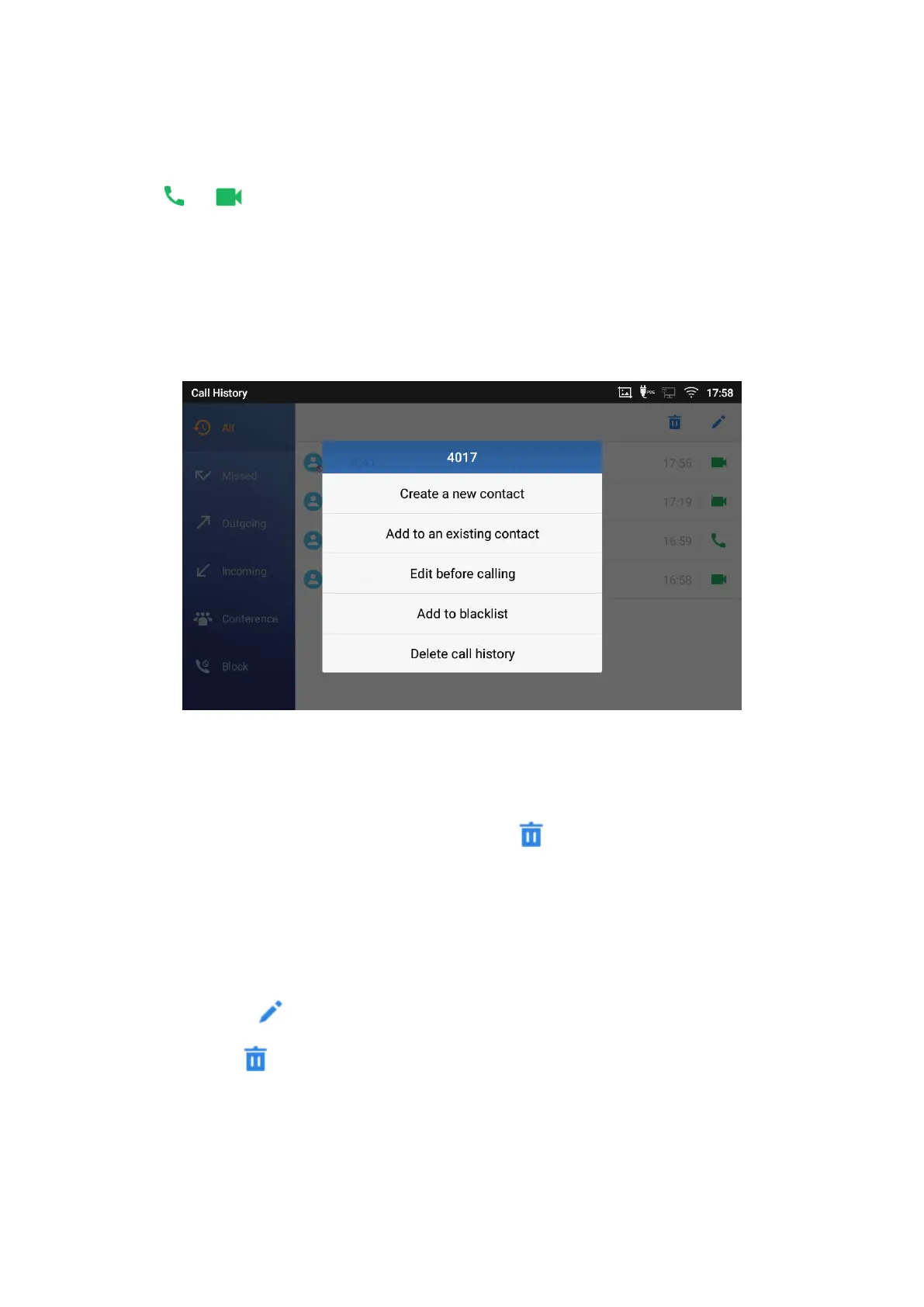
Touch and press the call history entry for about 2 seconds until more option window pops up
Users can edit this number before calling, add this number to contacts, add this number to etc…
Figure 86: ITX-3370 Call History – Options
Delete Call History
Delete the entire call history
You can delete the entire call history by pressing the on the call history page.
Delete a single call history entry
Users can delete a single call history entry by pressing the entry for about 2 seconds to bring up
the options then select Delete call history.
Delete multiple call history entries
o Press on the top right corner of the screen and select the entries to be deleted.
o Tap on to delete the entries.




 To Next Page