96
the phone system will pop up a new window to allow user to check the Wi-Fi parameters and change
the setting by checking the “Advanced options” at the bottom.
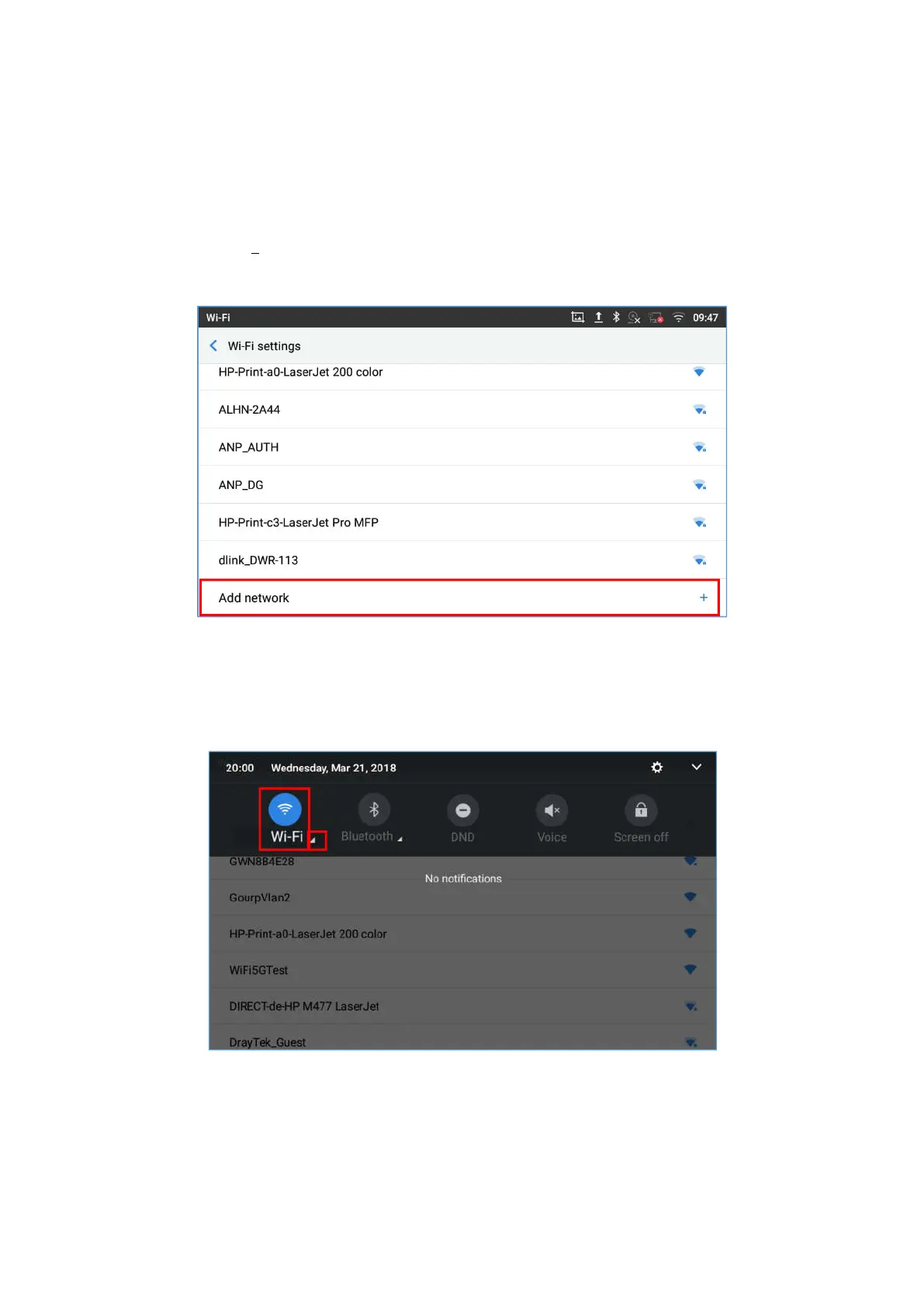
10. You can also add Wi-Fi Networks manually if the network is hidden or not showing on the list of scanned
SSIDs. You needs to roll down the Wi-Fi settings page and tap on “Add network” and then enter the
SSID name, Security type and Password.
Figure 111: Wi-Fi - Add network
Wi-Fi Settings Shortcut
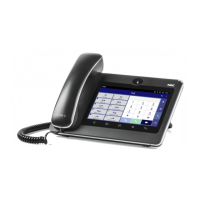
Users can enter the Wi-Fi settings by sliding the Status Bar, then long Press on the Wi-Fi icon.
Figure 112: Wi-Fi Settings Shortcut
-Or-
Press the letter under Wi-Fi icon this will show the list of the Wi-Fi networks detected. Press “More Settings”
to access the Wi-Fi settings.










 To Next Page